What Is a Start Frame in AI Video Generation?
The most important field in your generation panel, and the one most people skip or fill in blind.
If you have opened any AI video tool, you have seen a field labelled “start frame”, “first frame” or “reference image”. You have probably skipped it, or thrown in a random photo and hoped.
Here is what it actually does, and why it is one of the highest-leverage controls you have.
A video is just a sequence of images
A video is a run of still images shown one after another, fast enough to read as motion. That is what fps means: frames per second. A start frame is simply the first image in that sequence, the fixed point everything after it evolves from.
Type a prompt with nothing else and the model has nothing to anchor to, so it invents its own start frame from whatever it thinks fits your description. Give it a real one and it skips that guesswork entirely. It is no longer imagining where the shot begins, only working out what happens after.
A real comparison
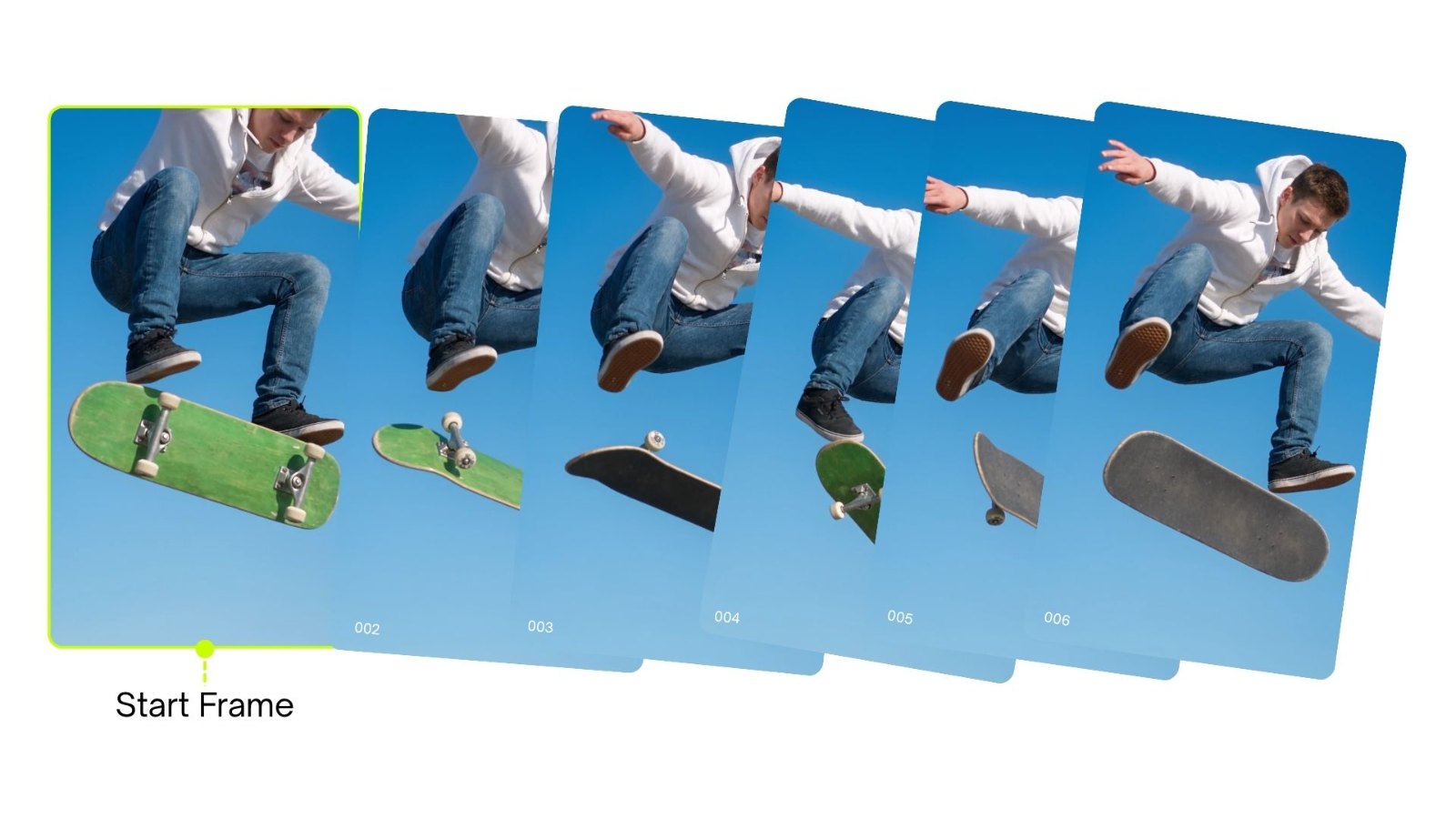
Say you want a character, call him Jeff, landing a skateboard trick.
Without a start frame, you write the prompt and the model decides where the shot opens. You might get him rolling up to the ramp. You might get him already in the air. It is a coin flip, and you find out after the generation has run.
With a start frame, you decide. Below are two we made, and the clips each one produced. Same prompt, same settings (Seedance 2.5, 1080p, 3:4, 8 seconds). The only thing that changed between them is the image handed in first.
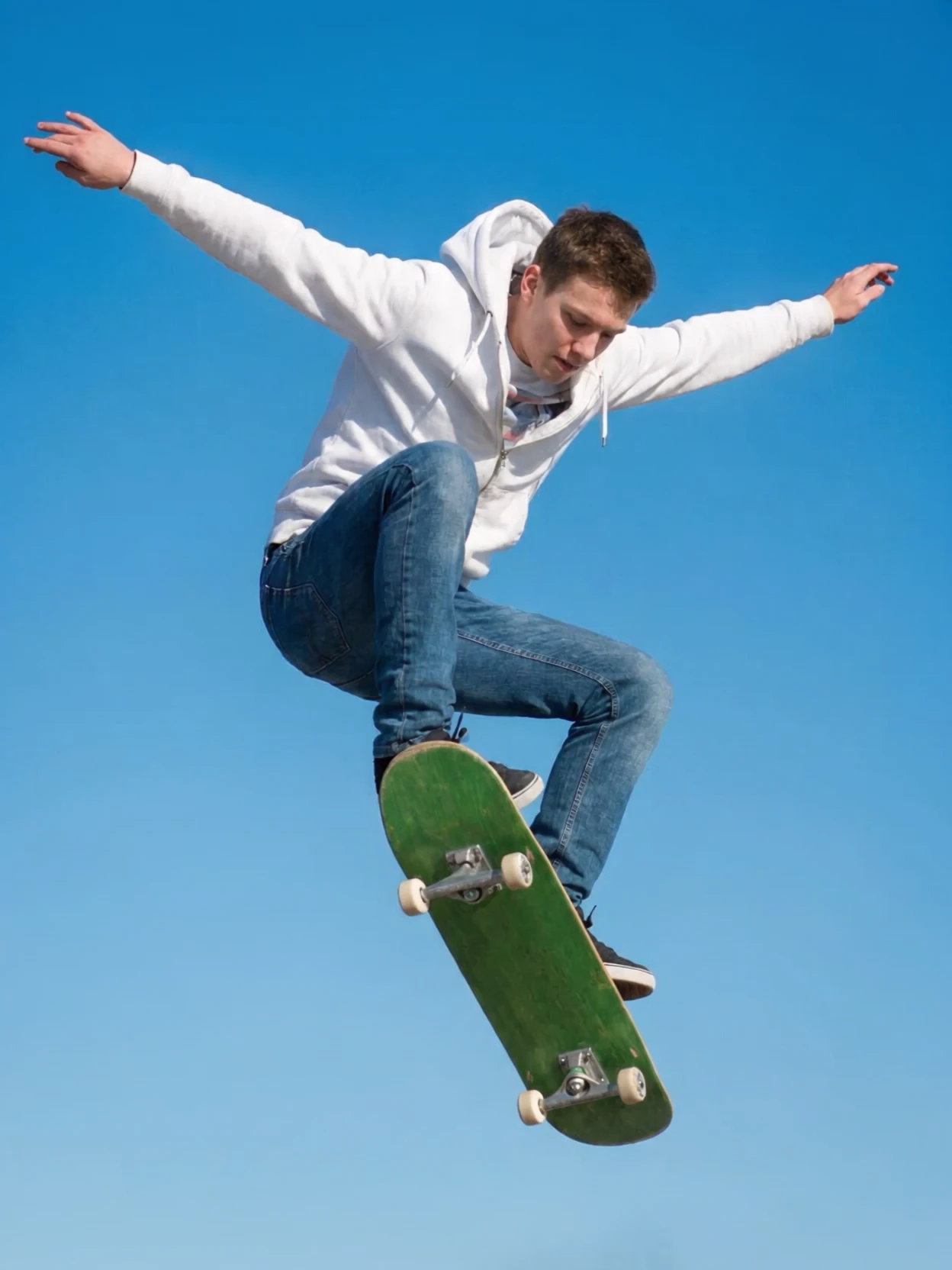
Hand it the peak of the trick and the clip opens there, already airborne, and plays out the landing. Press play on the clip to watch the still move.
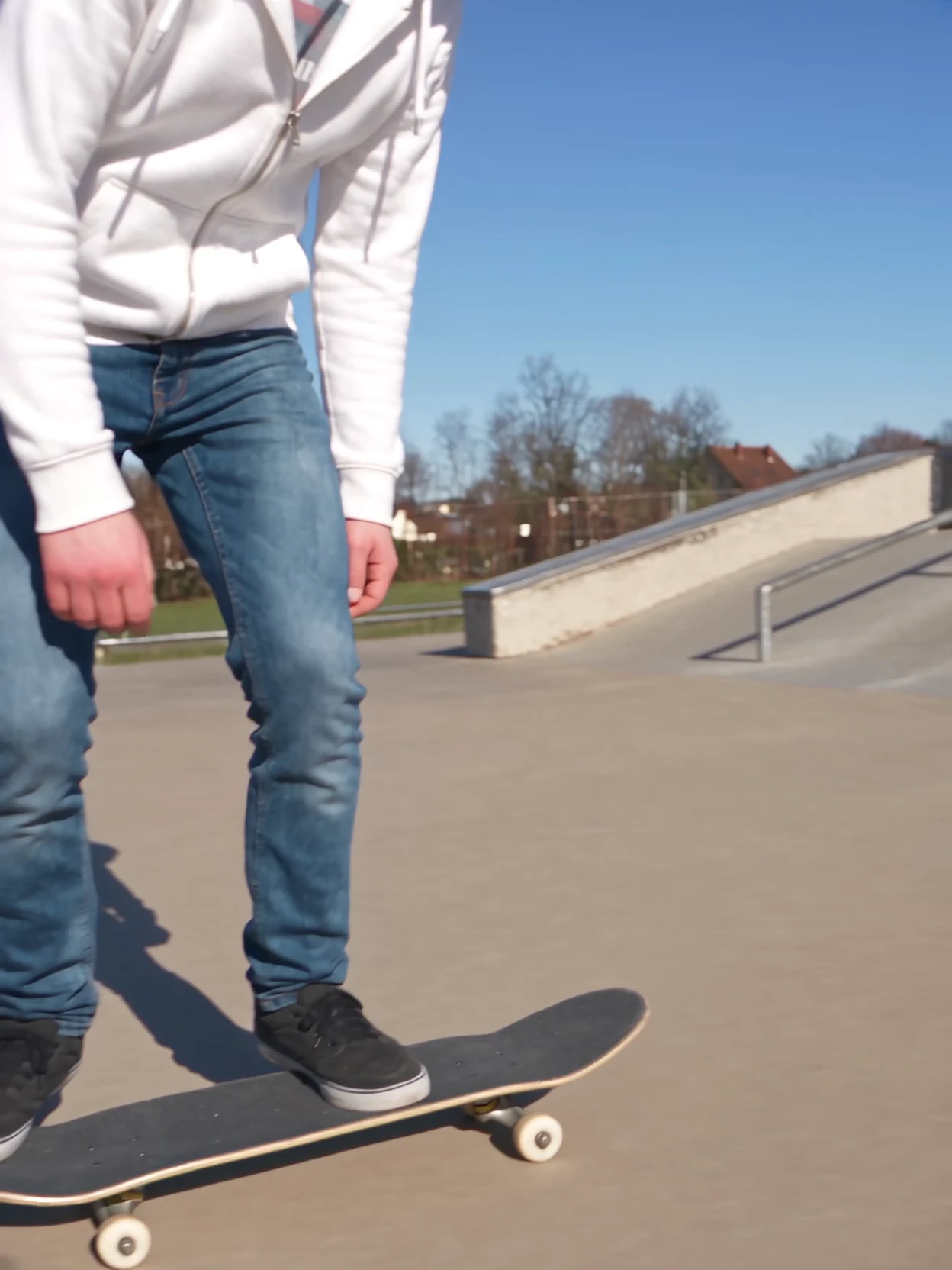
Same character, same prompt, feet on the ground. The model builds the whole trick from there instead.
The still in each pair is not an illustration of the video next to it. It is that video’s first frame, which is why the two look identical until you press play. That is the thing worth taking away: the model did not interpret the image, it continued it.
Two clips, one prompt, two completely different shots. The start frame is what separated them.
What makes a good start frame
A start frame only helps if it is the right kind of image. The model extends the frame you give it, it does not reinterpret it, so three things matter.
Match your intended shot. If you need a close-up, start with a frame that is already close up. It will not zoom in for you.
Keep it clean and high resolution. A blurry or low-res start frame carries that quality into the whole video. It does not correct itself as the generation continues.
Keep it unambiguous. A cluttered composition hands the model uncertainty at the foundation, and that tends to compound rather than resolve.
Not sure which model to reach for, or how each handles frame options? The image model guide and video model guide break down what each one actually supports.
Not every model handles this the same way
Start frames are not one-size-fits-all. Different video models have their own cadence for how they use a starting image, and some support end frames too, letting you lock both where a clip begins and where it lands.
If you are choosing between models, check what frame options each supports before you build a workflow around it.
The short version. A start frame is literally frame one, not a vibe reference. Keep it clean, high resolution, and already framed like the shot you are going for, and you have traded guesswork for control.
A start frame is also one piece of keeping a character steady across a whole sequence. The rest of that method is in How to Keep AI Video Characters Consistent.
Frequently asked
- What is a start frame in AI video generation?
It is the exact image the model treats as frame one of your video, the fixed starting point everything after it evolves from. Give a model a start frame and it stops guessing where the shot begins, and only has to work out what happens next.
- What happens if I do not use a start frame?
The model generates its own starting image from your text prompt alone, based on whatever it thinks fits the description. You lose control over exactly where the shot opens.
- What is the difference between a start frame and an end frame?
A start frame locks where a clip begins. An end frame, where a model supports it, locks where the clip lands. Not every model offers both, so check a model’s frame options before planning a shot around them.
- What makes a good start frame?
Match it to the shot you actually want, so a close-up start frame if you need a close-up. Keep it clean and high resolution, and avoid cluttered or ambiguous compositions. The model extends the frame you give it rather than reinterpreting it.
- Do all AI video models handle start frames the same way?
No. Different models have different cadences for how they use a starting image, and only some support end frames. Check a model’s specifics before building a workflow that depends on particular frame behaviour. The video model guide has model-by-model detail.
- Does my start frame need to match the video's aspect ratio?
Yes, and it is the most common cause of disappointing output. If the still and the target video shape differ, the model crops, stretches or invents edges to fill the frame, which shows up as distorted subjects or soft edges. Generate the start frame at the aspect ratio you intend to deliver in.
- Can I use a start frame and an end frame together?
On models that support both, yes, and it is a different technique: the start frame sets where the clip opens, the end frame sets where it lands, and the model generates the motion between them. It works best when the two images are clearly related, such as the same subject in two poses. Large differences between them tend to read as a cut rather than a move.
- Can a start frame keep a character looking the same across shots?
It helps. A strong reference image used as a start frame is one part of it. For the full method, including locked style blocks and Elements, see How to Keep AI Video Characters Consistent.
The AI tool for cinematic video.
Generate, direct, and publish professional videos — powered by the best AI models.
More posts