Morph One Clip Into the Next
Two clips, one end frame, one start frame, and the join between them.
A morph transition turns one scene into the next while the person in it keeps moving. With AI video you make it from two frames you already have: the last frame of one clip and the first frame of the next. The model fills in everything between them.
Because the generated shot starts and ends on frames that already exist in your edit, it joins the two clips with no jump at either cut. You don’t need to plan the transition when you film. You only need two clips and a sentence about what happens in between.
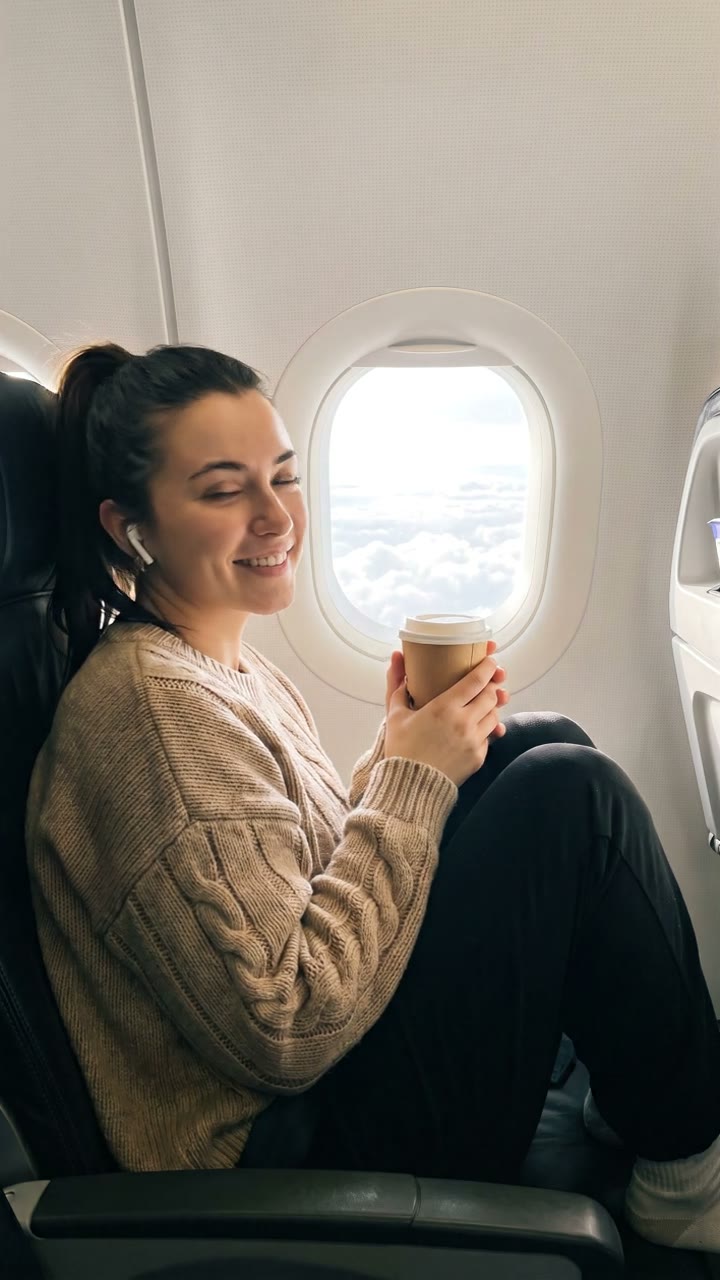
Here’s the one we made in MITO: a creator on a plane, then walking through an office, with a 5-second morph joining them.
The three pieces
A morph sequence is three clips cut together:
- Clip 1 ends with her in a window seat, coffee in hand. Veo 3.1 Fast, 4 seconds.
- The bridge is the morph. Kling 2.5 Turbo, about 5 seconds, with a start frame and an end frame.
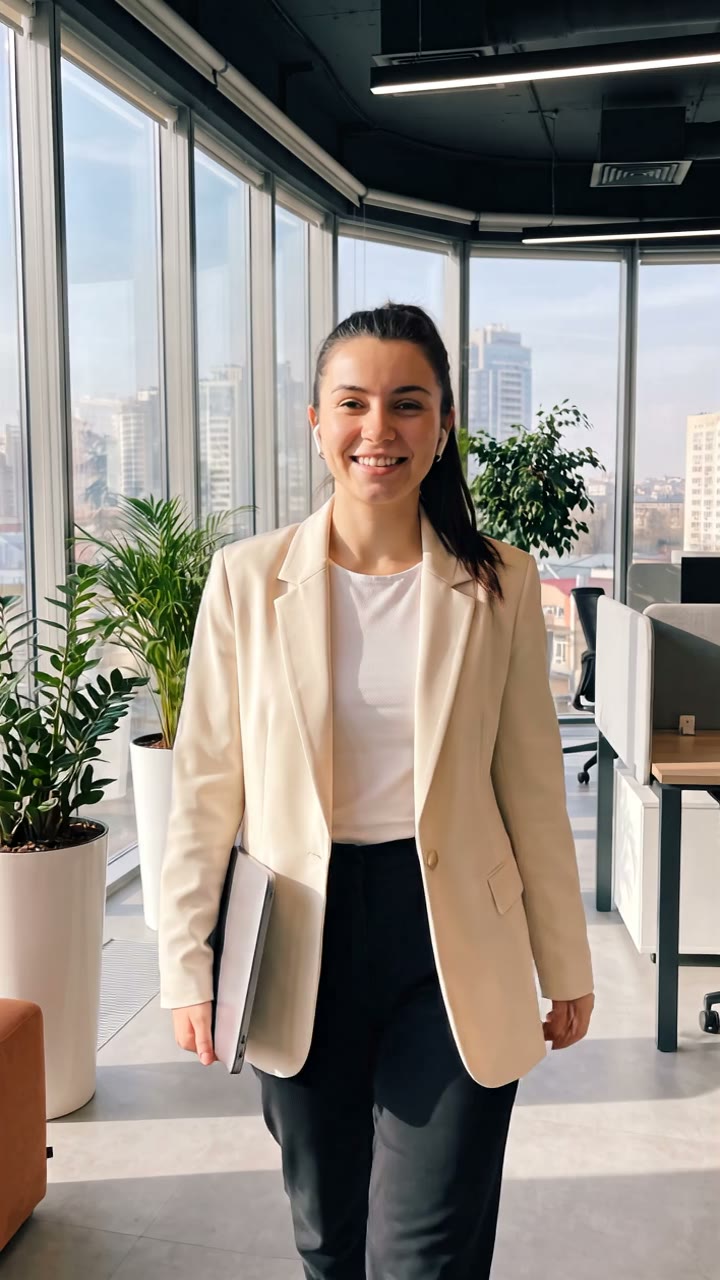
- Clip 2 starts with her walking through an office. Veo 3.1 Fast, 4 seconds.
In your own edit, clips 1 and 2 would be footage you filmed. Ours are generated so we could show the whole thing, but the bridge works the same way on real footage.
The bridge’s start frame is clip 1’s last frame. Its end frame is clip 2’s first frame. Export both as stills and attach them to the video generation.
More on how start and end frames work in What Is a Start Frame in AI Video Generation?
Describe the change, not scenes
The model can already see both scenes in the frames. What it needs from you is how one becomes the other:
Clip 1 ends on the plane, clip 2 starts with her walking through an office. Start frame: clip 1’s last frame. End frame: clip 2’s first frame. The cabin dissolves into particles and reforms as the office while she gets up and walks.
Two things in it do the work:
- What happens to the room. “Dissolves into particles and reforms” is the effect. Swap it for whatever fits your edit: the walls slide away, the light floods in, the picture folds like paper.
- What the person does at the same time. She’s seated at the end of clip 1 and walking at the start of clip 2, so “she gets up and walks” is the move that gets her from one to the other. Leave it out and the model has to guess how a seated person ends up mid-stride, which is where morphs go strange.
Watch for drift
Drift is when something that should stay the same slowly changes: a face shifts, hair grows or shortens, a sweater changes color, a lamp moves across the room. Every AI generation starts from nothing, so the model only keeps what it can see in its frames and what the prompt tells it to keep. Anything else is up for grabs.
Morphs drift more than most shots, because you’re asking the model to change things on purpose. Tell it “the cabin turns into an office” and it doesn’t know the ponytail and the face aren’t part of that change.
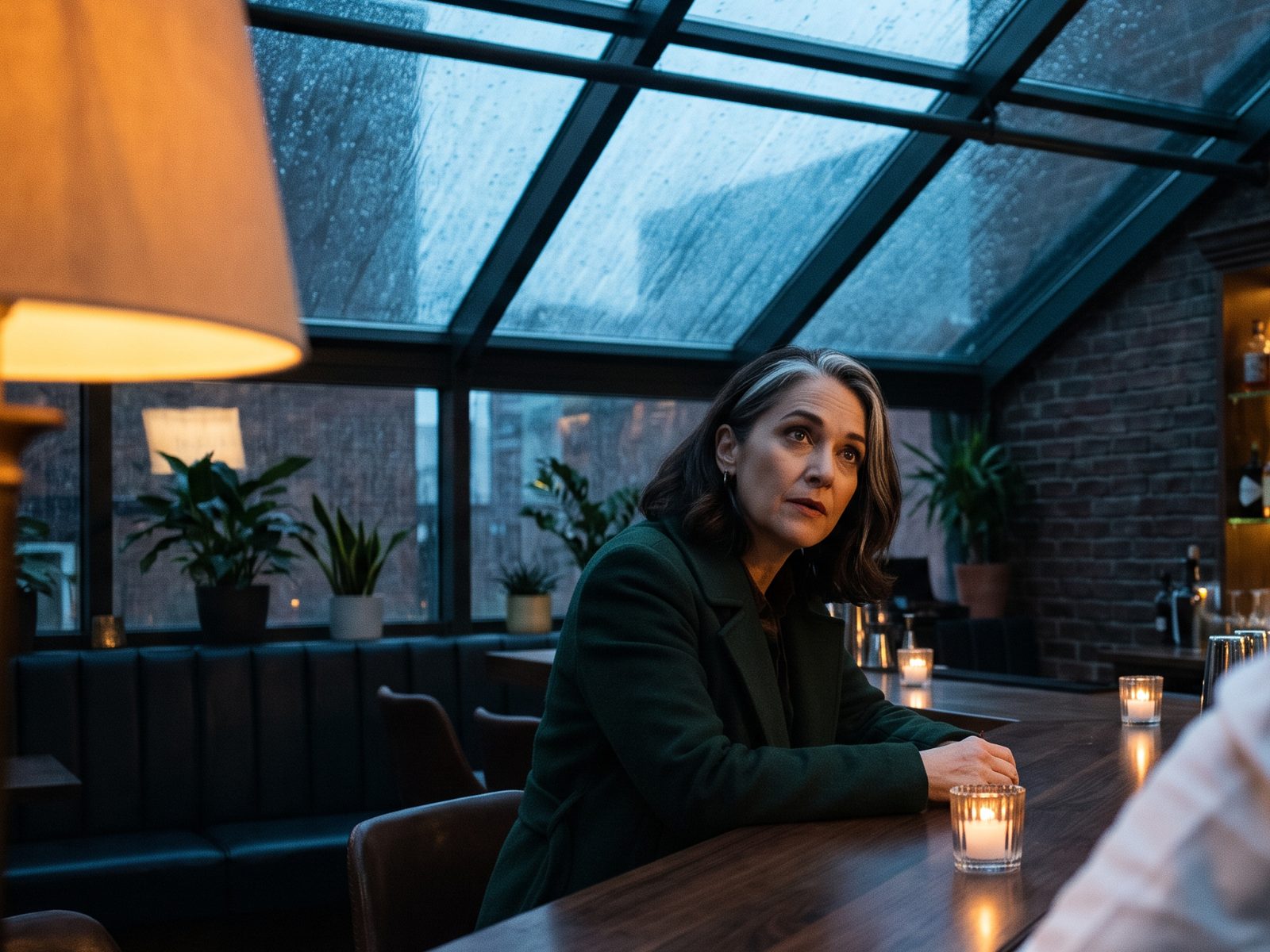
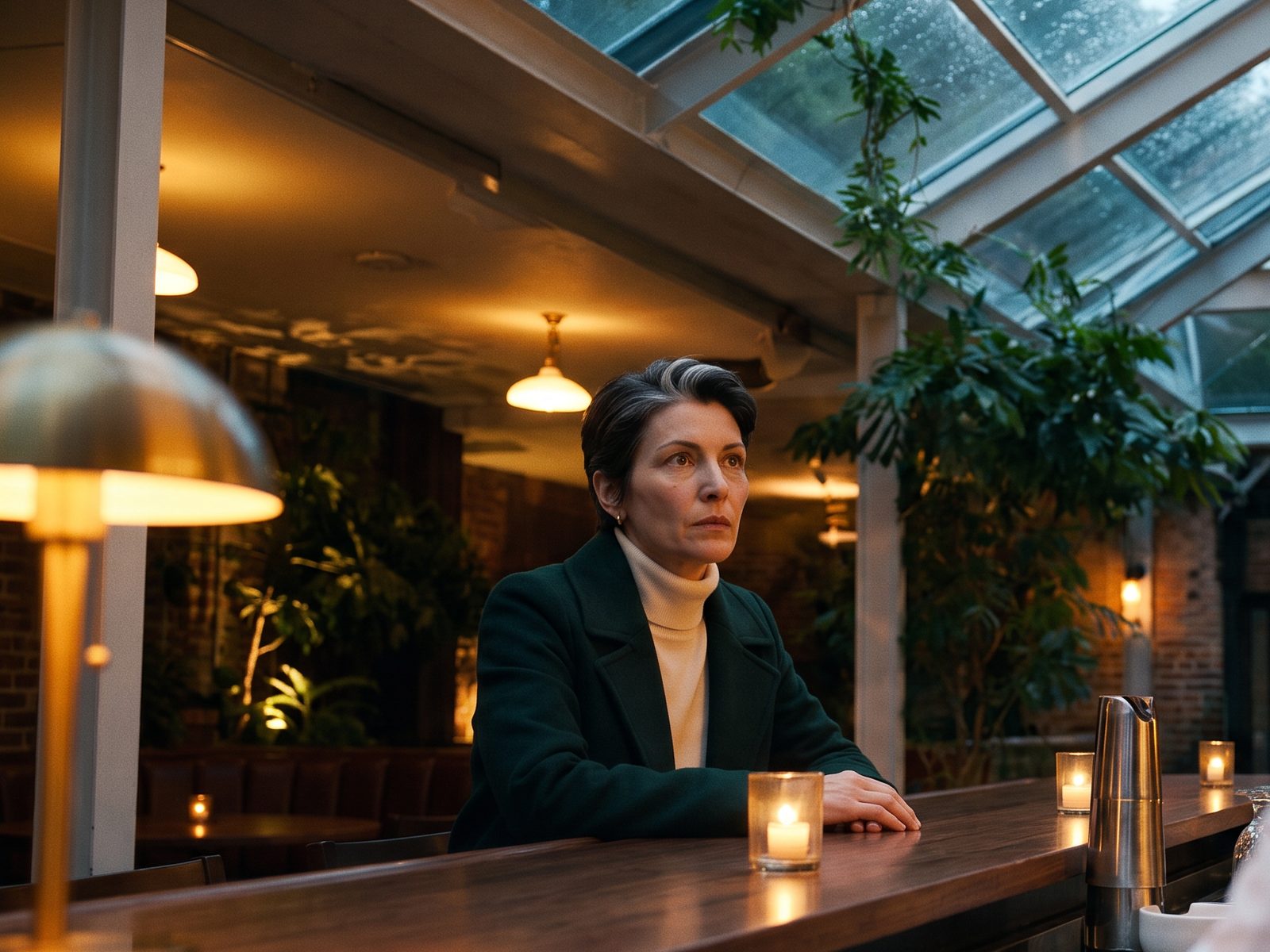
Here’s drift in a shot from our short film scene. Same character sheet, but in the first take her short crop grew to shoulder length:
How to keep a morph from drifting:
- Use both a start and an end frame. With only a start frame, the model decides where the shot ends, and the person can wander off-model by the last second. With both, the ends are fixed and the drift has nowhere to go but the middle.
- Say what stays the same. Put it at the top of the prompt, before the effect: “Appearance match: the same woman, dark ponytail, same face throughout.” Then say what is allowed to change. Here that’s the room and her outfit, since she goes from a sweater to a blazer. A line like that is what fixed the hair in the shot above.
- Check both frames first. If the start or end frame already has a problem (a stray strand of hair, a sixth finger), the bridge copies it into the morph and you’ll pay to generate it again. Look at both at full size before you generate.
- Keep the bridge short. Drift builds over time. About 5 seconds is enough for a morph, and the shorter it is, the less room the model has to change things.
- Generate a few takes. Drift varies from take to take. If one is slightly off, run it again before you rewrite the prompt.
When a take is close but one detail drifted mid-clip, cut around it on the Timeline. Most morphs only need the middle second or two to read.
Try it
- Export the last frame of your first clip and the first frame of the second as stills.
- Look at both frames at full size. Fix anything odd before you go further.
- Generate a 5-second video with those as the start and end frames. In the prompt, describe the effect and what the person does during it.
- On the Timeline, drop the bridge between the clips and trim it so the cuts land on the shared frames.
Want more shots from the same footage? See How to Get a Second Camera Angle From Footage You Already Shot and How to Make B-Roll of Yourself With AI.
Frequently asked
- What is a morph transition?
A morph transition is a shot where one scene turns into another while the subject keeps moving, so two different places feel like one continuous moment. With AI video you generate it between two existing clips.
- How do I make an AI transition between two clips?
Use the last frame of the first clip as the start frame and the first frame of the second clip as the end frame, then describe what happens in between. We used Kling 2.5 Turbo for a 5-second morph from an airplane cabin to an office.
- What should the prompt for a morph transition say?
Describe the change, not the two scenes: what happens to the room (“dissolves into particles and reforms”) and what the person does at the same time (“she gets up and walks”). The frames already show the model both scenes.
- What is drift in AI video, and how do I stop it in a morph?
Drift is when something that should stay the same, like a face, hair or clothes, changes during a clip or between clips. In a morph, use both a start and an end frame, start the prompt with what must stay the same (“Appearance match: the same woman, dark ponytail, same face throughout”), keep the bridge around 5 seconds, and check both frames before you generate.
- Can I make a morph transition from footage I filmed myself?
Yes. Export the last frame of one clip and the first frame of the next, and use them as the start and end frames. The generated bridge sits between your real clips.
The AI tool for cinematic video.
Generate, direct, and publish professional videos, powered by the best AI models.