Edit a Photo by Describing It
Say what should change and leave the rest alone. Eleven edits to one photo.
You can edit a photo with AI by uploading it and writing one sentence: what to change, and what to keep the same. In MITO the original stays as it was, and the edited version lands next to it, so you can compare the two and keep whichever is better.
That works on photos from your camera roll, not only on things you generated. We took three phone-style photos, a crowded beach, a yellow jacket and a night out on a rooftop, and fixed each one with a single sentence.
Then we did the same with an AI image that was almost right, instead of rewriting the prompt from scratch.
Below are the exact sentences, the before and after for each, and the two habits that make this reliable: run a prompt a few times before you edit, and change one thing at a time.
Three photos, one sentence each
Each pair is the original on the left and the edit on the right. Nothing else was done to them.
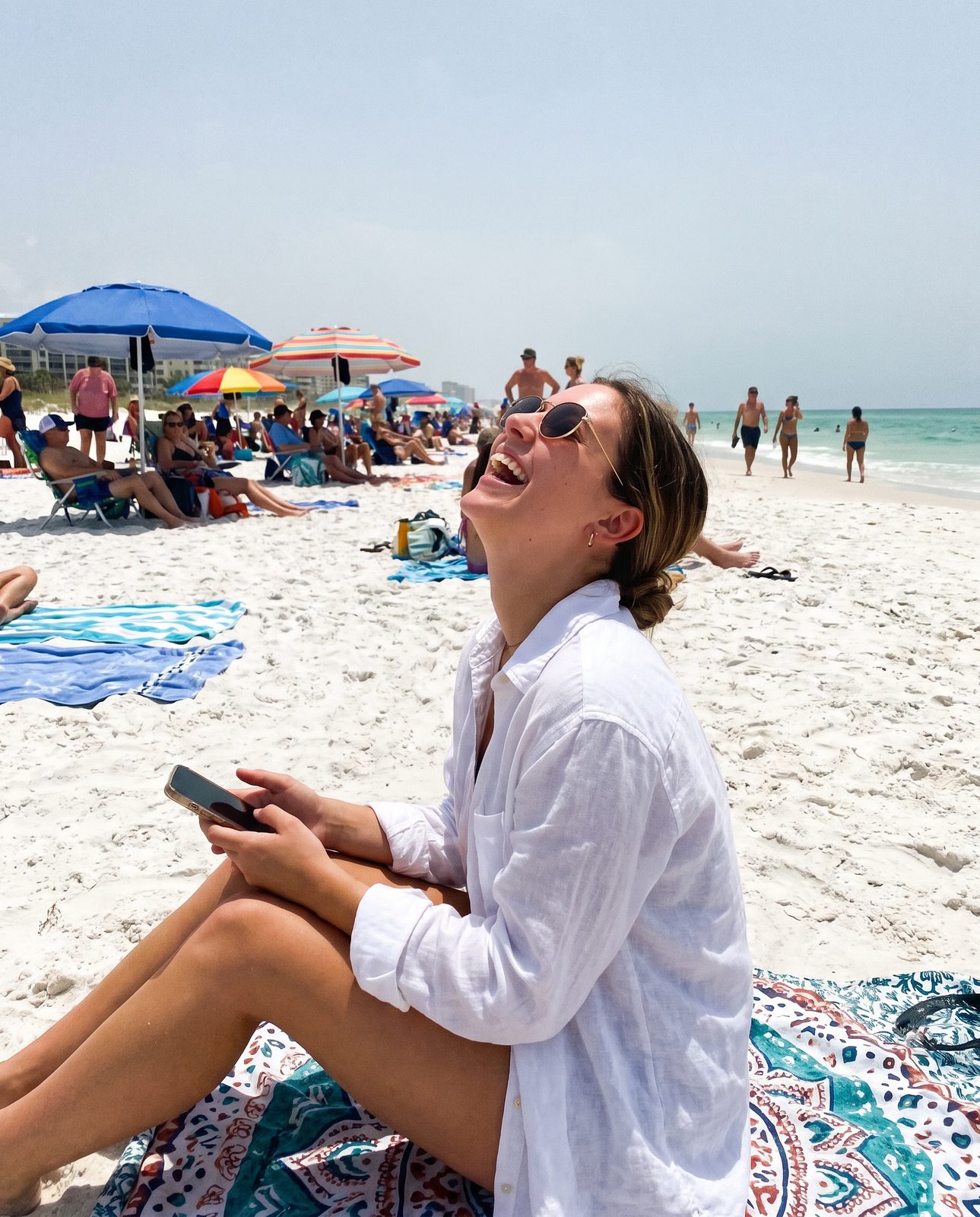
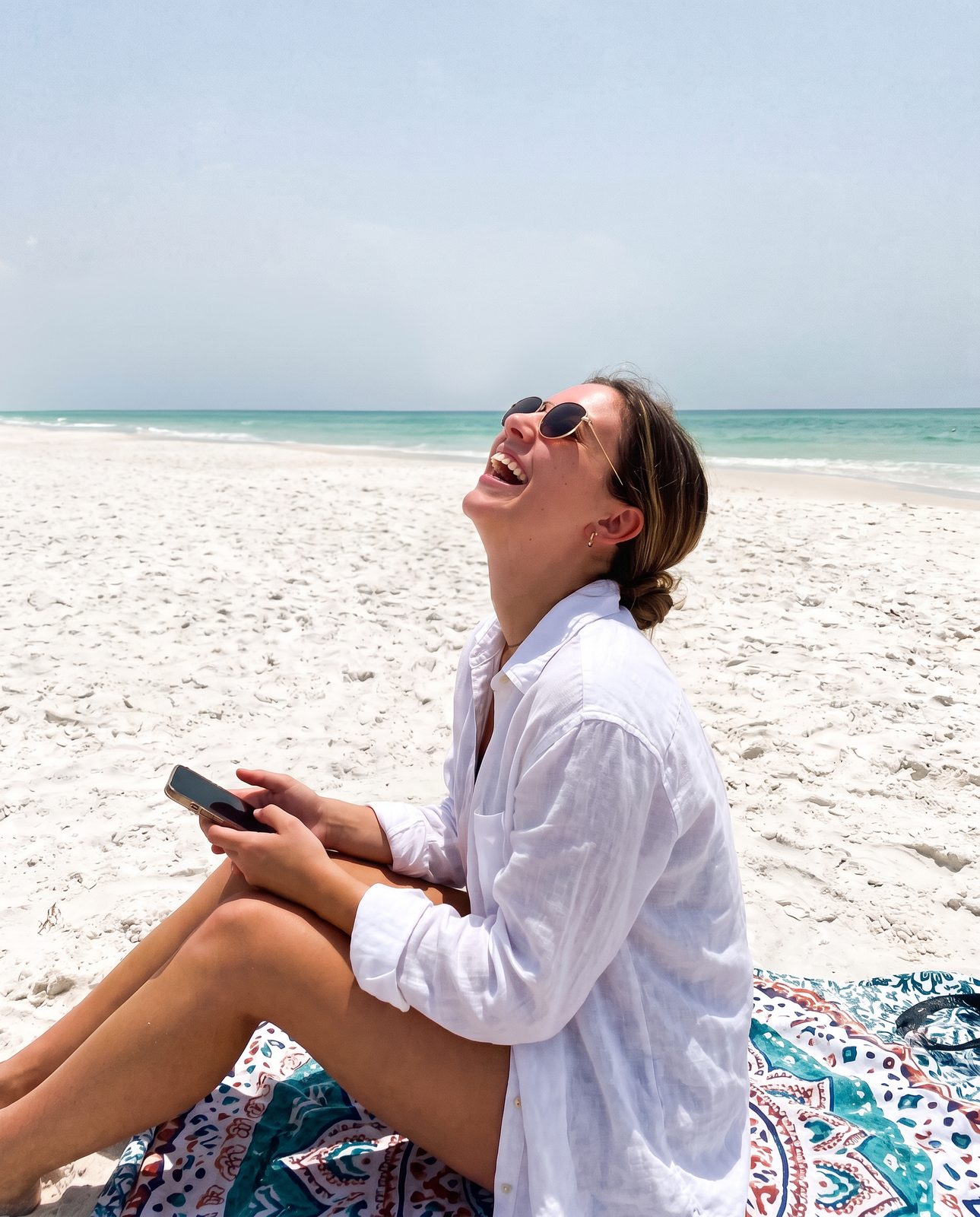
She has the same laugh, the same phone in her hand and the same blanket under her. Only the crowd is gone.
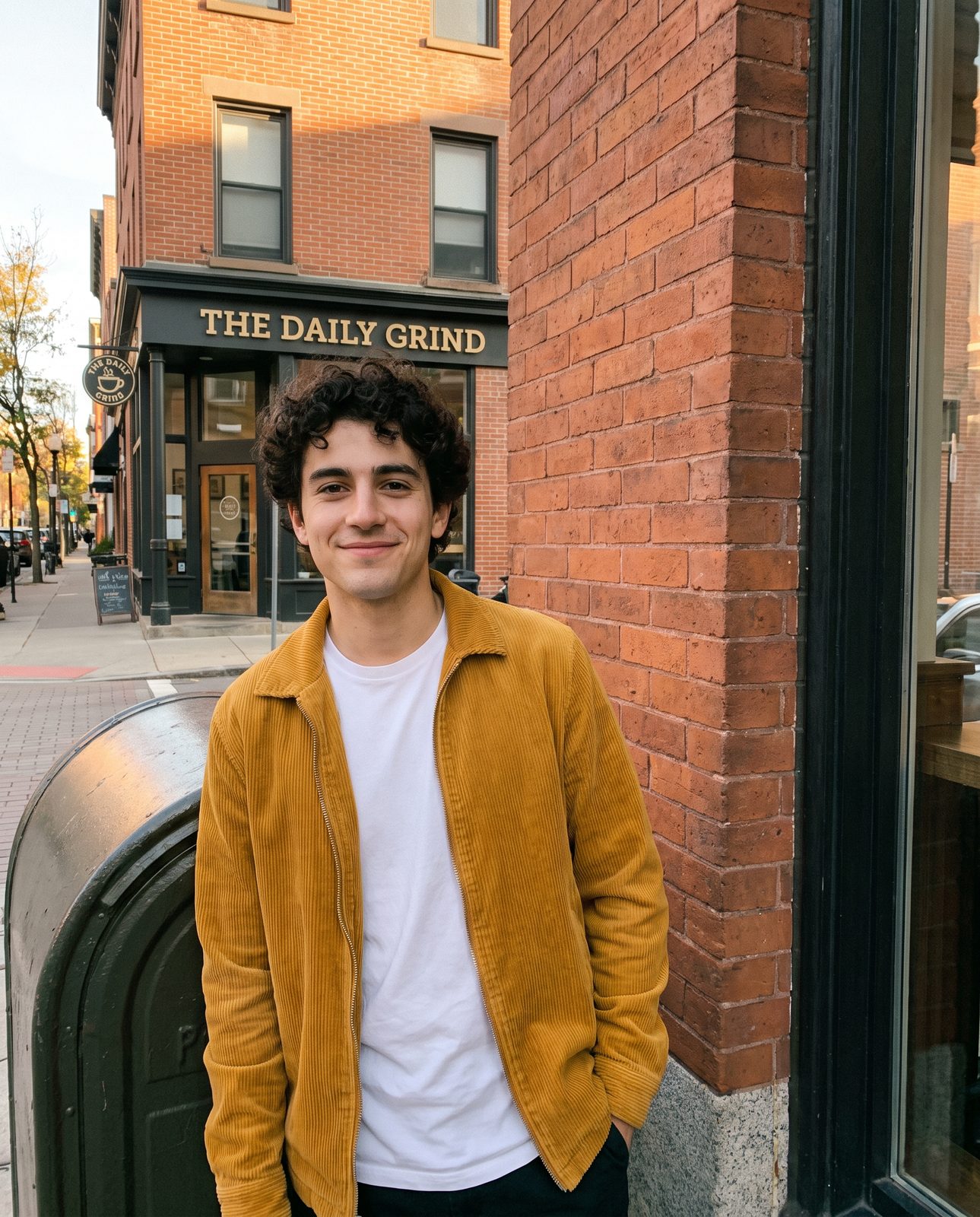
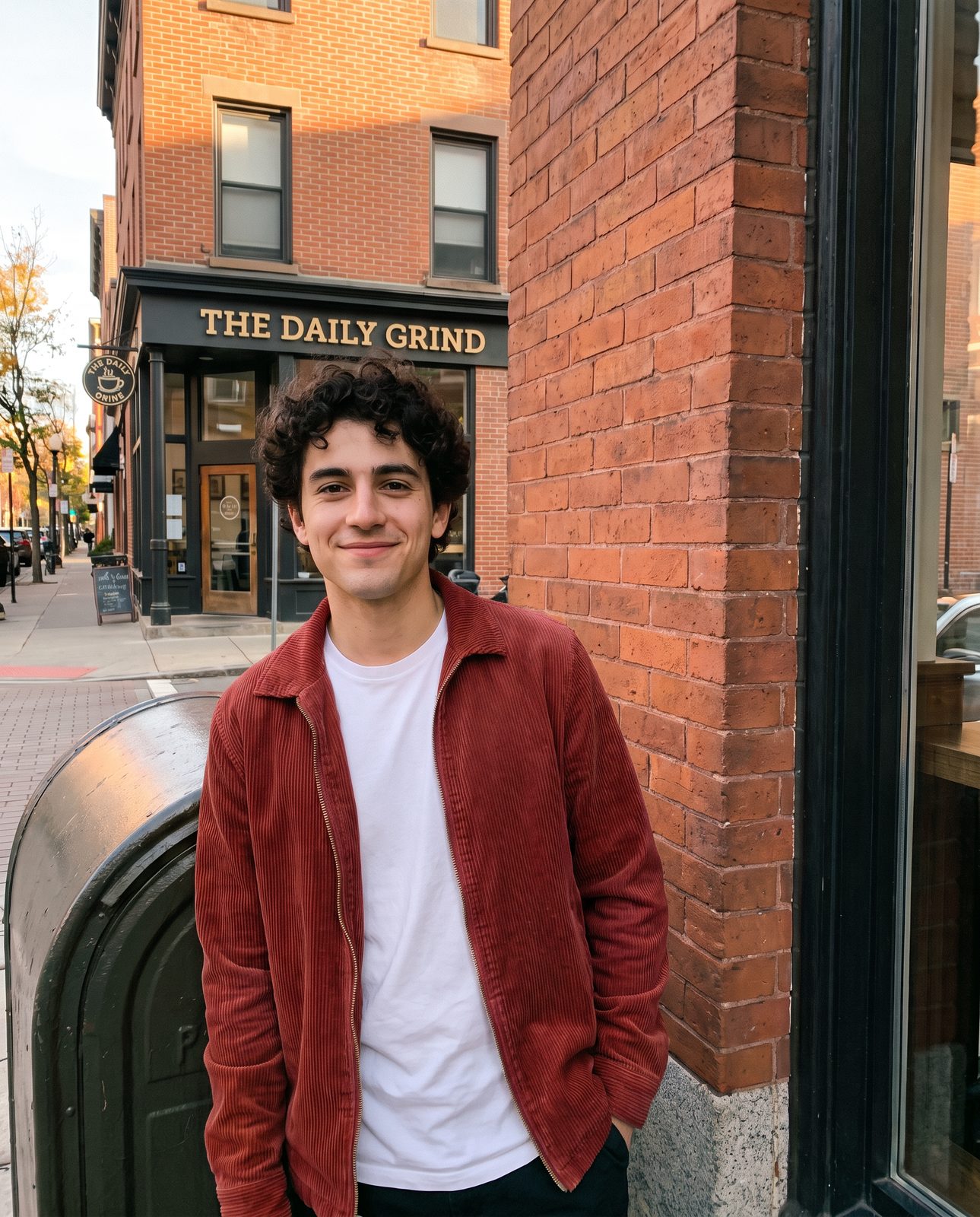
The jacket kept its corduroy ribs, and the café sign behind him still reads the same.
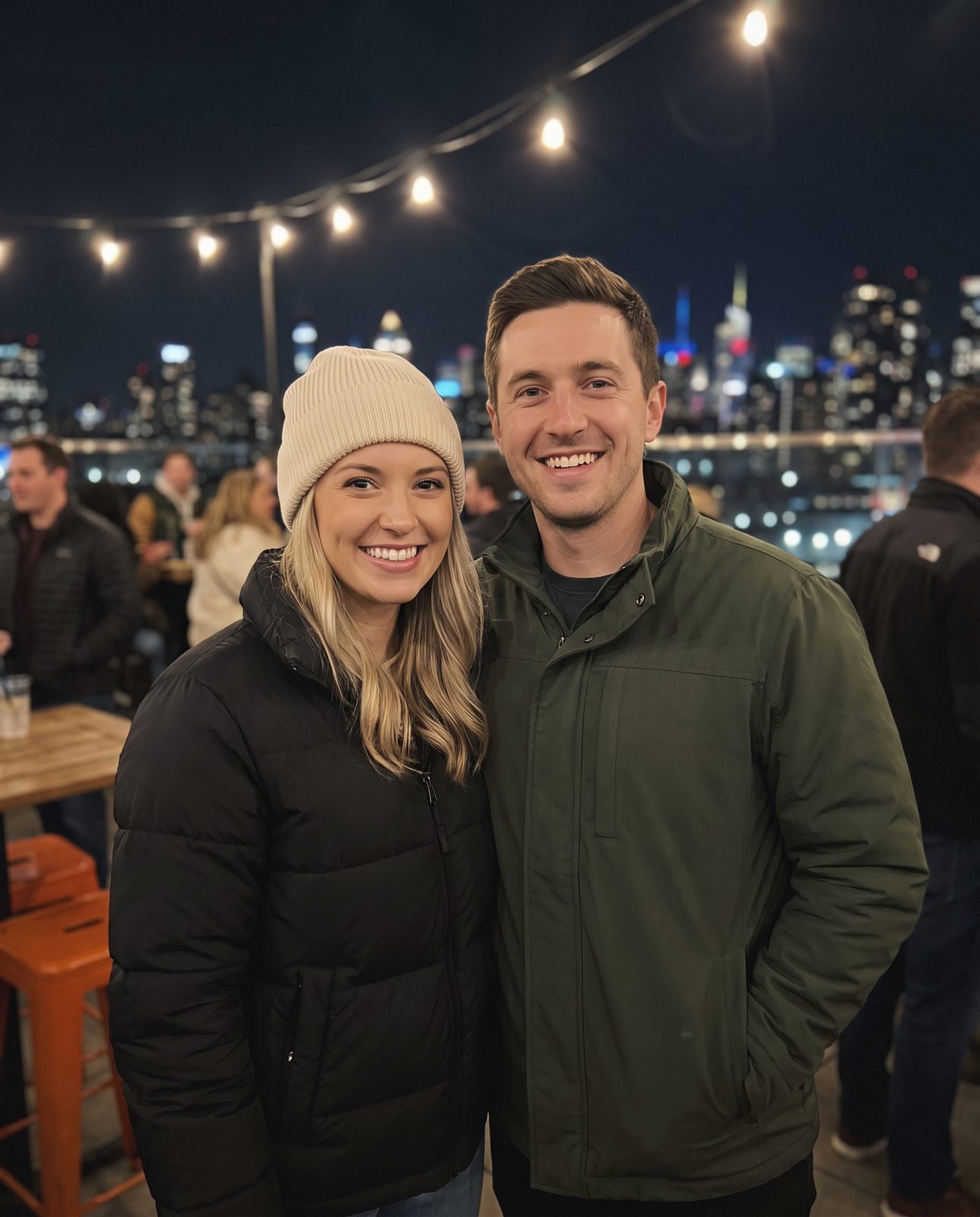
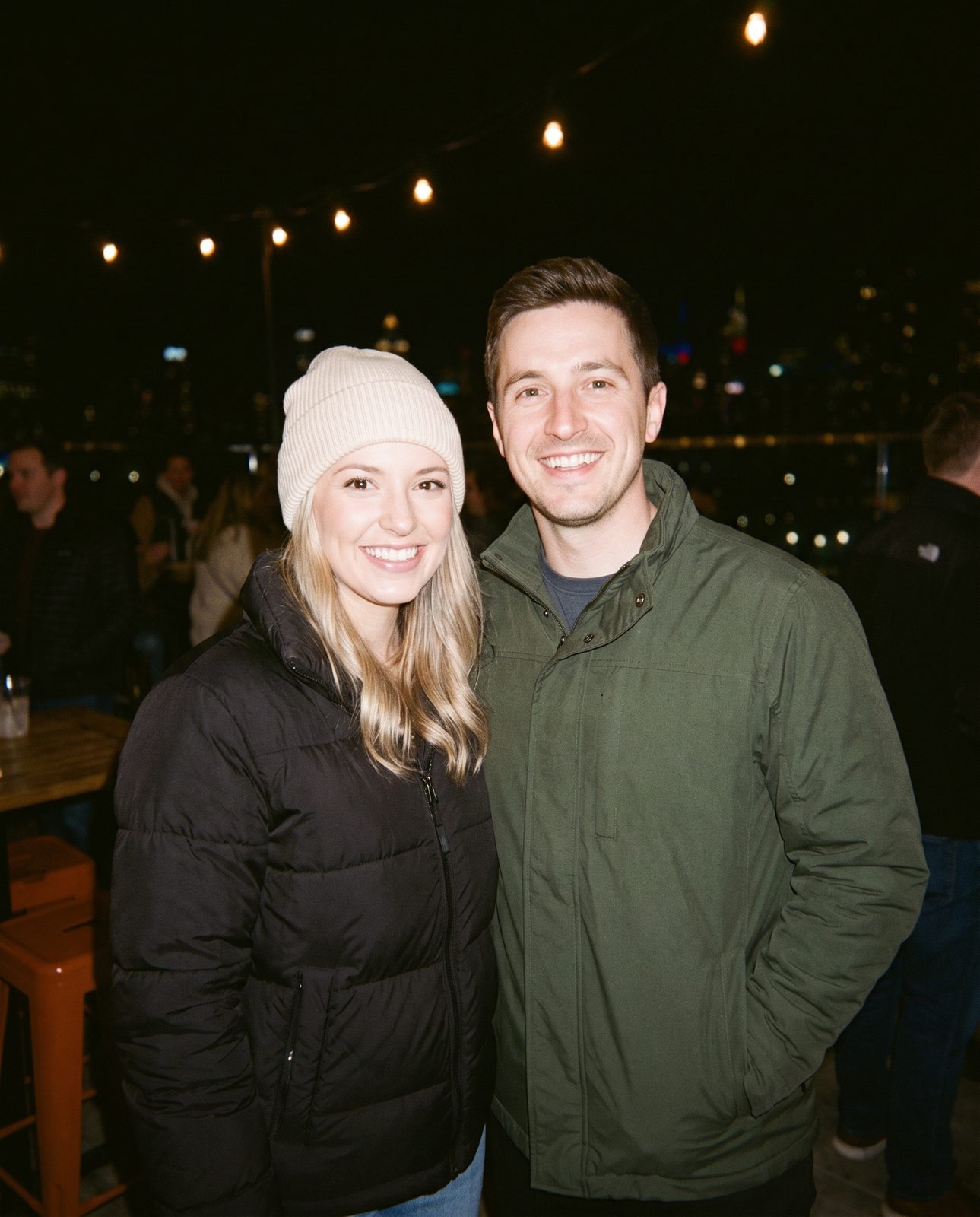
The couple, their clothes and their poses held when the whole photo took on a flash look. Look closely, though, and their faces were redrawn slightly, hers most.
The first two edits held because their sentences name what to keep. The third has no keep line, because “make it look like” asks for a new style across the whole frame. If the faces matter, add one: “Keep their faces exactly the same.”
It works on video too. Video models with editing, such as Seedance 2.5 and Kling 4.0, take a clip plus one sentence and change only what you ask for. Our color grade test kept a shot frame for frame and changed only its color.
How to write the sentence
The edits above follow the same shape.
Say the one change, plainly. “Remove all the people, umbrellas and towels behind her.” Name the things, and say where they are. “Clean up the background” is vaguer, and the model has to guess what counts as clutter.
Say what to keep. “Keep her and the framing exactly the same.” Without this line, the model is free to redo the whole picture, and it sometimes will: a slightly different face, a new crop, a different sky.
Be specific about the result. “Deep red” beats “red”. “Harsh flash, dark background, film grain, warm cast” beats “make it look vintage”. Each detail is one thing the model doesn’t have to invent.
Keep the details you care about by name. For the jacket we said “keep the texture”. Leave that out and a color change can flatten corduroy into plain cloth.
Why results keep changing
Something surprises almost everyone in their first week: run the same prompt twice and you get two different images. That’s normal, and it’s useful.
Here are four takes of one prompt, with the same words every time, on Nano Banana Pro:
An old lighthouse keeper with a short gray beard and a navy knit sweater pours tea from a dented enamel kettle, in the small round kitchen at the top of a lighthouse, a round window behind him looking out to the sea. Early morning, low golden sunrise light through the window, steam from the cup catching the light. Medium close-up from the side at eye level, shot on 35mm film, shallow depth of field, natural skin texture.
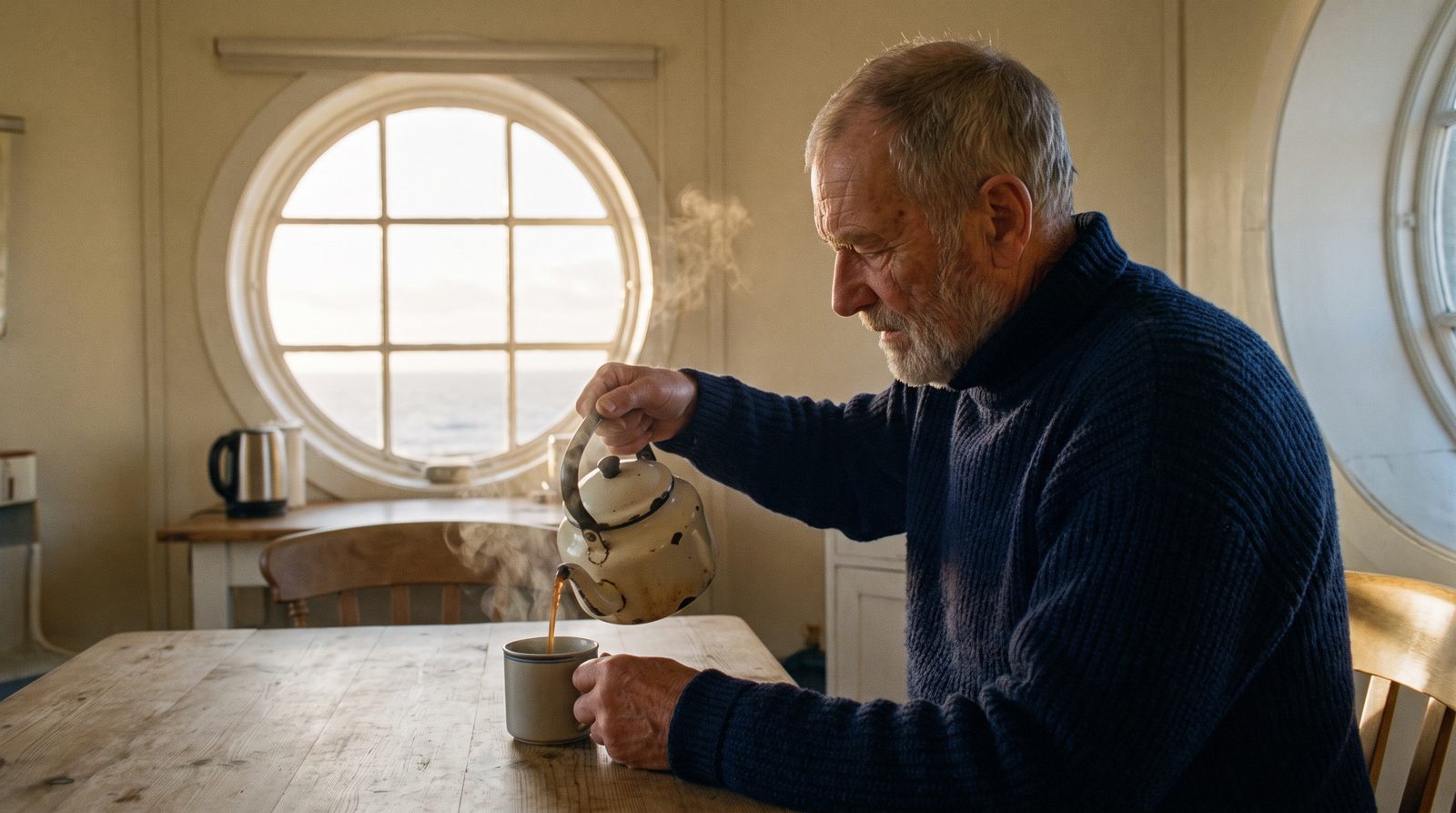
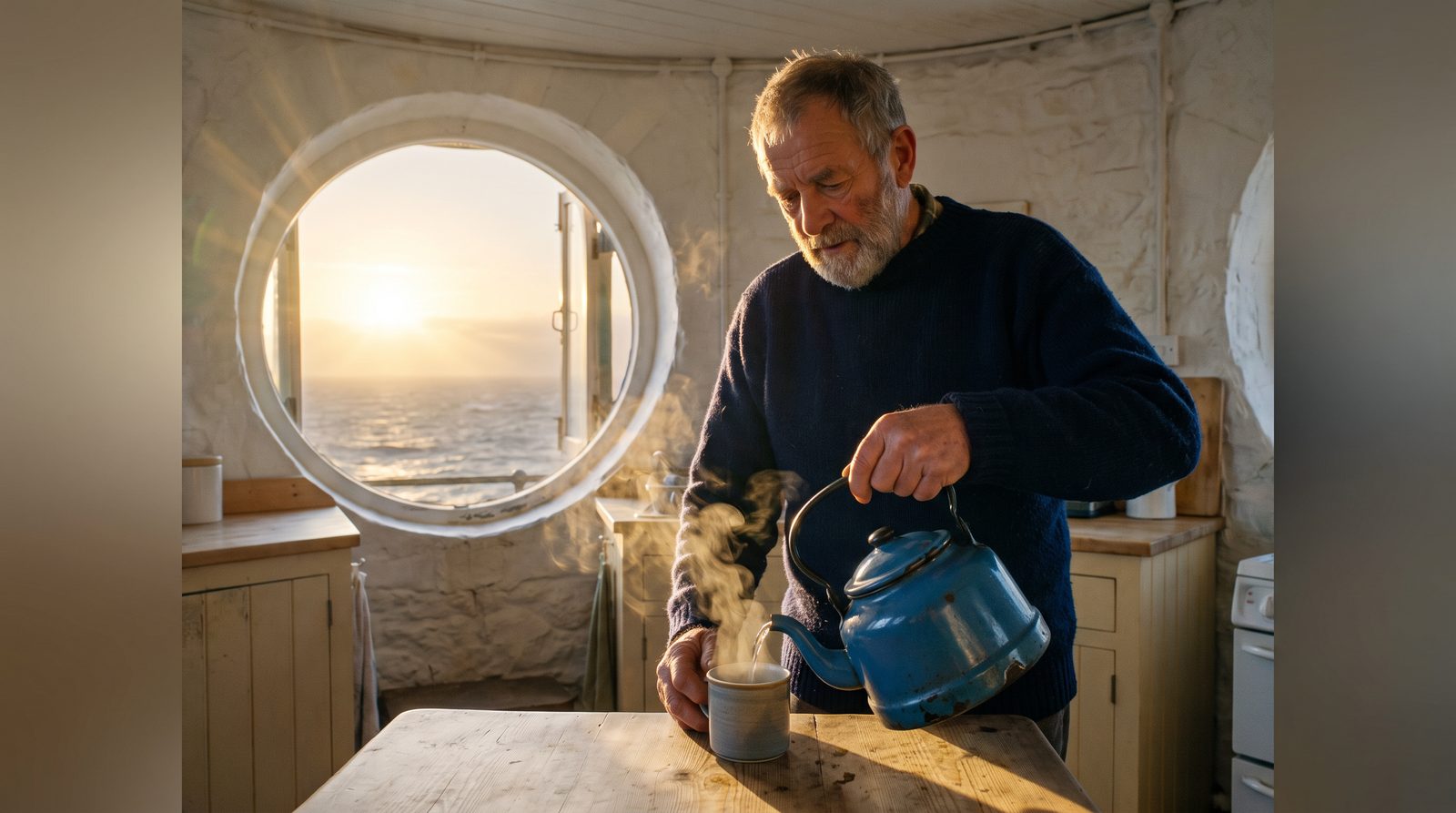
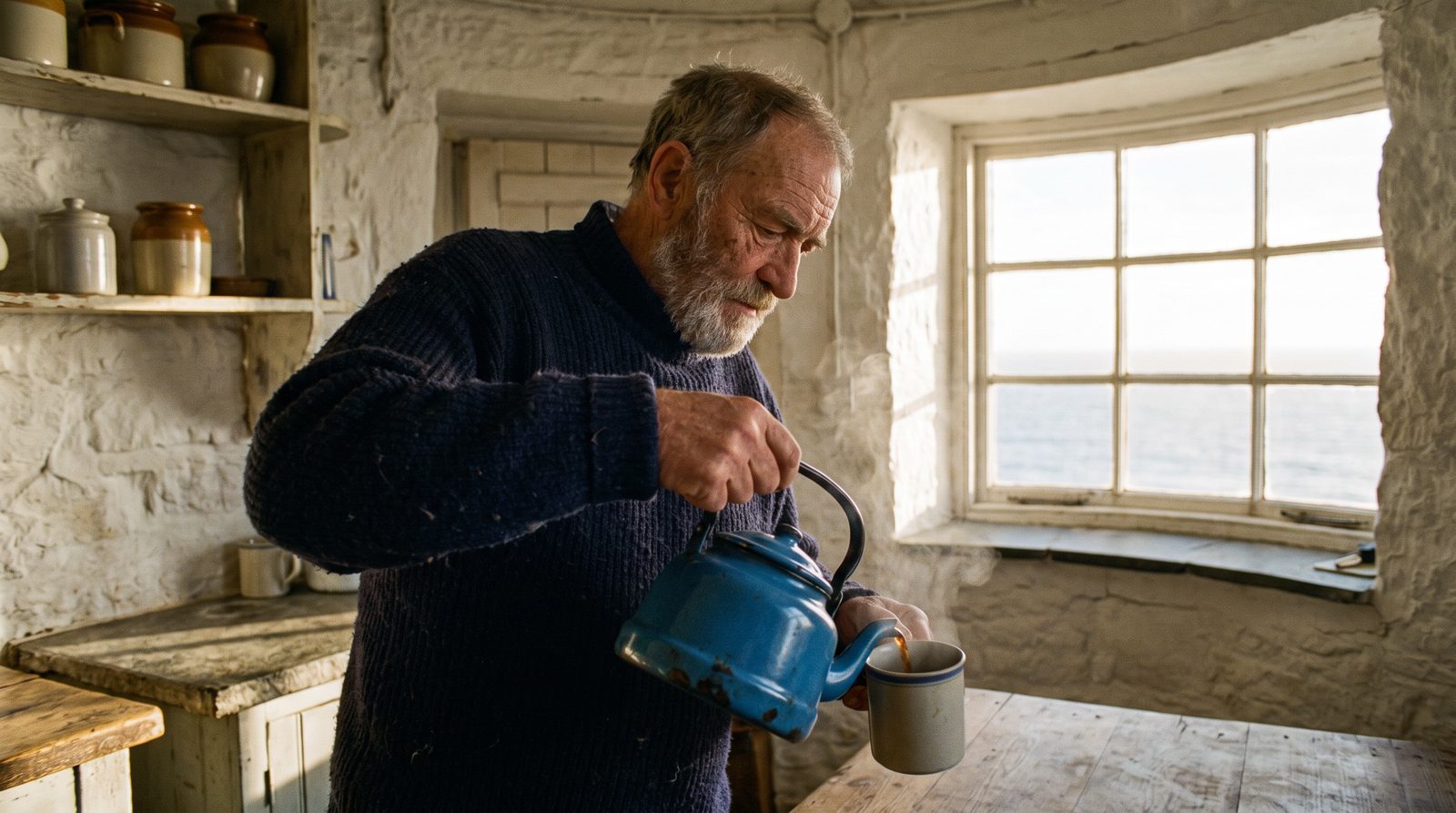
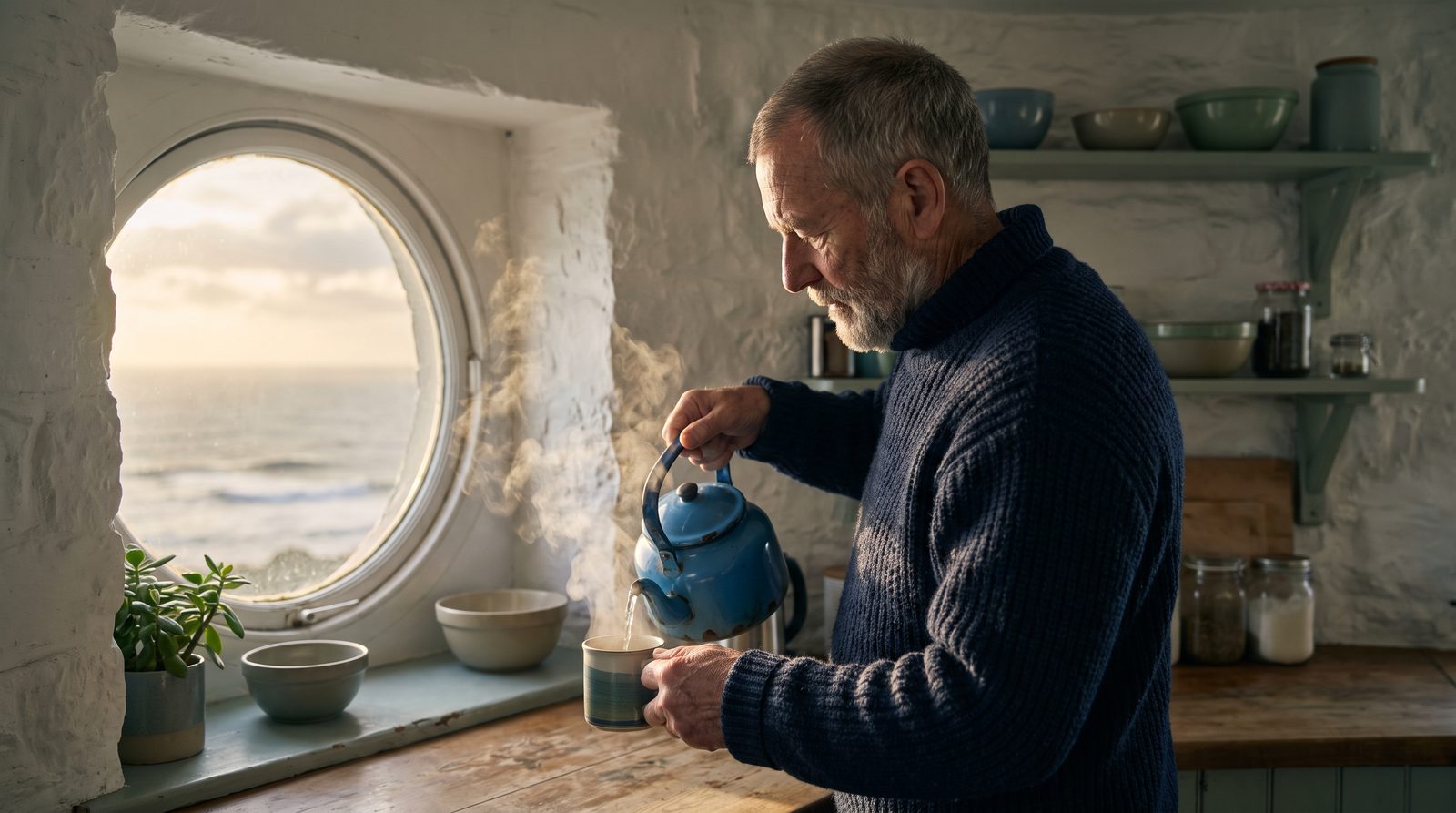
Nothing changed between these but the luck of the draw. The kettle changes color, the room changes shape, and in take 3 the round window the prompt asked for came out square. If you’d only run it once and got take 3, you might have spent ten minutes rewriting a prompt that was already fine.
So run a prompt two or three times and pick the best take before you start rewriting it. A good prompt with a bad roll looks exactly like a bad prompt.
Fix an almost-right take
When a take is almost right, don’t start again. Tell MITO what to change and what to keep. We took take 1 and asked for a different night:
Make it a stormy night. Rain streaming down the round window, dark sea outside with lightning on the horizon, the room lit by one warm oil lamp. Keep everything else exactly the same: the man, his pose, the kettle, the cup, the table and the framing.
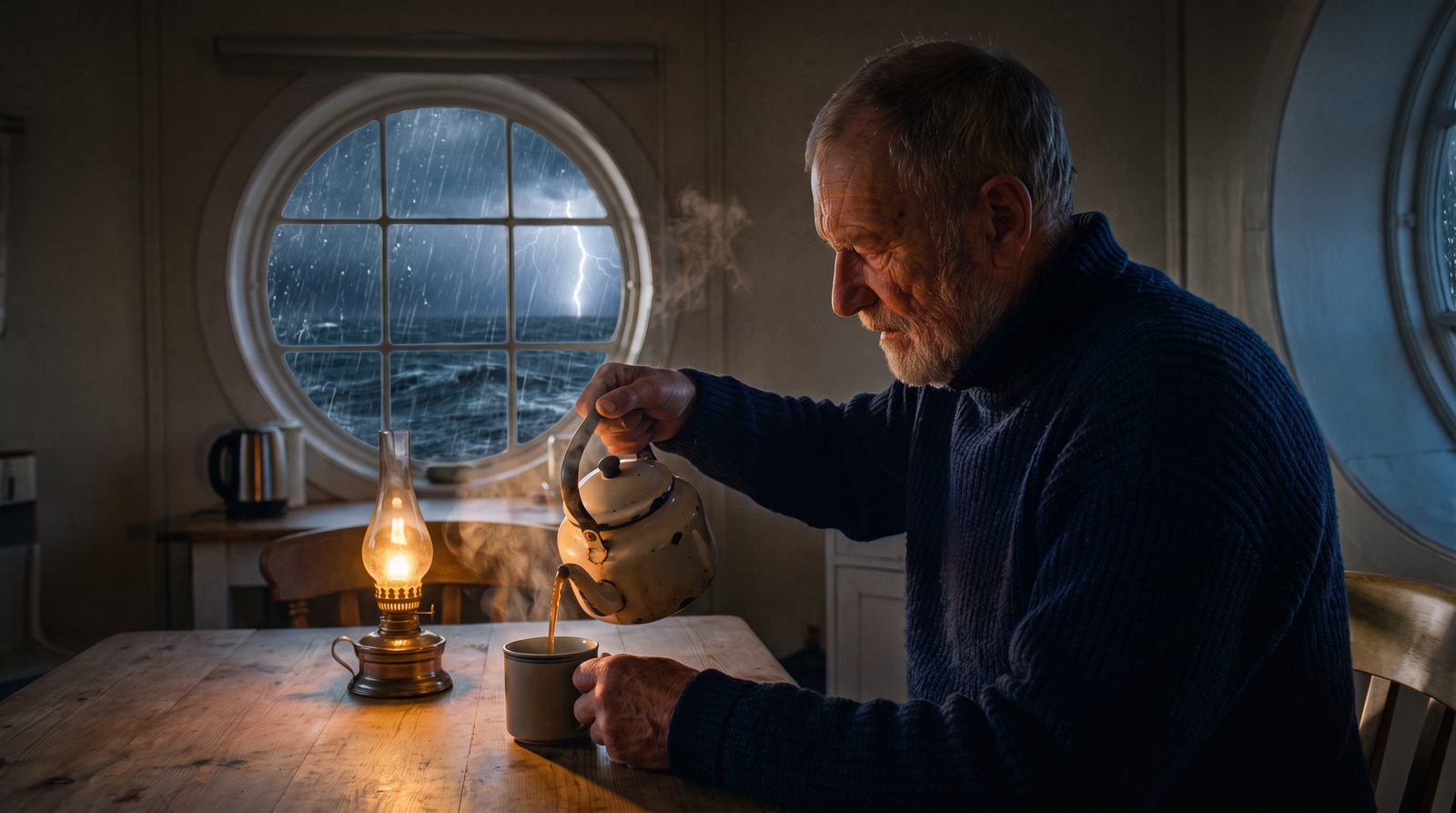
The man, his pose, the cream kettle and the cup stayed where they were. The light, the window and the sea changed. The new version landed next to the old one, so nothing was lost if we’d liked the sunrise better.
The keep list is long on purpose. Every item on it is something the model might otherwise “improve”.
One change at a time
If you change the weather, the sweater and the camera together and it gets worse, you won’t know which one did it.
One change per edit makes each step easy to judge: better or worse, keep or drop. If you want three changes, make three edits in a row and check each one.
The same goes for your own photos: remove the crowd first, then change the color, then add the look.
Try it
- Upload a photo from your camera roll.
- Describe one change, and say what to keep the same.
- Put the before and after side by side and decide which one you’d use.
- For a generated image, run your prompt two or three times first and keep the best take, then edit that one.
Next, How to Write an AI Image Prompt covers the prompt that comes before the edit. To change the shape of a video instead of its content, see How to Reframe Vertical Video to Horizontal. If you’re editing images for a brand, How to Keep AI Generations On Brand helps keep every version consistent.
Frequently asked
- Can AI edit a photo I took on my phone?
Yes. In MITO you upload the photo and describe the change in one sentence, such as “Remove all the people, umbrellas and towels behind her.” The original stays as it was, and the edit is saved next to it.
- How do I stop AI from changing the parts I want to keep?
Say what to keep in the same sentence: “Keep her and the framing exactly the same.” Name the details that matter, like a face, a texture or the background. Without a keep list, the model may redraw more than you asked for.
- Can I edit a video the same way?
Yes. You can add, remove or swap one thing in a real clip by describing it, and the rest stays as you filmed it.
- Why does the same prompt give me a different image every time?
Each run is a new take, even with exactly the same words. That’s normal. Run a prompt two or three times and pick the best take before you rewrite it.
- Should I start over when an AI image is almost right?
No. Edit the take you have. Ask for one change and list what to keep, for example “Make it a stormy night. Keep everything else exactly the same.” The new version appears next to the old one, so you can compare them.
- How many changes should I ask for in one edit?
One. If you change several things at once and the result gets worse, you can’t tell which change caused it. Make edits one after another and check each one.
The AI tool for cinematic video.
Generate, direct, and publish professional videos, powered by the best AI models.