How to Keep Every AI Generation On Brand with One Document
Same prompt, same Director, two completely different results. The difference is one Document sitting on your canvas.
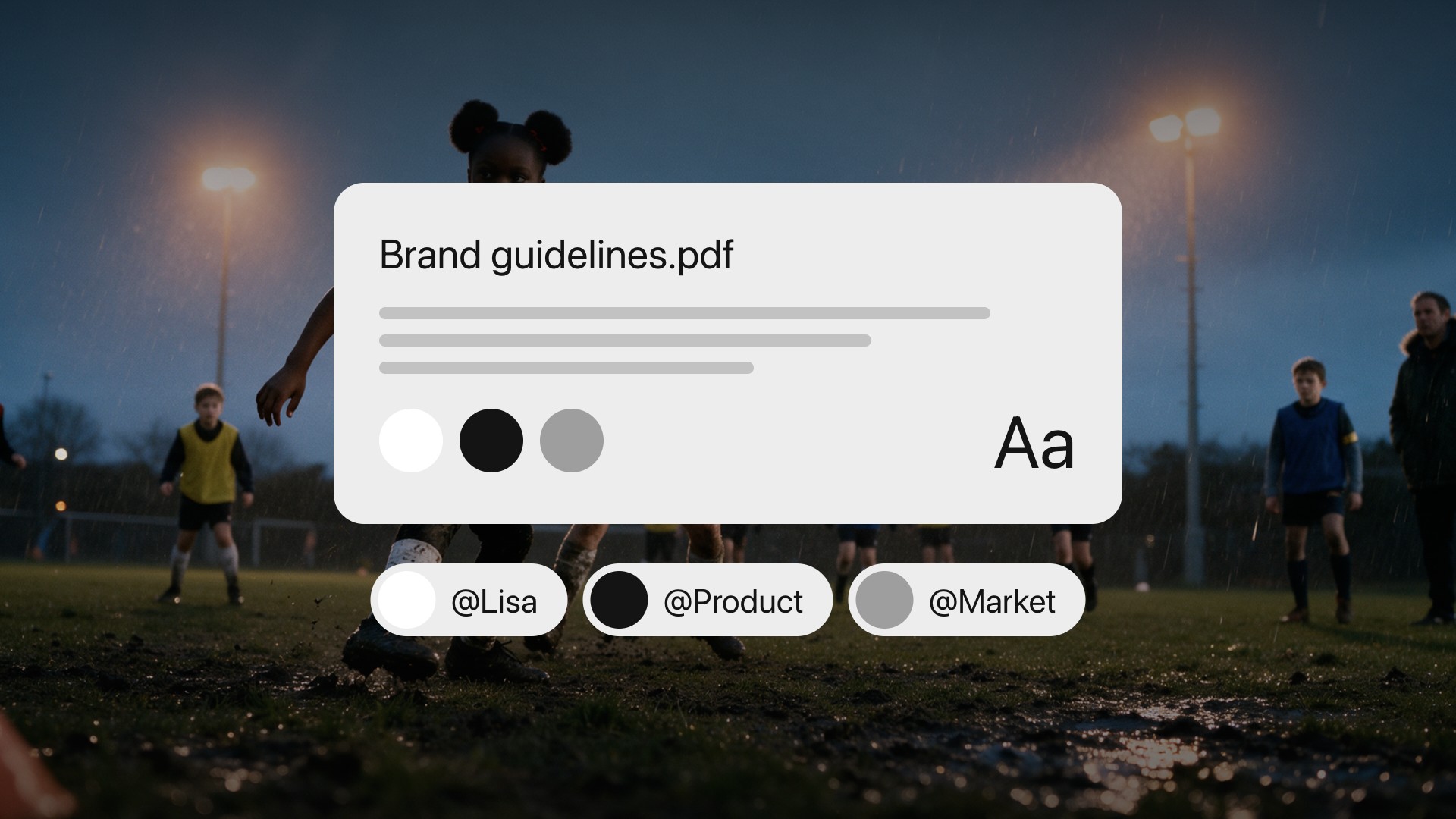
A Document is a block of text on your MITO canvas where you write the rules you want Director to follow. You write it once and Director reads it before every generation.
It matters because of how Director works. Before it writes a prompt or generates an image or a video, it reads everything in your project. A Document is how you put something in that project worth reading.
Why the same prompt gives you different results
Anything you do not specify, the model decides.
A prompt describes the subject of one shot. How that shot should look is left to the model, so it gets reinvented every time. Shot one looks great. Shot four looks like a different company made it.
The usual advice for fixing this is to write a style block and paste it into every single prompt, unchanged. That works, and it is miserable. You are retyping your own brand guidelines dozens of times a day and hoping you did not drop a line.
A Document is that style block, except you write it once and Director picks it up on its own.
It also does something a mood board or a reference image cannot. A picture can show Director a look, but it cannot tell it to always deliver a vertical cut or to never put text over a face. Rules like that only work when they are written down.
Setting one up
The whole thing end to end: references onto the canvas, Director writes the Document, then the same prompt run with it and without it.
This walkthrough and the rest of our tutorials are inside MITO too, under Tutorials in the sidebar, so you can watch one without leaving the project you are working in.
1. Put your references on the canvas. A color palette, a font, and a couple of images that show your photography style. Include one of each aspect ratio you actually deliver in, so 16:9 and 9:16 if you need both.
2. Ask Director to analyze them and write the guidelines. You do not have to write the Document yourself. Director reads the references and describes the style back to you, broken into sections you can edit.
Already have brand guidelines? Skip the first two steps. Drag your existing brand guidelines PDF onto the canvas and Director pulls the information out of it for you, from your tone of voice to how you describe your products. Then carry on from step three.
3. Edit what it wrote, and add what it could not know. This is the part people skip. Director can see your references, but it cannot see your delivery requirements or the things you have already decided you hate. Add a rule for the ratio this series ships in, whether that is both 16:9 and 9:16 every time or one of them only.
4. Stop thinking about it. From that point on Director follows the Document in every new generation in that project. You do not have to point at it, though you can: @mention the Document in a request and it goes in attached.
What actually goes in one
A good test is whether you would say it to a freelancer on their first day. If you would, it belongs in the Document.
Your visual rules. How your brand should look. These are the things Director can infer from references, which is why step two exists.
Your delivery rules. Formats and ratios. “Always produce both 16:9 and 9:16” and “16:9 only for now” are each one line, and either saves a re-run on every single asset.
Your constraints. What you never want to see. Negative rules are the most underused half of this, and they are often the ones that stop a shot reading as off. The same trick does a lot of work for character consistency.
Your campaign rules. One project, one set of rules. A campaign with a different look gets its own project and its own Document rather than an edited version of the last one.
What the next person needs. The canvas is shared. A Document means whoever opens the project next inherits the same rules without anyone having to explain them.
Documents and Elements do different jobs
These get confused, and the distinction is worth holding on to.
| Locks | Example | |
|---|---|---|
| Element | A subject | This character, this location, this product |
| Document | The rules around it | Style, format and what to avoid |
An Element is how you make sure the same person looks like the same person in shot four. A Document is how you make sure shot four looks like it belongs to the same campaign.
Most real projects want both. They do not compete.
The comparison
The honest way to test this is to run the same prompt twice, in two projects, changing nothing but whether the Document is there.
The prompt is about as plain as it gets: photography of a blond woman playing tennis.
Without the Document, Director has to guess the style. It returns a perfectly competent photograph of a woman on a blue hard court. Nothing wrong with it. It also looks like every other stock tennis photo, and like nothing else you have made.
With the Document, the same sentence comes back a clay court, a red kit, motion blur down the baseline, and the campaign headline set in the right weight with one word picked out in lime. None of that was in the prompt. It was written down once, three weeks ago, and then forgotten about.
That gap is the entire argument.
The short version. Director already reads your whole project. A Document is you deciding what it finds there.
Let Director draft it from your references, add what it cannot know, then forget it is there.
Frequently asked
- What is a Document in MITO?
A block of text sitting on your canvas where you write the rules you want Director to follow. It is not a prompt and you do not send it anywhere. It just sits in the project, and Director reads it before it generates anything.
- Does Director read the Document automatically?
Yes. Director reads everything in your project before it writes a prompt or generates an image or video. Once a Document is on the canvas you do not have to point at it or paste it into anything. You still can if you want to: @mention it in a request and it goes in attached, which is worth doing when a job really has to follow it.
- What should I put in a Document?
The rules you would otherwise retype every time. Start with how your brand should look, then add delivery rules like which ratio the series ships in, and anything you never want to see. If you would say it to a freelancer on their first day, it belongs in the Document.
- What is the difference between a Document and an Element?
An Element locks a subject, meaning a specific character, location or object that has to look the same every time it appears. A Document locks the rules around the subject, meaning style, format and constraints. Most projects want both. See How to Keep AI Video Characters Consistent for the Elements side.
- Do I have to write the Document myself?
No. Upload your references and ask Director to analyze them and write the guidelines for you. Then you edit what it wrote and add anything it could not know from the references.
- Can I use the brand guidelines PDF I already have?
Yes. Drag the PDF onto your canvas and Director extracts what is in it, including your tone of voice and product descriptions. You do not need to rewrite anything you have already documented.
- Why do I get different results from the same prompt?
Because anything you do not specify, the model decides. A prompt covers the subject of one shot. Everything else gets reinvented each time unless something in the project pins it down.
The AI tool for cinematic video.
Generate, direct, and publish professional videos — powered by the best AI models.
More posts