The Five Parts of a Prompt
Who, doing what, where, in what light, seen how. One picture built a part at a time.
To write a good AI image prompt, answer five questions in this order: who, doing what, where, in what light, and seen how. The model only knows what you tell it. Whatever you leave out, it guesses, and its guesses are the most average version of everything.
That’s why a first AI image so often looks generic. The prompt named a subject and stopped, so the model filled in the clothes, the room, the light and the camera with the safest choices it had.
We made one picture in MITO five times, adding one part of the prompt each time. Same model (Nano Banana Pro), same settings. Below is every step with its prompt, what changed, and what to write for each part when you try it yourself.
One picture, part by part
Our subject is a lighthouse keeper. Each image below adds one part to the prompt before it, and each caption shows only the words that step added.
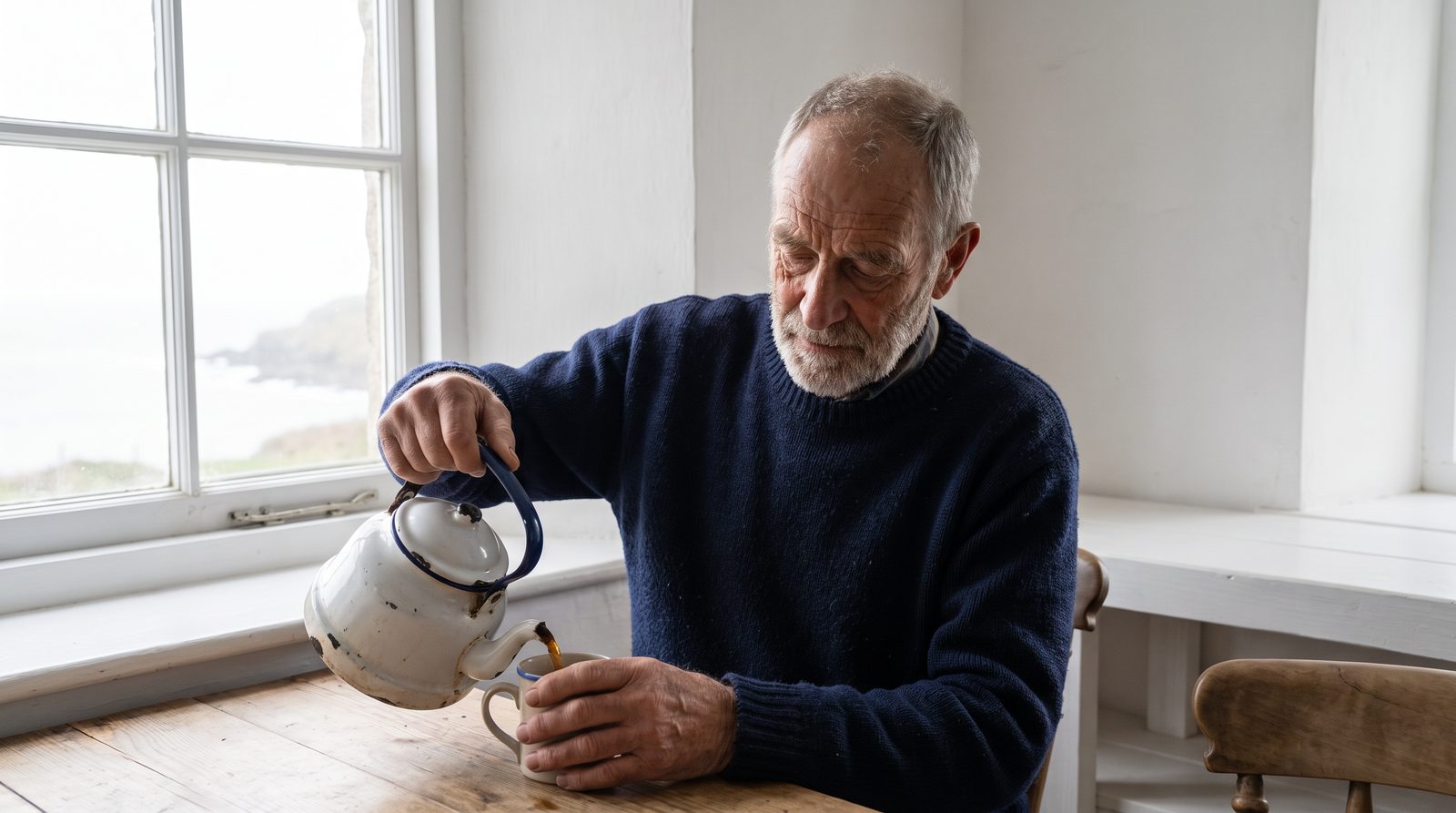
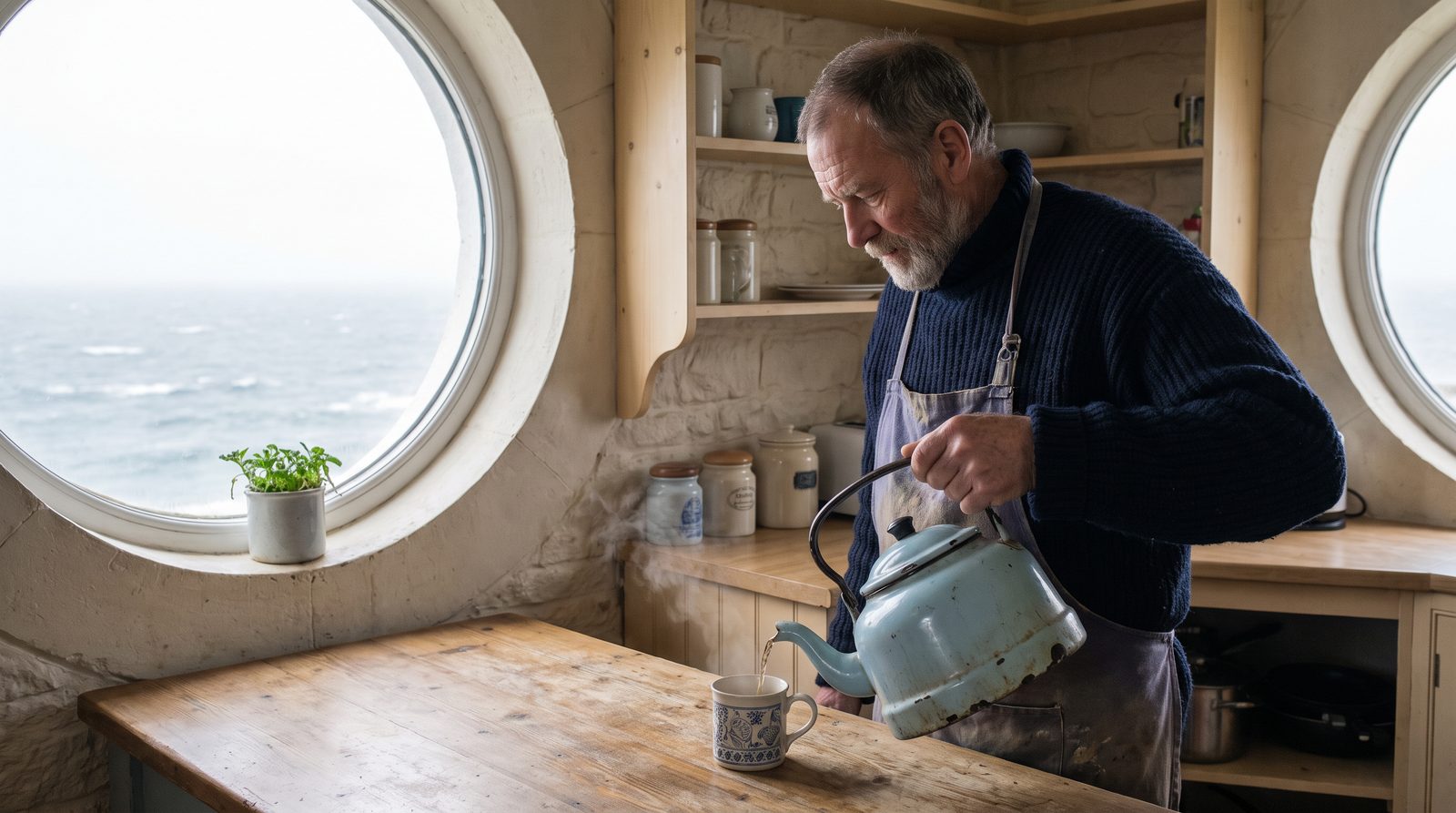
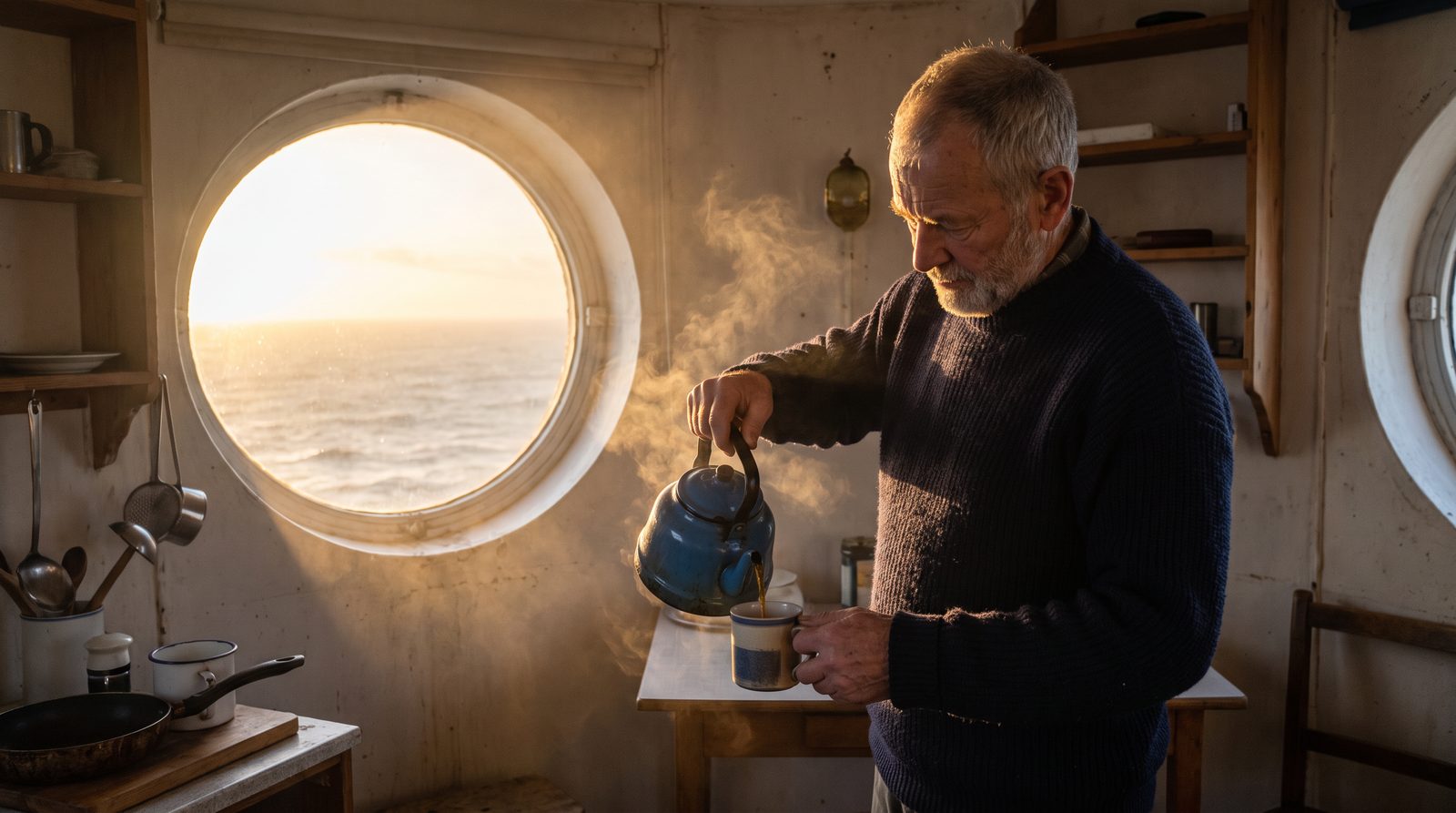
The fifth part is the camera. It’s there to change how we see the scene, not what’s in it:
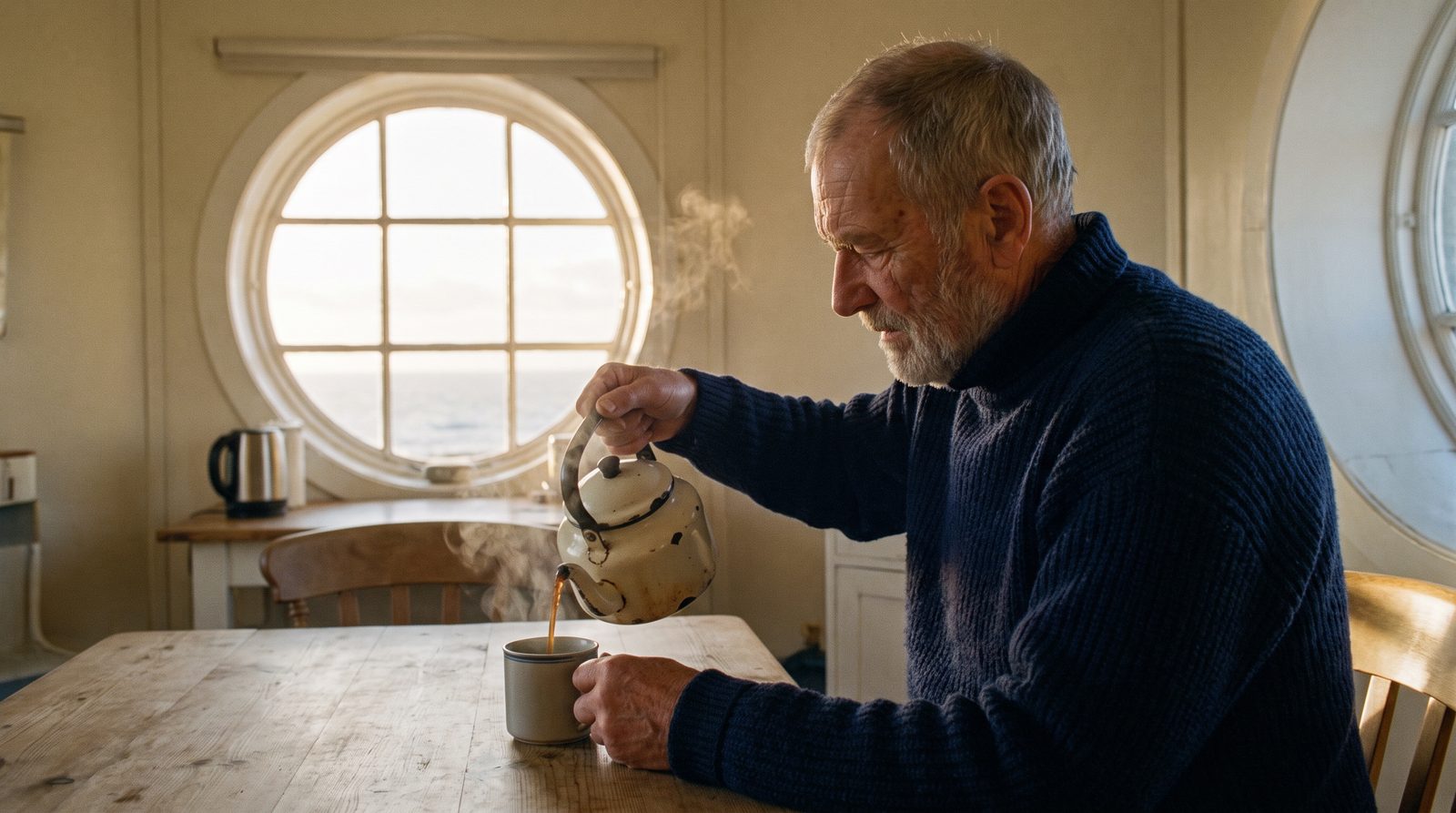
5. + Seen how. “Medium close-up from the side, shot on 35mm film, shallow depth of field.”
Here’s the full prompt as we used it for the final image, including a few small details the captions leave out. Copy it and swap in your own subject:
An old lighthouse keeper with a short gray beard and a navy knit sweater pours tea from a dented enamel kettle, in the small round kitchen at the top of a lighthouse, a round window behind him looking out to the sea. Early morning, low golden sunrise light through the window, steam from the cup catching the light. Medium close-up from the side at eye level, shot on 35mm film, shallow depth of field, natural skin texture.
What each part changed
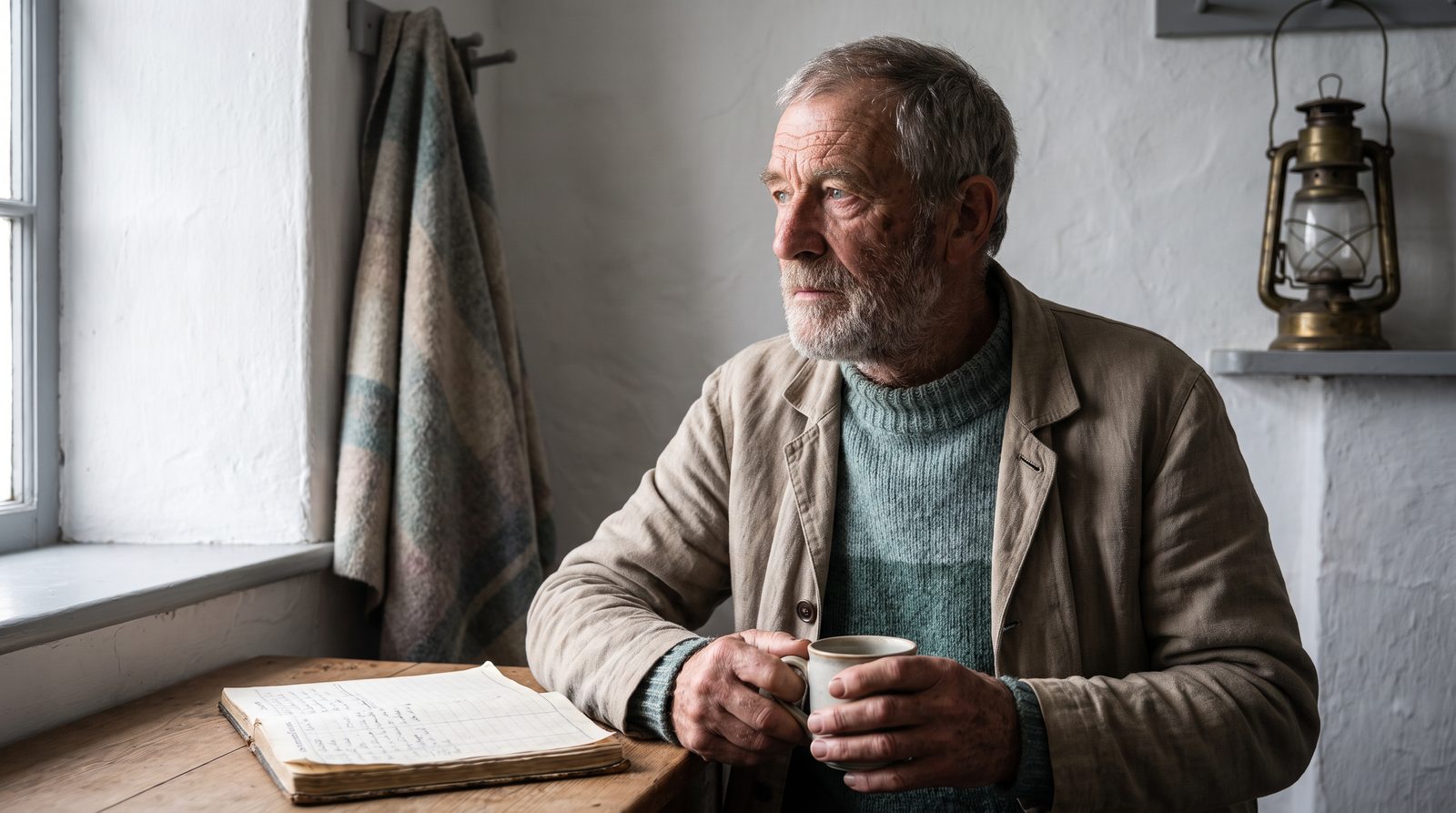
Step 1: the model guessed everything else. “A lighthouse keeper” gave us an older man with a beard, which is the average guess for that job. Then it kept guessing. He’s in a beige jacket over a green sweater, sitting by a window with a notebook and a mug, an oil lantern on the shelf. It’s a decent picture, just not the one we had in mind.
Step 2: a person and an action. The navy knit sweater and the gray beard arrived, and he’s pouring tea from a white enamel kettle. The room is still a guess: plain white walls and a square window onto the coast.
Step 3: a real place. The round kitchen at the top of a lighthouse brought round windows, wooden shelves and the sea outside. It also brought two things we didn’t ask for. He’s wearing an apron now, and the kettle turned pale blue. The light is flat and gray, because we still hadn’t said anything about it.
Step 4: light. This is the biggest jump in the set. “Low golden sunrise light through the window” turned a flat room into a morning, and “steam catching the light” gave the light something to hit. One line of light did more for the mood than any other part.
Step 5: the camera. “Medium close-up from the side, shot on 35mm film, shallow depth of field” moved us in closer and down to the table. Now your eye goes to the kettle, the cup and his face, in that order. It also redrew the room around him: a different window, a table, softer light, and a white enamel kettle instead of the blue one. Every generation is a new take, so details you didn’t lock down can move (more on that below).
Notice what we never wrote: “beautiful”, “stunning”, “cinematic”, “highly detailed”. None of those words describe anything you can see. The five parts do.
What to write for each
Specific beats beautiful. Here’s what goes in each part, with the words we used. Swap in your own.
1. Who. Age, clothes, one detail: “an old keeper, short gray beard, navy knit sweater”. Leave the clothes out and you get whatever the model thinks the average person in that role wears, as in step 1.
2. Doing what. One clear action: “pours tea from a dented kettle”. One verb, one object. With no action in step 1, our keeper just sat and looked out of the window.
3. Where. A specific place, not a vague one: “the round kitchen at the top of a lighthouse”. “A kitchen” gets you an average kitchen. A kitchen with a shape and a location gets you round windows and the sea.
4. Light. Time of day and where it comes from: “low sunrise light through the window”. Say what the light falls on, too. Our steam is there to catch it.
5. Seen how. Shot size and look: “medium close-up, 35mm film, shallow depth of field”. It’s the part that decides whether the picture looks like a snapshot or a frame from a film.
Keep the order. It makes the part you want to change easy to find later.
What a missing part costs
An AI image model has no idea what you’re picturing. It has your words and nothing else. Every question your prompt doesn’t answer still needs an answer, so the model picks the most likely one: daytime, eye level, a plain room, soft even light.
Each default is reasonable on its own. Together they make the flat, stock-looking image most people get on their first try. The fix isn’t more adjectives. It’s answering the five questions, so the model has less to guess.
When a result looks flat, go through the five parts and find the one you skipped. It’s usually light or seen how.
Let Director write it
In MITO, you can tell Director what you want in plain words, like “an old lighthouse keeper making tea at sunrise”. It writes the full prompt and picks the model for you.
Knowing the five parts still helps. It tells you what to add when a result comes back flat, and it tells you what to ask Director for: “warmer light from the window” or “closer, from the side” is a change to one part, and it’s a much clearer request than “make it better”.
Three habits worth keeping
Run a prompt more than once. The same prompt gives a different result every time. We ran the final keeper prompt four times and got four different rooms and poses, with the kettle changing color between takes. Generate two or three takes and pick the best before you start rewriting.
Change one part at a time. If you change the light, the clothes and the camera together and the result gets worse, you won’t know which change did it. That’s why we generated after every step above. When an image is almost right, ask for the one change and say what to keep: “Make it a stormy night. Keep everything else exactly the same.” More on that in How to Edit Photos With AI by Describing the Change.
Reuse the parts to make new shots. Once you have a prompt you like, change only “seen how” to get a different shot of the same scene: a wide of the lighthouse on its rocks, or a close-up of a hand setting the cup down. If the same person appears in several images, attach a reference image as well, because the model doesn’t remember anything between generations. Keep the short description in the prompt too: “gray beard, navy knit sweater”.
Try it
- Write one sentence: who, doing what.
- Add where, then the light, then the camera, one part at a time.
- Generate after each one and watch what changes.
- When a result looks flat, find the part you skipped and add it.
When you have an image you like, the next step is to make it move. Your First AI Video starts from this same keeper and takes him from one image to a finished three-shot video with sound.
Frequently asked
- What should an AI image prompt include?
A good AI image prompt answers five questions: who is in the picture, what they’re doing, where they are, what the light is like, and how the shot is framed. For example: an old keeper in a navy sweater (who), pouring tea (doing what), in a round lighthouse kitchen (where), in low sunrise light (light), as a medium close-up on 35mm film (seen how).
- Why do my AI images look generic?
Because the model fills in everything the prompt leaves out with the most average choice: plain rooms, even light, eye-level framing. Add the missing parts, especially the light and the camera, and the result gets specific.
- What order should I write a prompt in?
Who, doing what, where, light, then seen how. The subject and action come first, the place and light build the world around them, and the camera framing comes last. Keeping the same order also makes it easy to find and change one part later.
- Should I use words like "beautiful" or "cinematic" in prompts?
They don’t do much. They don’t describe anything the model can draw. Specific words do: “low golden sunrise light through the window” tells the model far more than “beautiful lighting”.
- How long should an AI image prompt be?
Long enough to answer the five questions, which is usually three or four sentences. Our final lighthouse keeper prompt is 77 words.
- Do I need to write prompts myself in MITO?
No. Tell Director what you want in plain words and it writes the full prompt and picks the model. Knowing the five parts helps you ask for the right change when a result isn’t quite there.
The AI tool for cinematic video.
Generate, direct, and publish professional videos, powered by the best AI models.