Display Ads at Exact Pixel Sizes
Eight sizes from one layout, each cropped on purpose rather than squeezed.
To make display ads at exact sizes with AI, type the width and height in pixels instead of picking an aspect ratio. In MITO the image comes back at exactly that size, so a 970 × 250 billboard is 970 × 250 and can go straight to the ad server with no cropping or resizing.
Media plans don’t ask for aspect ratios. They ask for pixels: 970 × 250 for the homepage billboard, 300 × 600 for the half page, 1200 × 628 for the link ad. Make them at 16:9 and someone still has to crop and resize each one before it can go live, and the crop is usually where the headline or the product gets cut.
We made three NORRA ads this way, from the same talent and product references, and hit one problem along the way. Here are the sizes we set, what came back, and the rule we now follow.
The three sizes we made
All three ads were generated with Nano Banana Pro, with the width and height set and the same two references attached: a photo of the talent and a photo of the can.
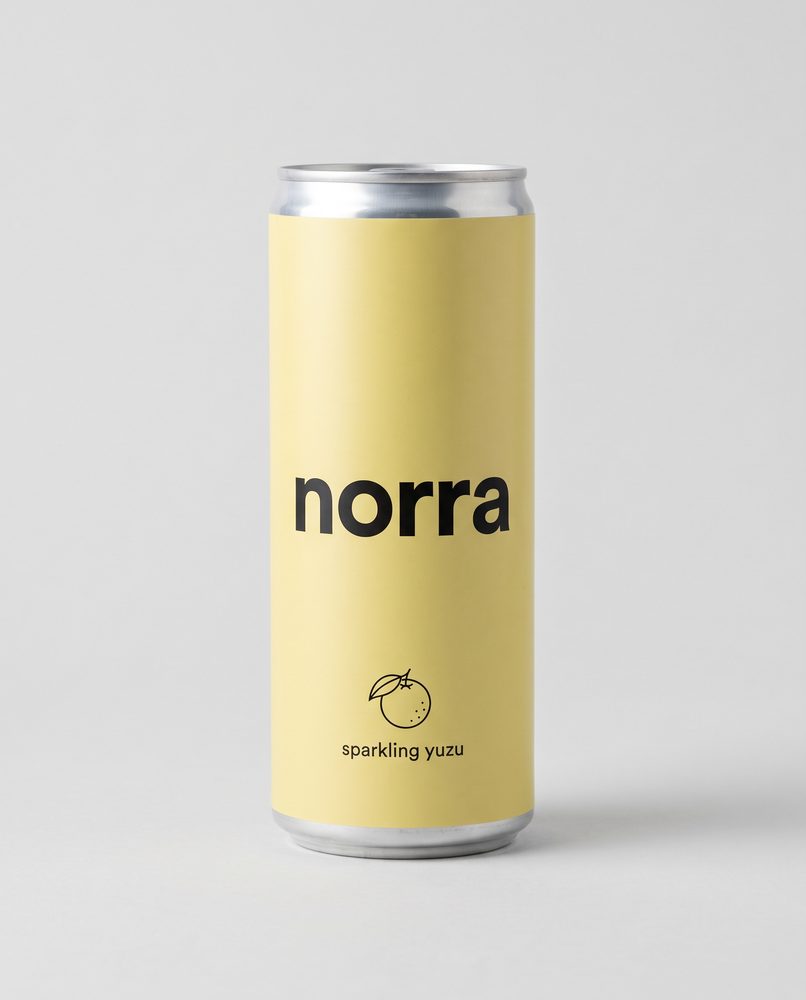
Then one generation per slot, each with its own width and height:
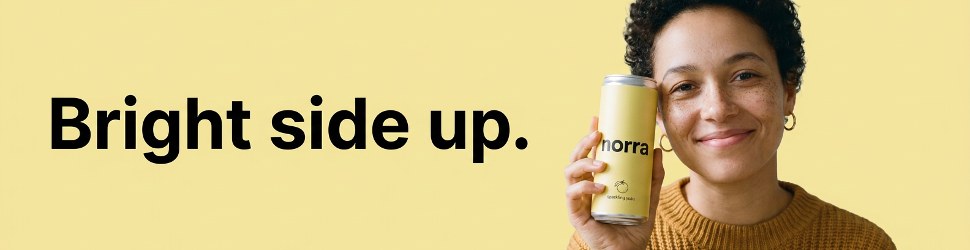
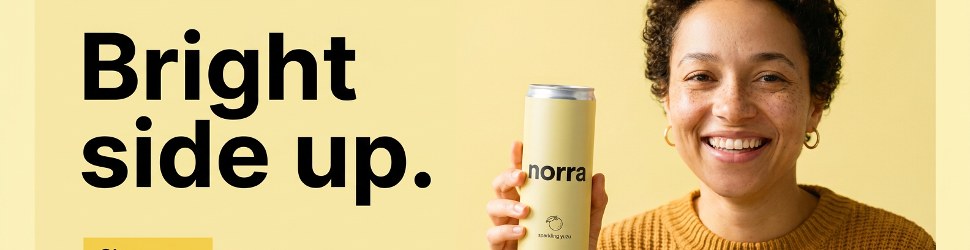
970 × 250, the web billboard across the top of a homepage. Delivered at exactly 970 × 250 pixels.
The half page is the opposite shape: twice as tall as it is wide, so the layout stacks instead of sitting side by side.
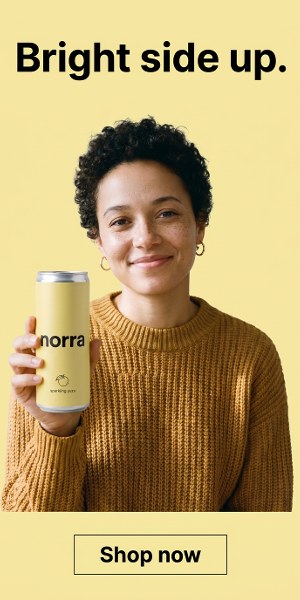
300 × 600, the half page in the sidebar, shown here at its real size. Headline at the top, button at the bottom, both clear of the edges.
The link ad sits between the two, at about 1.9 times as wide as it is tall, with room for a scene beside the headline.
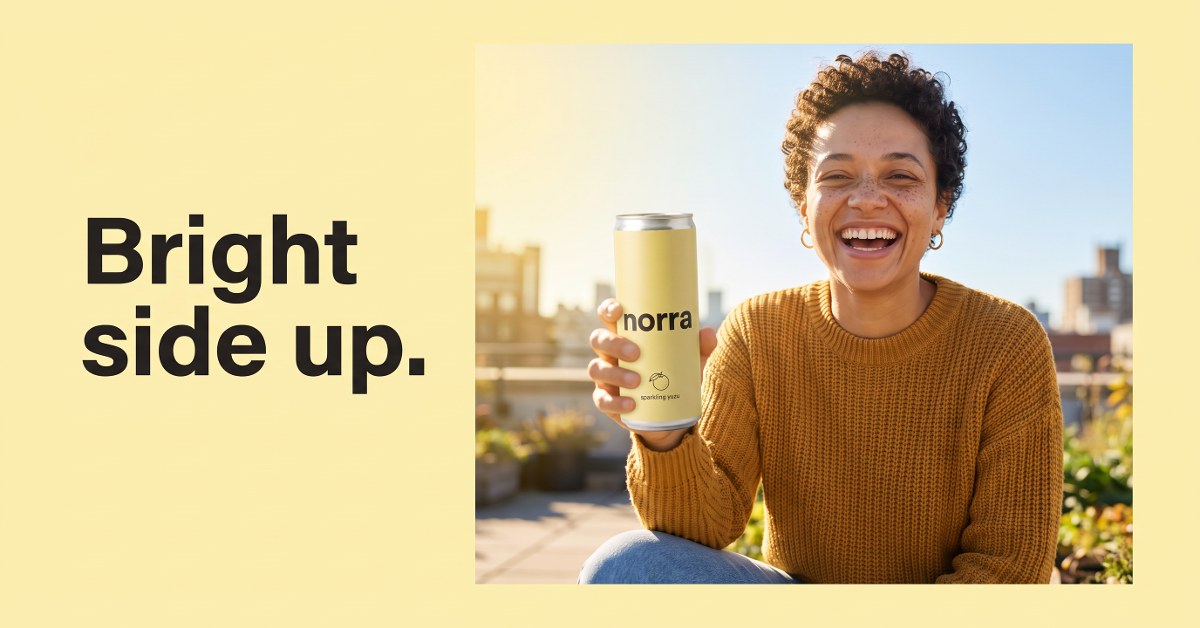
1200 × 628, the link ad for social feeds. Same face, same can, a rooftop scene inside the frame.
The face, the can and the headline match across all three, because all three came from the same two references. Nothing was cropped or resized after generation.
What went wrong first
The first 970 × 250 came back at the right size, but it lost its “Shop now” button. The button sat at the bottom of the layout and only its top sliver made it into the frame.
First try. The two-line headline pushed the button down, and the bottom edge cut it off. Compare the final billboard above: a one-line headline in the middle, and no button left near the bottom edge.
Here’s why. The model generates at its closest preset ratio, and MITO then cuts the image to the exact size you asked for. A 970 × 250 banner is almost four times as wide as it is tall, far wider than 16:9, so a strip comes off the top and bottom. Anything that was placed near those edges goes with it.
The fix is in the prompt: keep the headline and the product away from the edges. The final billboard puts the headline on one line in the middle of the banner and leaves the button out, and the can sits well inside the frame.
Sizes media plans ask for
Type any of these as the width and height. The three we generated are shown above; the other three work the same way.
| Size (px) | Slot |
|---|---|
| 970 × 250 | Web billboard across the top of a homepage |
| 300 × 600 | Half page in the sidebar |
| 300 × 250 | Medium rectangle, the most common display slot |
| 728 × 90 | Leaderboard above the content |
| 1200 × 628 | Link ad on social feeds |
| 1080 × 1350 | Portrait feed ad, 4:5 |
The very wide ones, 970 × 250 and 728 × 90, need the most care. They’re furthest from a standard ratio, so they lose the most at the edges.
The standard sizes
The same method works for the images you make every week. These are the sizes each platform gives in its own help or business pages. TikTok lists a minimum, so any larger 9:16 size works.
| Platform | What | Size (px) | Ratio |
|---|---|---|---|
| YouTube | Video thumbnail | 3840 × 2160 | 16:9 |
| YouTube | Channel banner | 2560 × 1440 | 16:9 |
| Feed post, square | 1080 × 1080 | 1:1 | |
| Feed post, portrait | 1080 × 1440 | 3:4 | |
| Stories and Reels | 1440 × 2560 | 9:16 | |
| TikTok | In-feed video | 540 × 960 or larger | 9:16 |
| Profile banner | 1584 × 396 | 4:1 | |
| Company page cover | 1512 × 256 | About 6:1 | |
| Single-image post | 1200 × 628 | 1.91:1 | |
| X | Profile header | 1500 × 500 | 3:1 |
| Page cover | 851 × 315 | About 2.7:1 | |
| Standard pin | 1000 × 1500 | 2:3 |
Sources: YouTube thumbnails, YouTube banners, Instagram feed, Instagram Stories, Instagram Reels, TikTok, LinkedIn profile, LinkedIn Pages, LinkedIn posts, X, Facebook, Pinterest.
For a thumbnail, banner or feed image, type its width and height in MITO the same way we did for the NORRA ads, and it comes back at that size. The two LinkedIn covers are even wider than the 970 × 250 billboard, so keep faces and text in the middle.
Rules for exact-size ads
Use the same references for every slot. Attach the talent and the product to every generation. That’s what makes the 300 × 600 look like the same campaign as the 970 × 250. If you use them a lot, save them as Elements (here’s how).
Describe the layout for the shape. A wide banner wants the headline on one side and the product on the other. A tall half page wants headline, product and button stacked. Say which in the prompt.
Keep the headline and product away from the edges. Ask for them centered, with space around them. This is the one that cost us a button.
One size per generation. Type the first size, describe the ad, check it, then move to the next size.
Check it at 100%. A 300 × 250 is small. Open it at its real size and make sure the headline is still readable and the product is still recognizable.
The width and height work from Claude too: the MITO MCP takes them on every image model, so you can paste the media plan into the chat and ask for each size. Here’s how to run MITO from Claude.
Try it
- Open the media plan and list the sizes.
- Add your talent and product as references.
- Type the first size as the width and height, describe the ad, and keep the headline and product away from the edges.
- Check it at full size, then do the next size.
If the same campaign runs in more than one country, How to Localize One Ad for Every Market With AI shows how to adapt each version with one prompt per market.
Frequently asked
- What are the standard display ad sizes?
The sizes media plans ask for most often include 970 × 250 (web billboard), 300 × 600 (half page), 300 × 250 (medium rectangle), 728 × 90 (leaderboard), 1200 × 628 (social link ad) and 1080 × 1350 (portrait 4:5 feed ad).
- What size is a YouTube thumbnail?
YouTube’s help page recommends 3840 × 2160 pixels at a 16:9 ratio for video thumbnails, with a minimum width of 640 pixels. Shorts thumbnails use 2160 × 3840 at 9:16.
- Can AI generate an image at an exact pixel size?
Yes. In MITO you type the width and height, and the image comes back at exactly that size. We generated NORRA ads at 970 × 250, 300 × 600 and 1200 × 628, and each one matched its size to the pixel.
- Why did part of my ad get cut off?
The model generates at its closest preset ratio and the image is then cut to your exact size. On very wide or very tall sizes, like 970 × 250, a strip comes off the edges. Keep the headline, product and button away from the edges.
- How do I keep the same face and product across every ad size?
Attach the same talent and product references to every generation. Our three NORRA sizes all used the same two references, so the face, the can and the headline match.
- Should I generate at 16:9 and crop to each size?
It’s slower and riskier. Someone has to crop and resize every version, and the crop is where headlines and products get cut. Generating each slot at its exact size gives you a file ready for the ad server.
The AI tool for cinematic video.
Generate, direct, and publish professional videos, powered by the best AI models.