From Phone Shot to Menu Photo
One house style for a whole delivery menu, starting from the photos you have.
To make AI food photos for a delivery app, start from your own photo of each dish as it’s served, not from a description. Turn each one into a studio hero shot in one house style: one item per photo, a clean warm off-white background, light from the upper left. Lock what’s on each plate so the AI can’t add to it, then check every photo against the real dish.
On a delivery app, the photo is the menu. Customers order from the picture, then compare it with what arrives. A phone shot on the pass at the end of a shift doesn’t sell the dish, and a mix of photos from different days makes the whole menu look cheaper.
We did this for a restaurant menu in MITO, from the owner’s own phone photos. Below are three of the dishes before and after, the exact prompts, and the five rules that keep the photos professional and honest.
Phone photo in, hero out
Each pair is the same dish and the same portion. On the left, the owner’s photo of the dish as served. On the right, the delivery hero made from it.
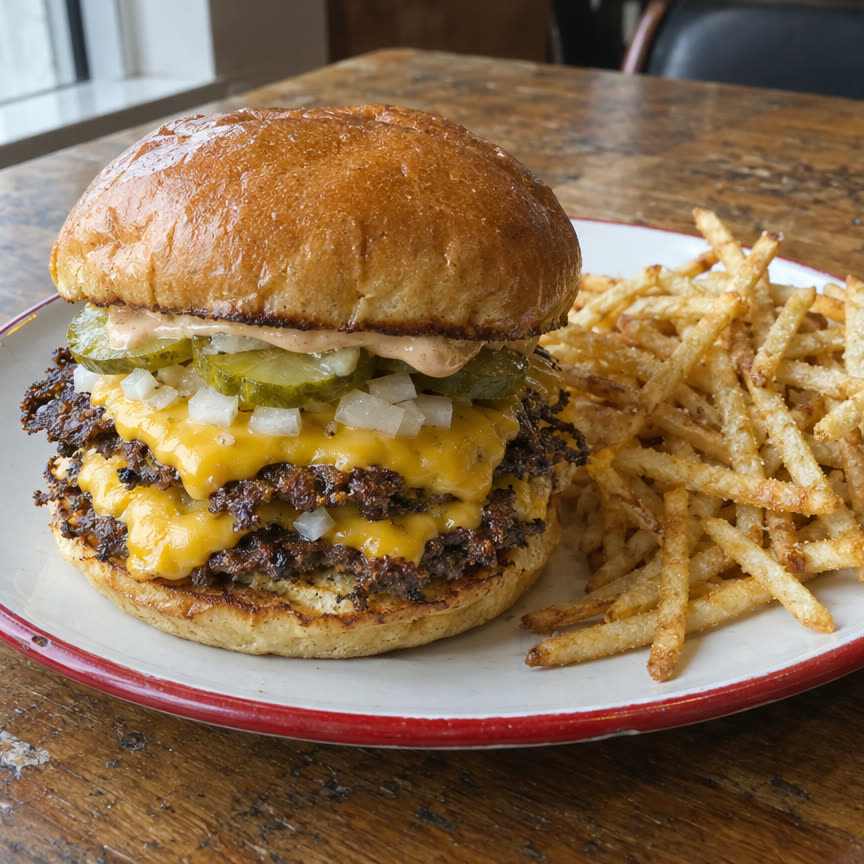
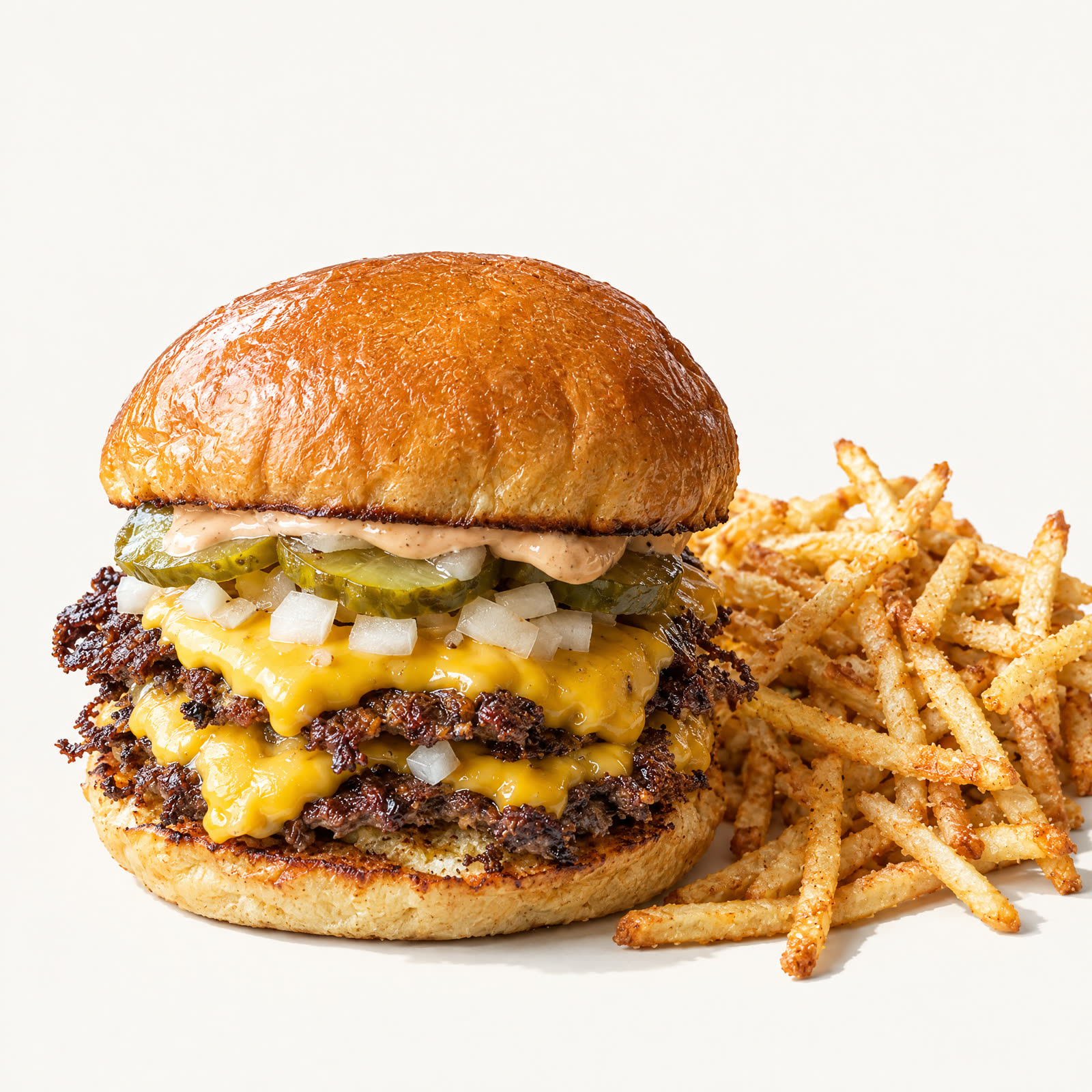
Burgers look best straight on, so you can see every layer.
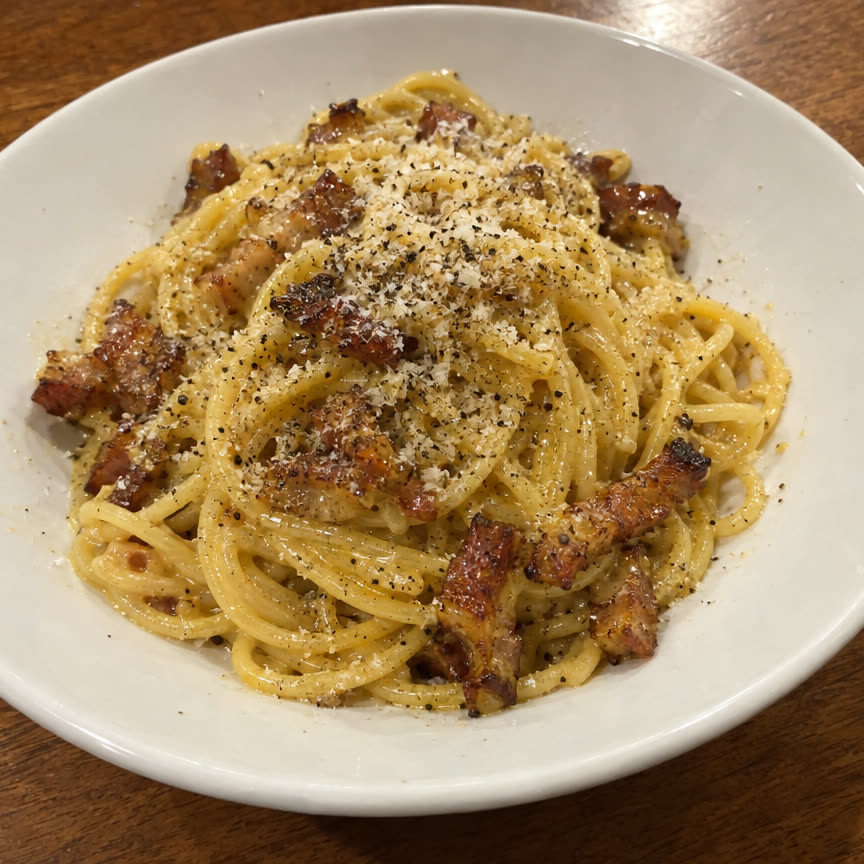
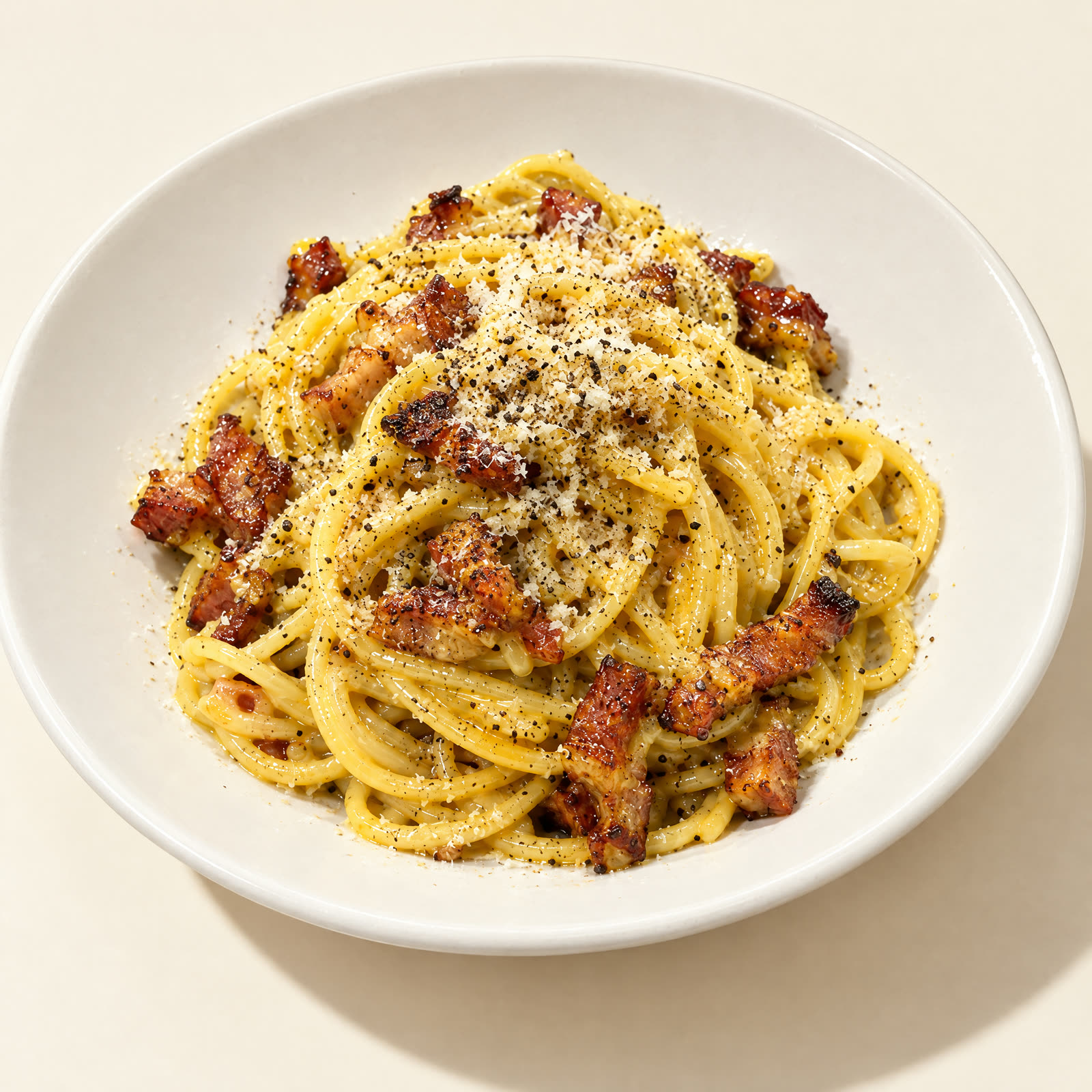
Pasta in a bowl needs a raised angle so you can see into it.
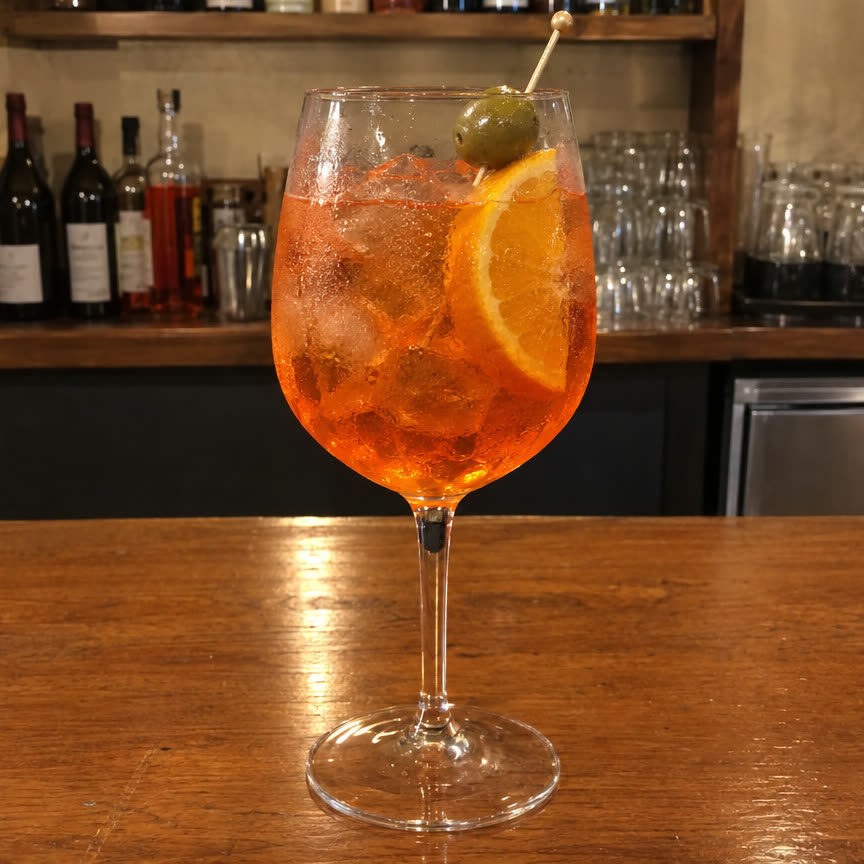
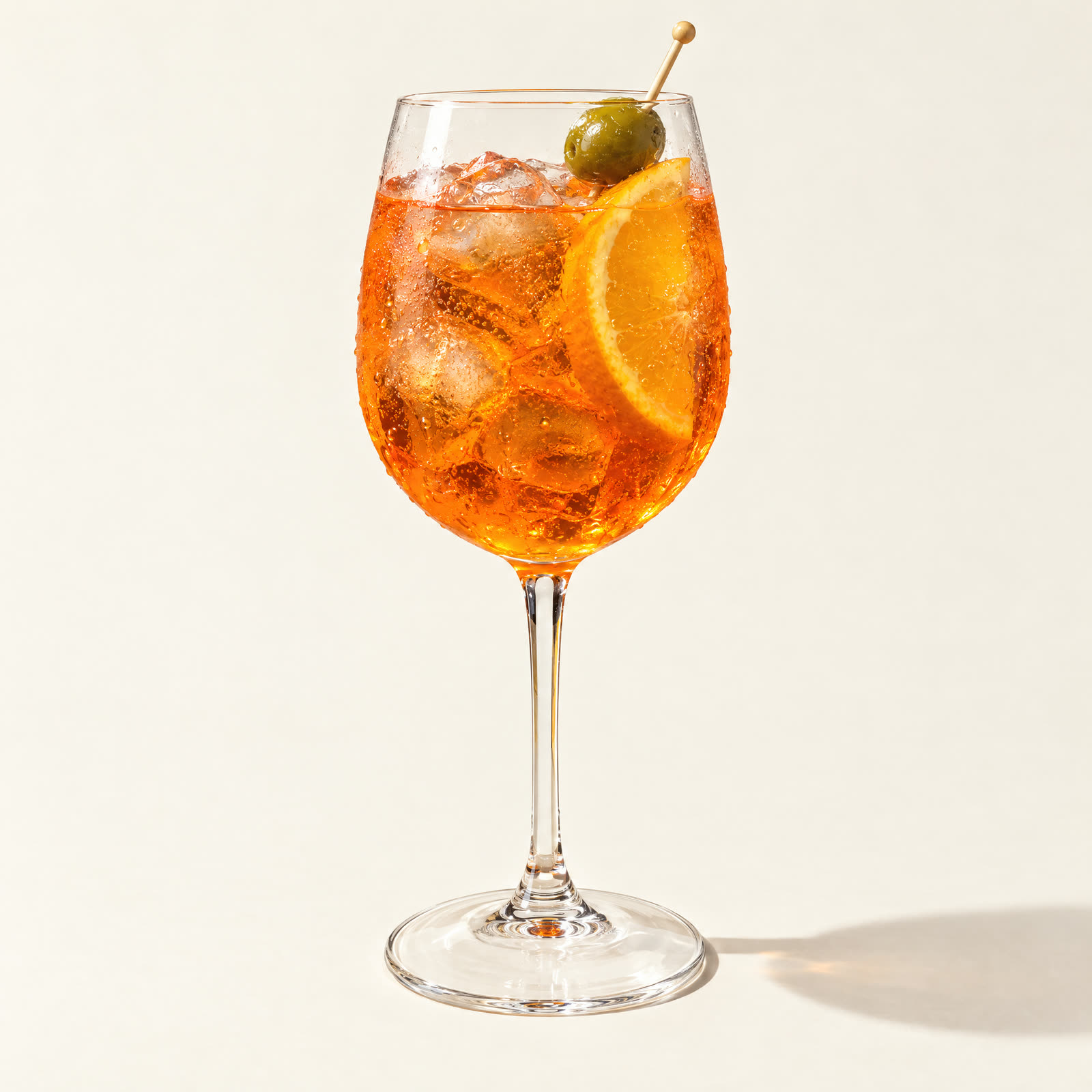
Every hero was made from the owner’s photo as the reference, with GPT Image 2.5 Flare at 2K, in a style we called “Delivery hero”. Look at what each prompt does: it lists exactly what’s on the plate, says “match the reference exactly”, and picks one angle that suits the dish. For a drink, that means light coming through the glass.
One style for the menu
The image at the top of this post is six dishes from the same menu, all in one house style. Together they look shot in one session.
The owner’s photos were taken in different places and different light: two wooden tables and a bar. The heroes all share one background, one direction of light and one kind of framing, so no dish looks like it came from a different restaurant.
Write the house style once and paste it into every prompt:
One item per square. Clean, warm off-white background. Light from the upper left. No text or logos.
Five rules worth keeping
1. One house style for every dish. Same background, same light, same framing, from the house style above. Changing the style halfway through the menu is the fastest way to make it look mixed again.
2. A dish lock for every item. List exactly what’s on the plate, then add: “match the reference exactly, no extra toppings, realistic portion”. Our three prompts above use the short form, “Match the reference exactly”; the longer line is stricter. Image models tend to dress food up: an extra garnish, a bigger portion. The dish lock tells the model not to.
3. One test shot before the rest. Make one hero of a best seller and approve the look before you do the rest of the menu. If the light or the background is off, you fix it once instead of on twenty dishes.
4. Zoom in on every photo. An added garnish or a bigger portion is a fail. The photo is a promise: the customer will hold it up against what arrives. Compare each hero with the owner’s photo, item by item. We left a lasagna off this menu for exactly this reason: its hero added a basil leaf that isn’t on the dish as served.
5. One item, no text, sized for each app. One item per photo, with no text or logos on it. Make the hero with room around the dish, then crop it to each place your menu appears: the shape each delivery app asks for, wide for your website and 4:5 for Instagram.
Nothing in these photos is fake. The dish is the one you served. The edit does what a professional food photo editor would do: it takes away the busy background so the plate stands alone, then lightens and cleans up the food that’s already there. Nothing is added to the plate, and the dish sits on a plain, clean background instead of a new scene.
Delivery apps each have their own photo rules for shape, background and editing, and they differ. DoorDash’s merchant guidelines, for example, ask for landscape 16:9 item photos and have rules about edited photos. Whether an AI-edited photo is accepted is up to each platform, so read the current policy of every app you’re on before you upload.
Let a workflow do it
Download the free Food Menu Photography workflow (a Markdown file) and upload it to your MITO project. It runs the whole thing for you: it reads each dish, locks the house style, plans the shot list with a credit estimate and checks every photo. Its defaults are square at 2K, one item, no text. Change the shape if an app you’re on asks for landscape.
It’s how we made the menu in this post. The credit estimate tells you what the whole menu costs before anything generates.
If you’d rather work dish by dish, you can do the same thing yourself with an image edit in MITO: upload the photo, describe the change, and keep the rest. How to Edit Photos With AI by Describing the Change covers how.
Try it
- Photograph your five best sellers as they’re served. A phone is fine.
- Upload them to a MITO project.
- Write your house style and a dish lock for your best seller, and make one test shot.
- Zoom in and compare it with the real dish. Approve the look.
- Do the rest of the menu in the same style, then crop each one for each delivery app, your website and Instagram.
To keep your photos, ads and videos looking like one brand, see How to Keep AI Generations On Brand.
Frequently asked
- Can I use AI to make food photos for delivery apps?
Yes. Start from your own photo of each dish as it’s served, and use AI to turn it into a studio-style hero shot with a clean background and consistent light. Lock what’s on the plate so the AI doesn’t add anything, and check every photo against the real dish.
- Will AI food photos look different from the real dish?
They can, if you let them. Models tend to add garnishes or make portions bigger. List every item on the plate, add “match the reference exactly, no extra toppings, realistic portion”, and zoom in on each photo before you use it.
- What background is best for delivery app food photos?
A clean, plain background in one consistent color. We used a warm off-white with light from the upper left for every dish, so the whole menu looks shot in one session. Check each app’s current photo rules too.
- Do I need a professional camera for the original photos?
No. A phone photo of the dish as it’s served is enough. The original is there to show the AI exactly what’s on the plate and how big the portion is, so take it straight after plating, in decent light.
- What size should menu photos be?
One item per photo, with no text or logos, cropped to the shape each app asks for. Apps differ: DoorDash, for example, asks for landscape 16:9. Check each app’s current rules before uploading.
- How do I keep every menu photo consistent?
Write one house style, with the background, the light and the framing, and paste it into every prompt. Make one test shot of a best seller, approve it, then do the rest of the menu in that style.
The AI tool for cinematic video.
Generate, direct, and publish professional videos, powered by the best AI models.