Keep the Room From Changing
Cut between two people without the walls, the light or the glasses moving.
A shot and reverse shot is two people facing each other, filmed from behind one and then the other. In AI video the reverse is the hard part. One image only shows one side of a room, so the model invents the other side, differently, every time you generate. The shelves move, the lamp jumps, and the cut stops working.
We fixed it with three things: Location Scout to get the other angles of the room from one image, screen direction written into every prompt, and one light line that never changed. Here’s how we used them on a scene in a bar: a rainy night, a note slid across the counter.
The coin-toss scene in No Country for Old Men is two men across a shop counter: shot, reverse shot, shot, reverse shot. It holds because the room never moves. The same shelves sit behind the same man every time, and he always looks the same way. That’s what we were after.
The shot and the reverse
These are the two prompts, exactly as we wrote them:
Shot: camera behind her left shoulder, looking across the counter at the bartender, screen right, facing left.
Reverse: camera behind his right shoulder, looking at her, screen left, facing right.
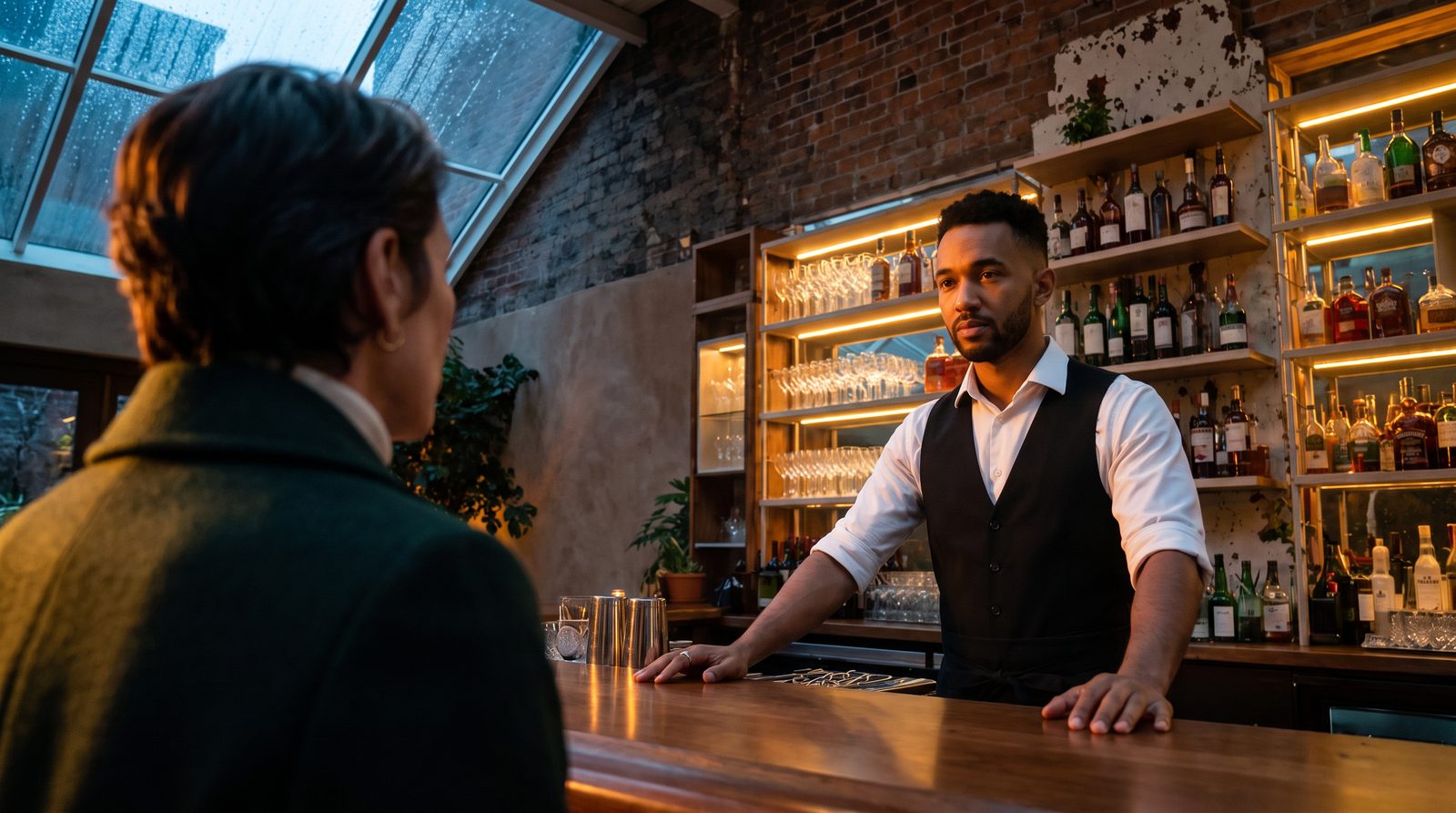
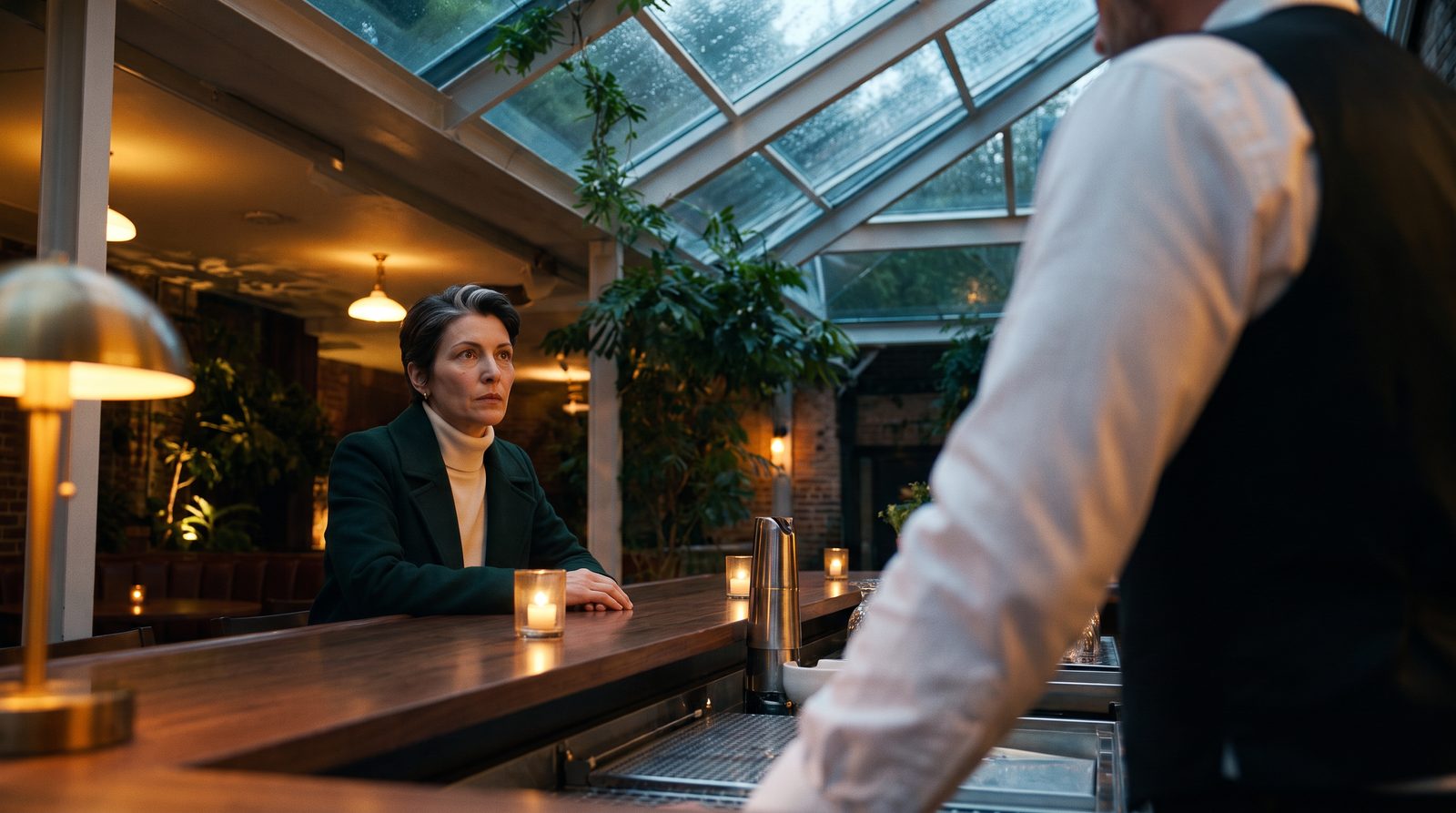
And here they are cut together, the way they play in the scene:
Shot, reverse, shot. He looks left, she looks right, and the bar behind each of them stays the same bar.
Why the reverse shot breaks
Every generation starts from nothing. The model doesn’t know what’s behind the camera in your first shot, so when you turn the camera around, it makes something up. Generate the reverse three times and you’ll get three different bars.
Two things go wrong:
- The room changes. The back wall, the light and the furniture don’t match the first shot.
- The eyelines flip. If she faces right in the shot and he faces right in the reverse too, they look like they’re facing the same way, not each other. That’s the 180° line: keep the camera on one side of the two people, and they keep facing each other across the cut.
Location Scout fixes the first. Your prompt fixes the second.
How Location Scout works
Location Scout gives you other views of the same room, so the reverse shot has something real to start from. Here’s what it does:
- You give it one image of the place.
- It makes one five-second camera move that travels around the room.
- It keeps a frame at each of four stops, about 70° apart, at the same height and distance.
- Each frame is restored to full detail and color-matched to your original.
- All five views go on a Location Element you can @ in any prompt.
A set costs 395 credits when you run it on an image you already have (as of October 2026), and the panel shows the price before you generate. The Location Scout announcement has the full walkthrough.
This is the set we used for the bar. The first image is the original. The other four are the stops.
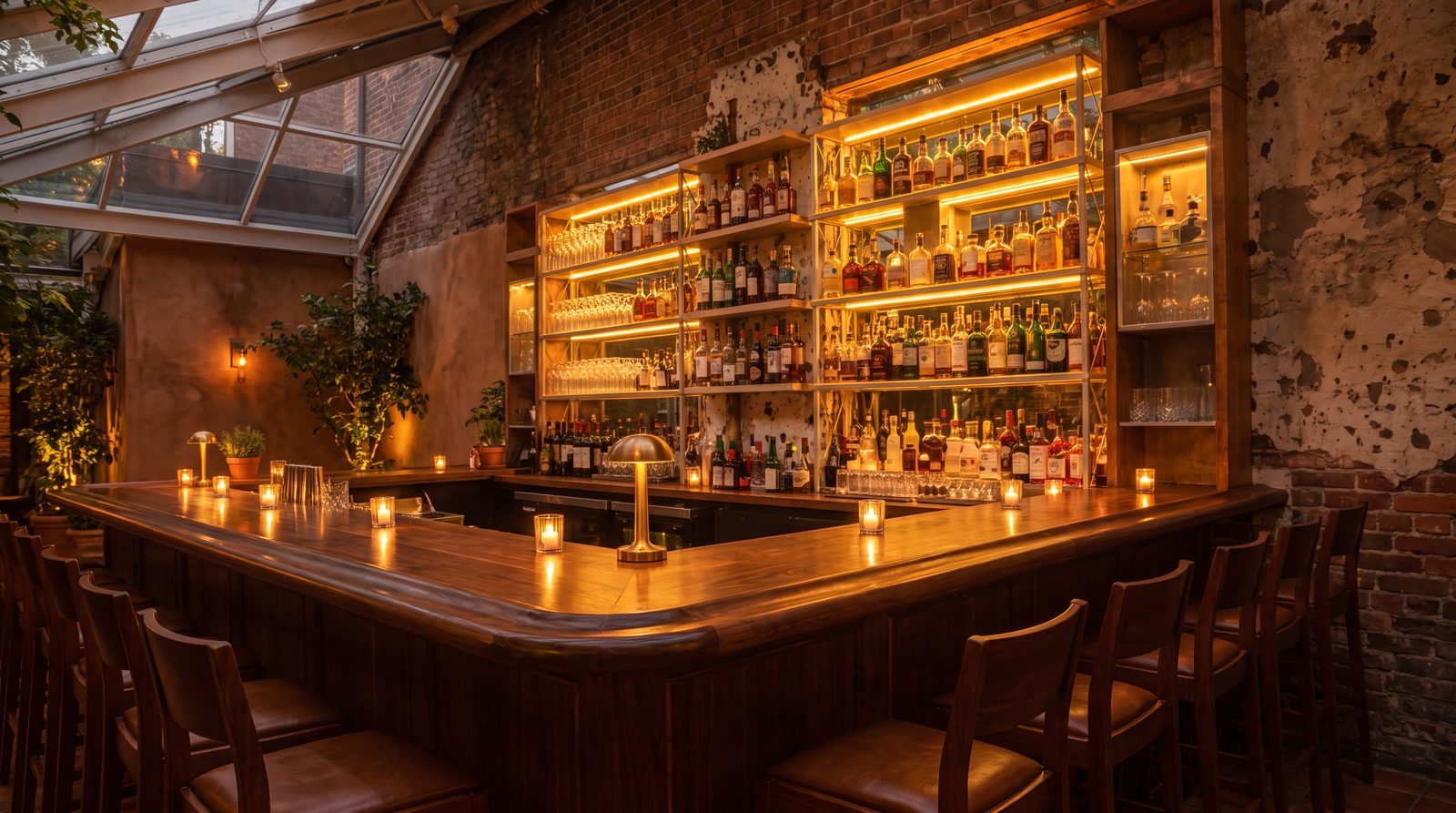
The one image we started from.
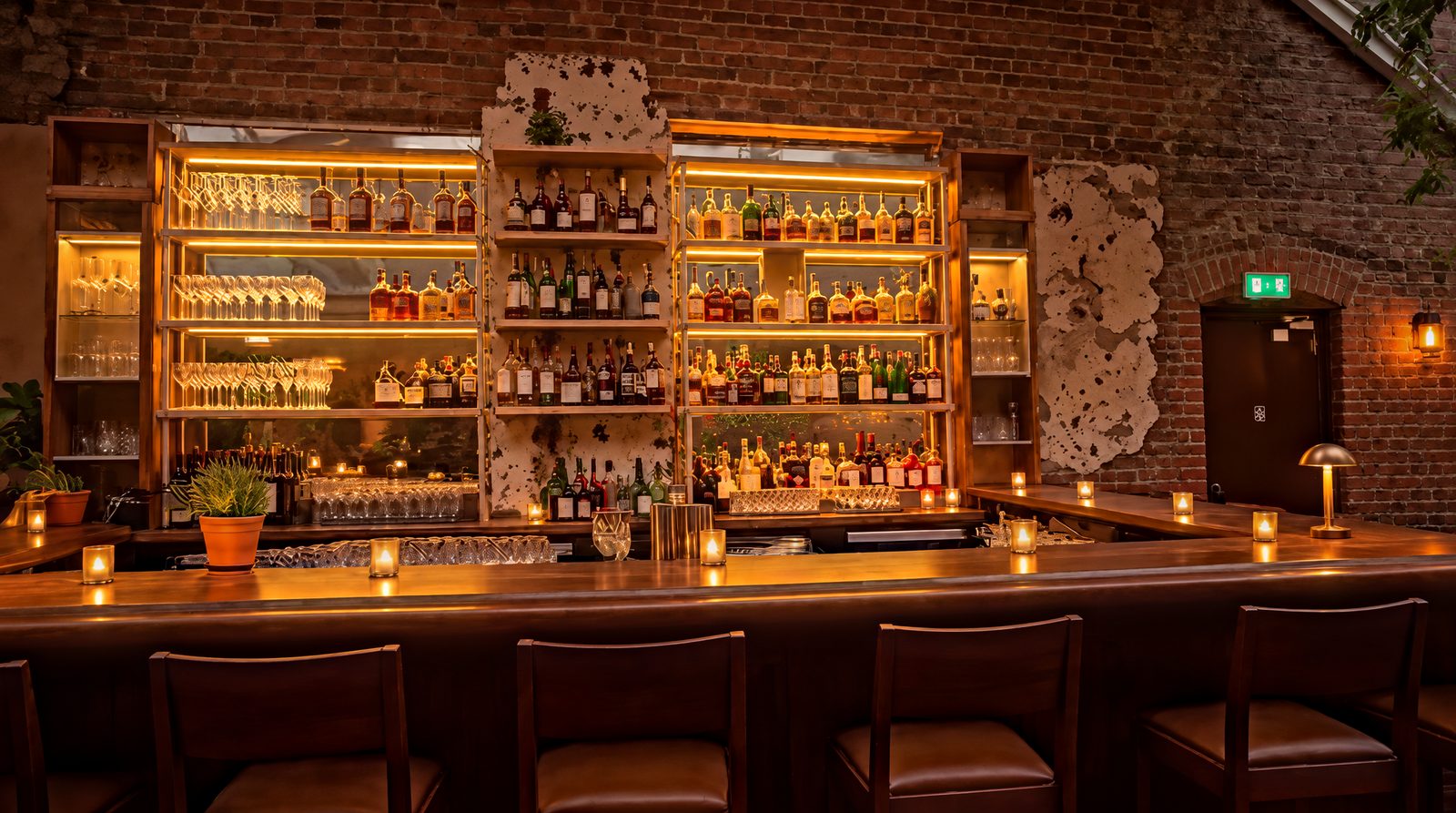
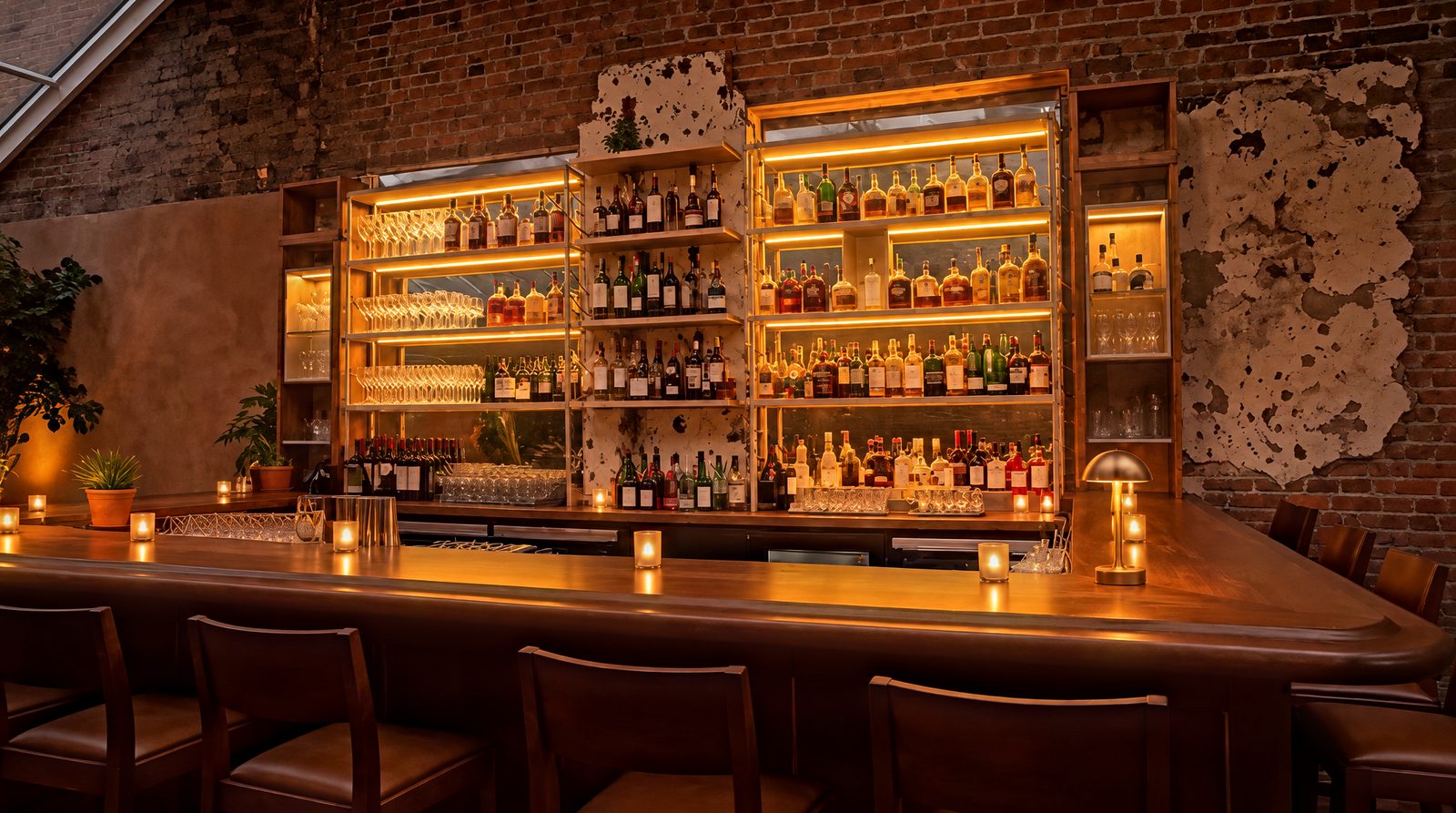
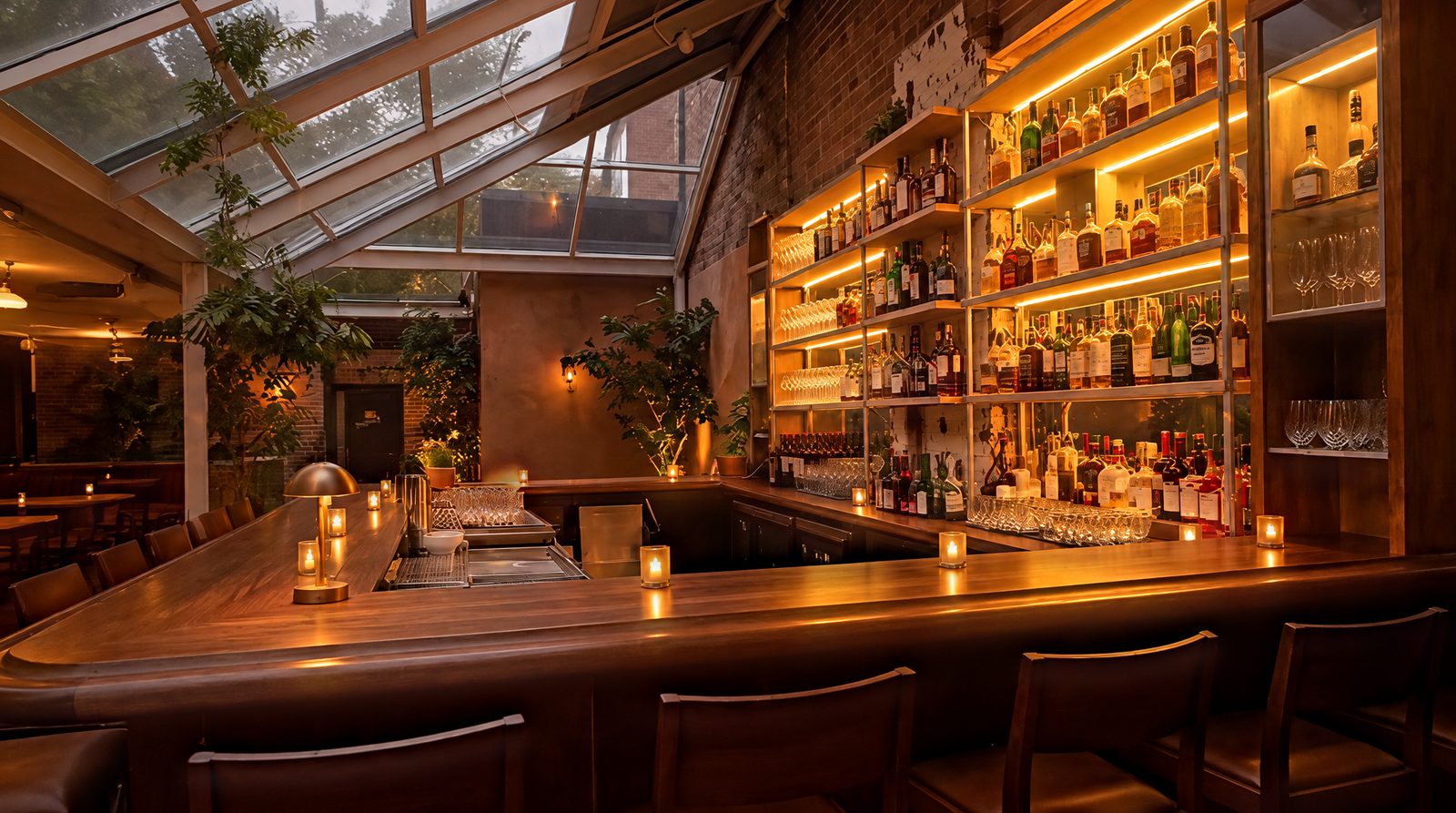
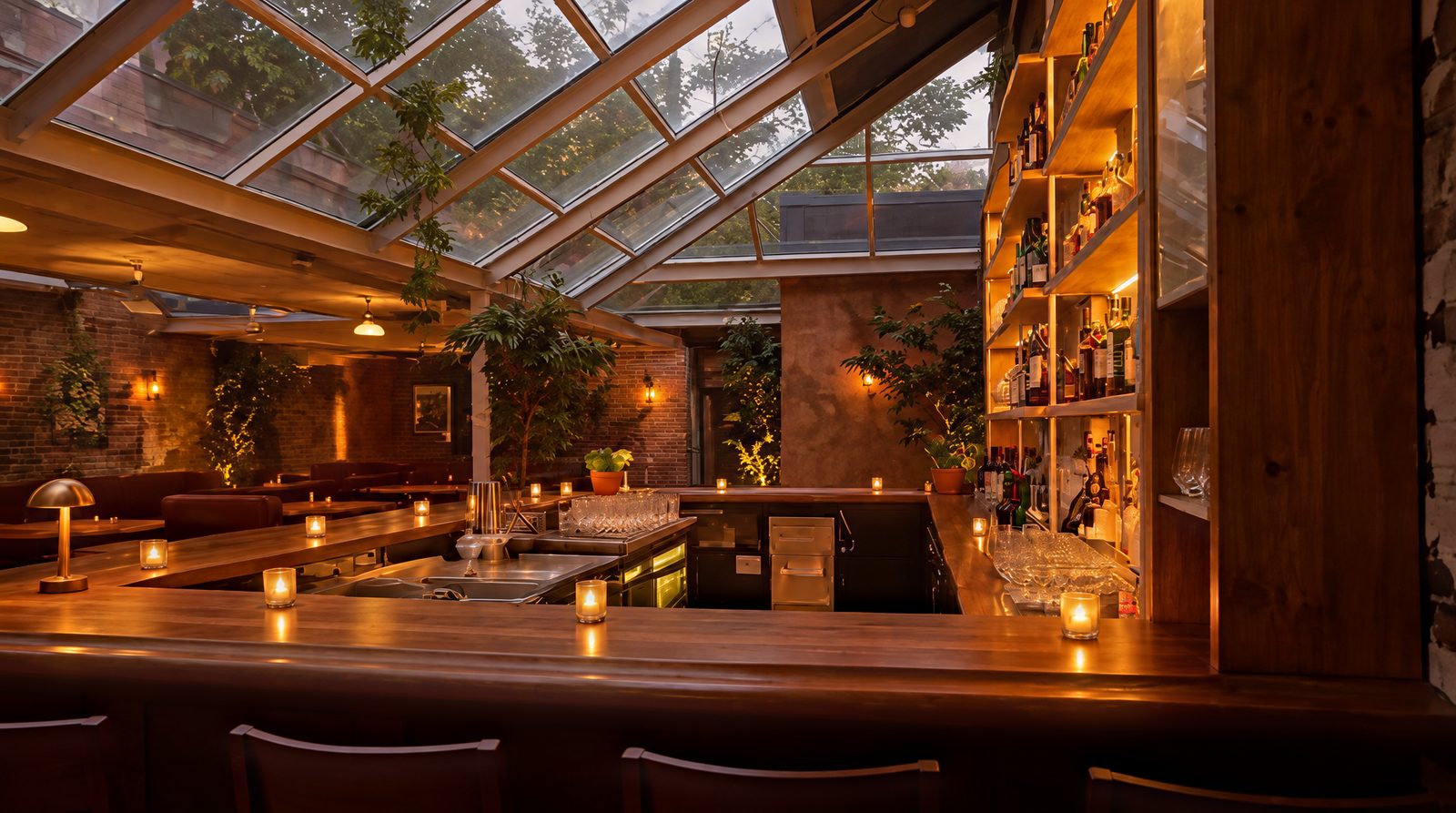
Same counter, same shelves, same plaster on the brick, from angles the original image never showed. That’s what lets the reverse shot sit in the same room as the shot. More on the feature in Introducing Location Scout.
Two lines that held it
1. Screen direction, in every prompt.
She sits screen left, facing right. He stands screen right, facing left.
Each generation starts from nothing, so write the 180° line into every one. It’s not enough to say it once in the first shot. On the reverse, flip the camera position and keep the directions: he’s still screen right in his shot, she’s still screen left in hers, and they face each other across the cut.
2. The light, word for word.
Warm amber lamplight from camera left, cold blue rain light from the skylight above.
That sentence went into every prompt unchanged. Reword it and the lamp moves.
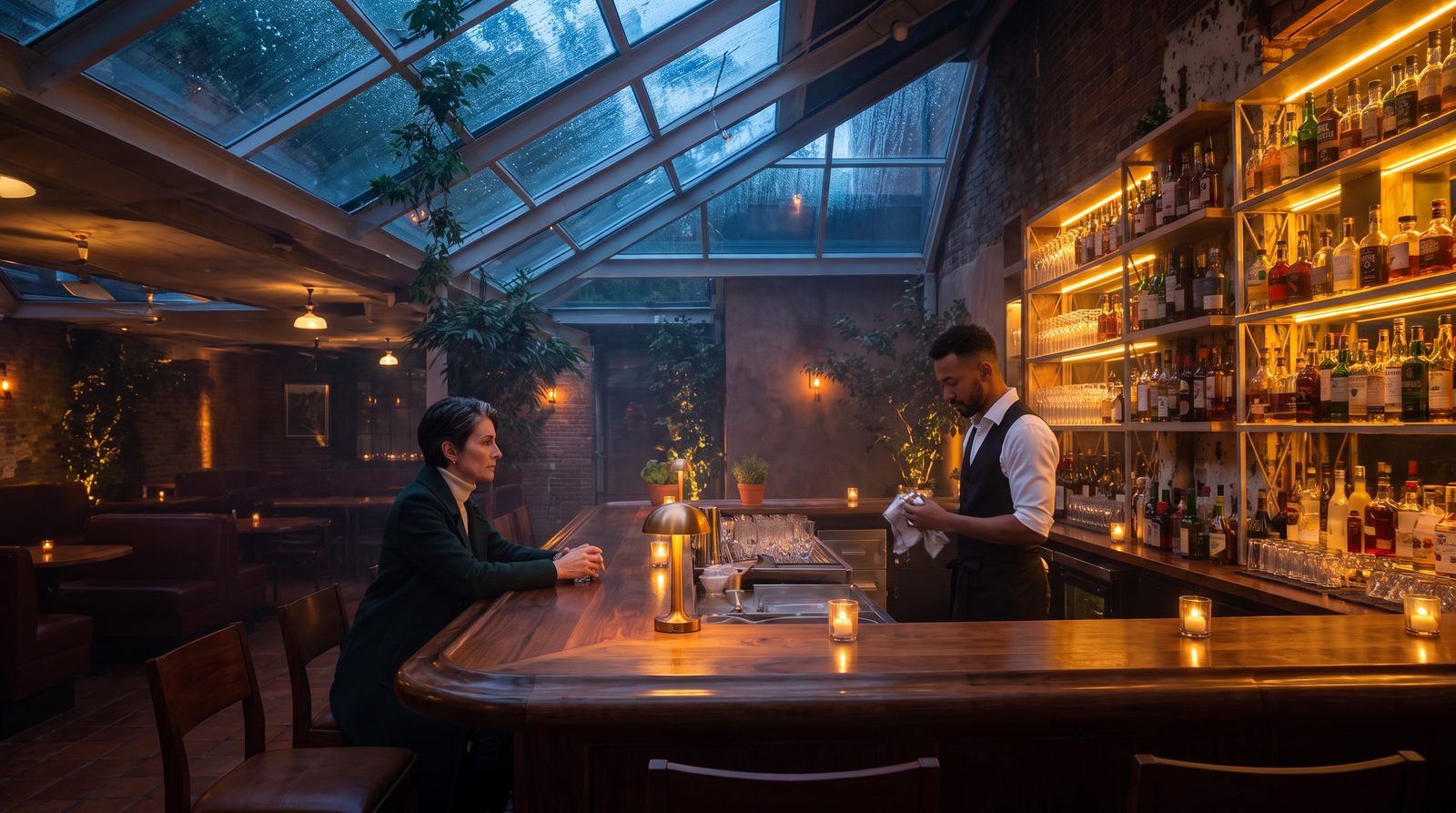
The wide that opens the scene, with the same light line as every other shot: amber from the lamp, blue from the skylight.
Try it
- Generate your main location, empty, no people.
- Run Location Scout on it and save the Element.
- Write one light line and paste it, unchanged, into every shot prompt.
- Write the shot and its reverse with opposite camera positions. Each person keeps their screen direction in both: she always faces right, he always faces left.
- @ the Location Element in each prompt, then cut the two shots together and check the eyelines.
This is one layer of a six-shot scene. The full making-of, from storyboard to the finished cut, is in How We Made a 19-Second AI Short Film Scene. If your characters drift between shots, see How to Keep AI Video Characters Consistent.
Frequently asked
- What is a shot reverse shot?
A shot reverse shot is two angles on a conversation or standoff: one filmed from behind the first person looking at the second, then one from behind the second looking back. Cut together, the two people appear to face each other.
- Why is the reverse shot hard in AI video?
Each generation starts from nothing, and one image only shows one side of a room. When you turn the camera around, the model invents the other side, so the room, the light and the furniture change between the shot and the reverse.
- What is the 180-degree rule in AI video?
Keep the camera on one side of the line between two characters, so one always faces right and the other always faces left. In AI video, write it into every prompt, for example “She sits screen left, facing right. He stands screen right, facing left.”
- What does Location Scout do?
Location Scout takes one image of a place and makes four new views of it from stops around the room, at the same height and distance, color-matched to the original. All five views are saved on a Location Element you can @ in any prompt.
- How do I keep the lighting the same across AI shots?
Write one light line and paste it into every prompt word for word, such as “Warm amber lamplight from camera left, cold blue rain light from the skylight above.” Rewording it, even slightly, can move the light.
The AI tool for cinematic video.
Generate, direct, and publish professional videos, powered by the best AI models.