Create your first avatar
Join Mercedes Santalla, our Head of Community, to walk you through the process of creating your own avatar in MITO.
INTRODUCTION
Creating an avatar, the further you go in defining its personality and behavior, the smoother your application and creative process will be across mediums and projects.
Showing who your avatar is beyond physical appearance, as well as understanding their style (how they dress, how they wear their hair) where they would move, how they would behave, and what they would be interested in, ensures stronger and more consistent outputs.
STEP 1
Start by defining the physical features of your character, then generate a range of poses from different perspectives. Here is a prompt example:
Young woman with light olive to warm beige skin tone, clear and even complexion with subtle natural texture. Face is oval with soft symmetry, gently defined cheekbones, and a smooth jawline. Eyes are large, almond-shaped, light green with golden undertones; gaze calm, direct, and self-possessed. Eyebrows are dark brown, full, naturally arched, and well defined without sharp angles. Nose straight and proportionate, neither narrow nor wide. Lips medium-full with a soft cupid’s bow, natural rose-pink tone, relaxed closed expression.
Hair is deep chestnut brown, long and voluminous, styled in loose, defined curls with a natural sheen. Hair is center-parted, framing the face evenly; curls are soft and controlled rather than frizzy, with consistent wave structure from mid-length to ends.
Overall appearance reads as elegant, composed, and contemporary. Expression neutral with a slight softness, conveying quiet confidence rather than overt emotion. Presence feels editorial and timeless, understated rather than stylized, with a natural beauty emphasis over dramatic features.
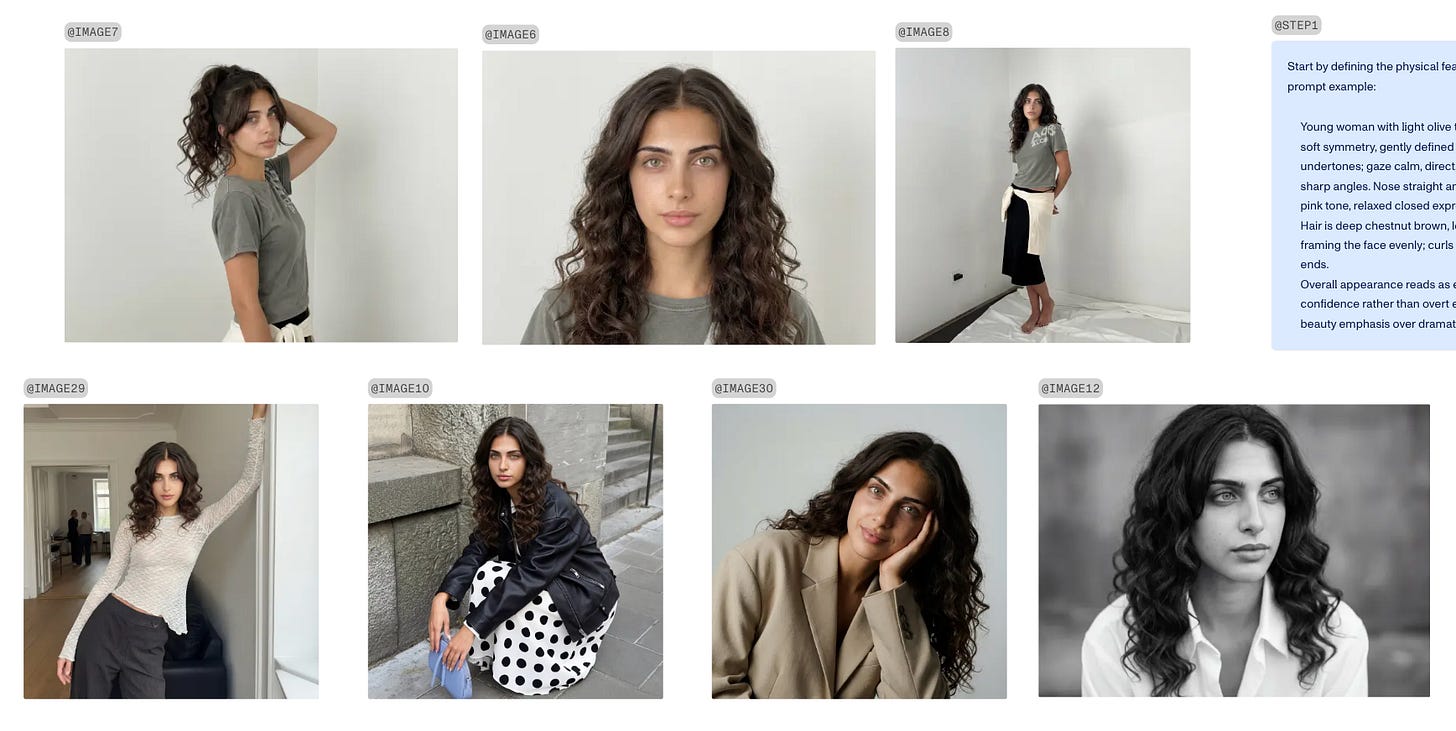
Multiple poses and perspectives teach the system how the character exists in space, ensuring stability across actions, angles, and scenes.
STYLE
Then, establish their style by creating a moodboard that defines how the character dresses, moves, and is perceived.
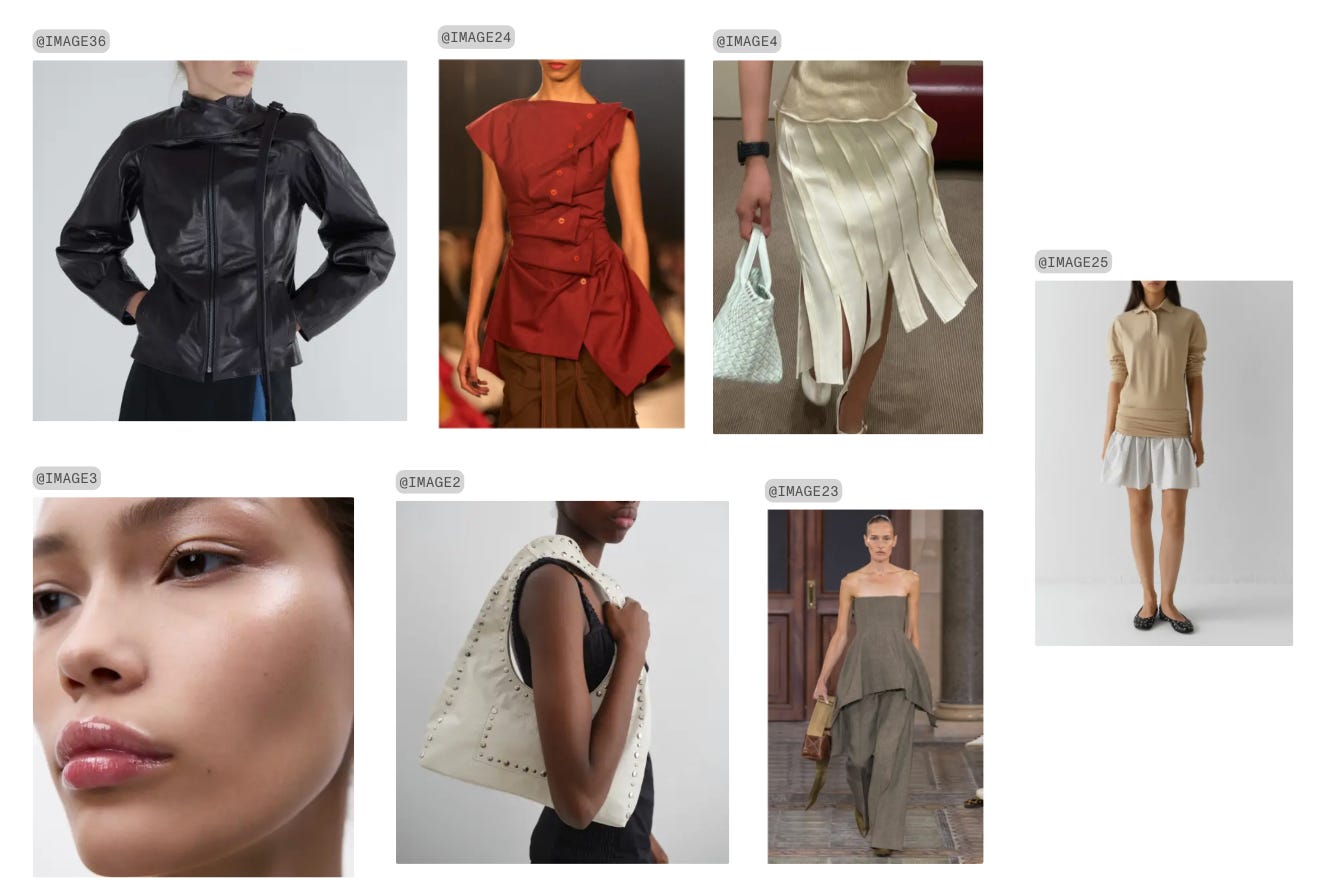
INTEREST
Later on, select a few key interests to shape the character’s behavioral path, guiding how they act, react, and make decisions across contexts.
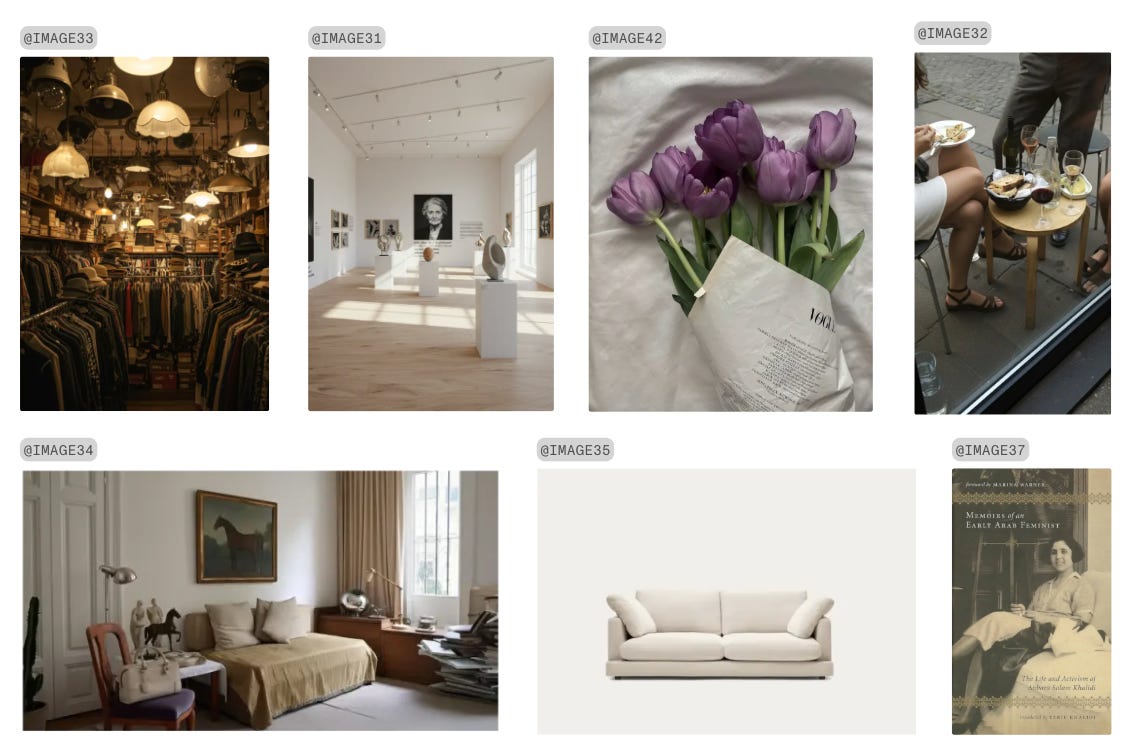
Defining these elements early on is essential to character continuity. Physical structure grounds the character visually, allowing them to remain recognizable across angles and situations. Style extends that identity beyond anatomy, shaping presence, tone, and perception. Interests introduce intention, guiding behavior and decision-making. When these layers work together, the character stops behaving like a set of isolated outputs and begins to operate as a coherent, continuous identity across projects and mediums.
MEET ELSA, OUR AVATAR
Here you have some examples of her in different scenes and possibilities, so you can get inspired.
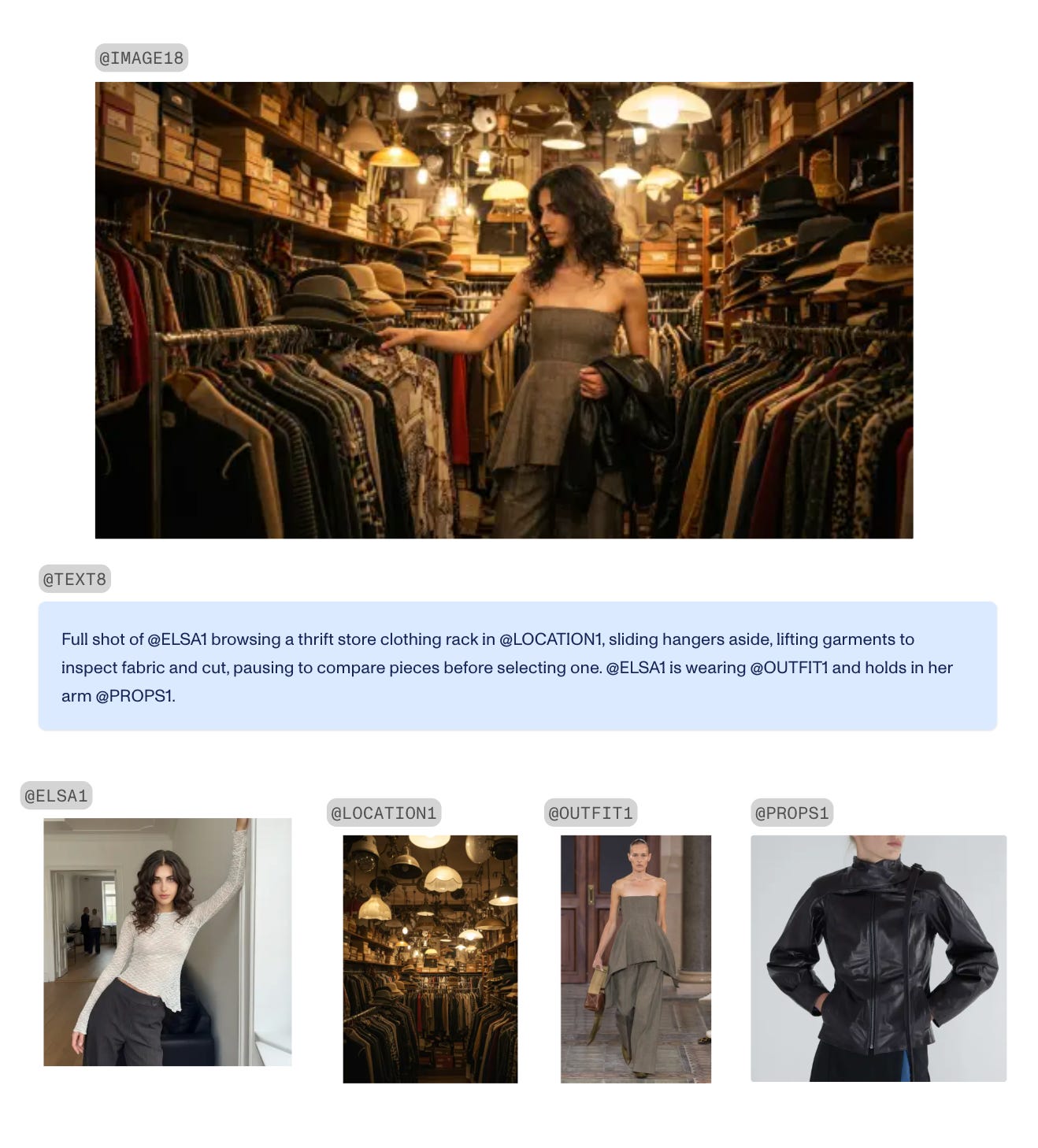
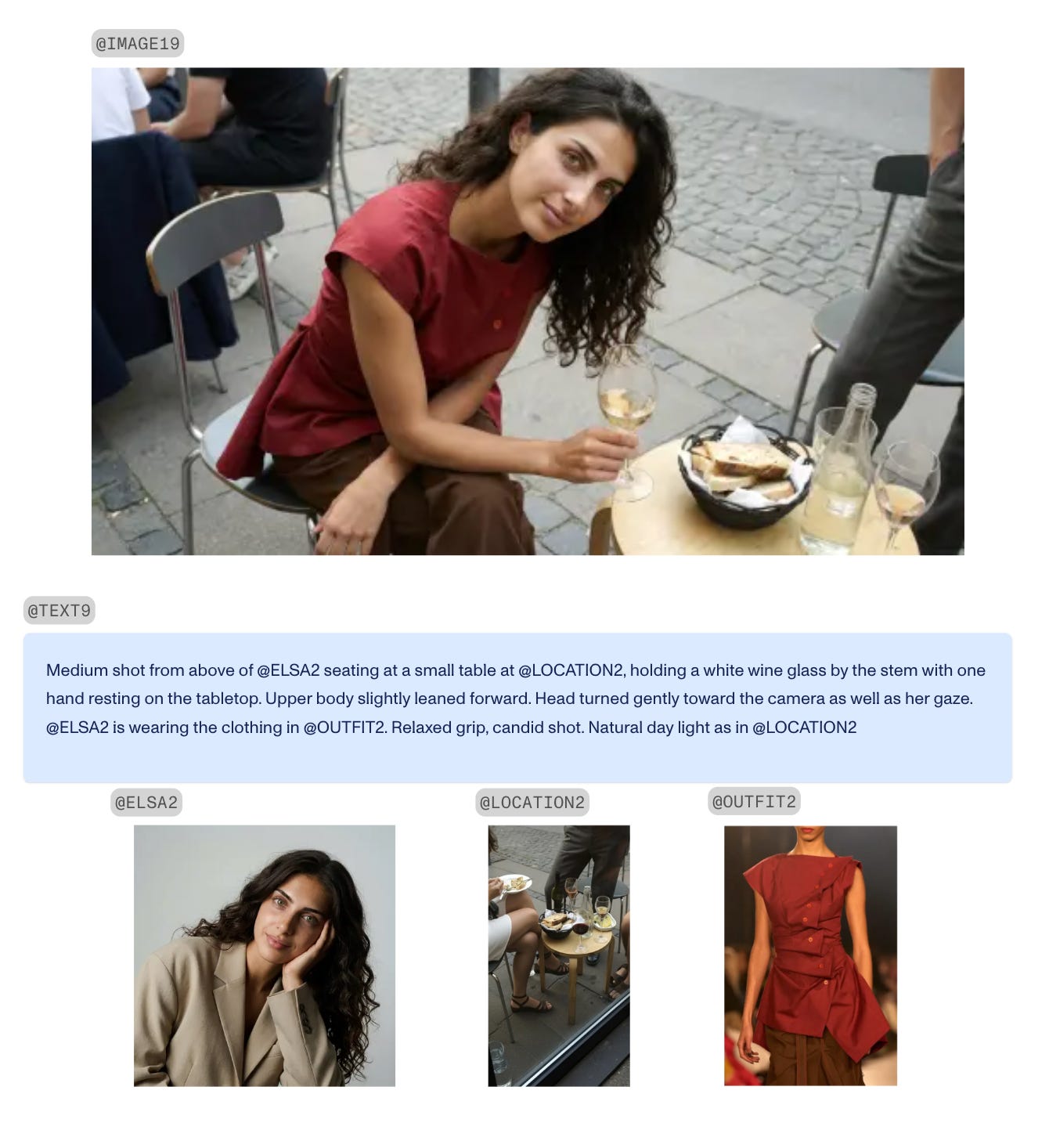
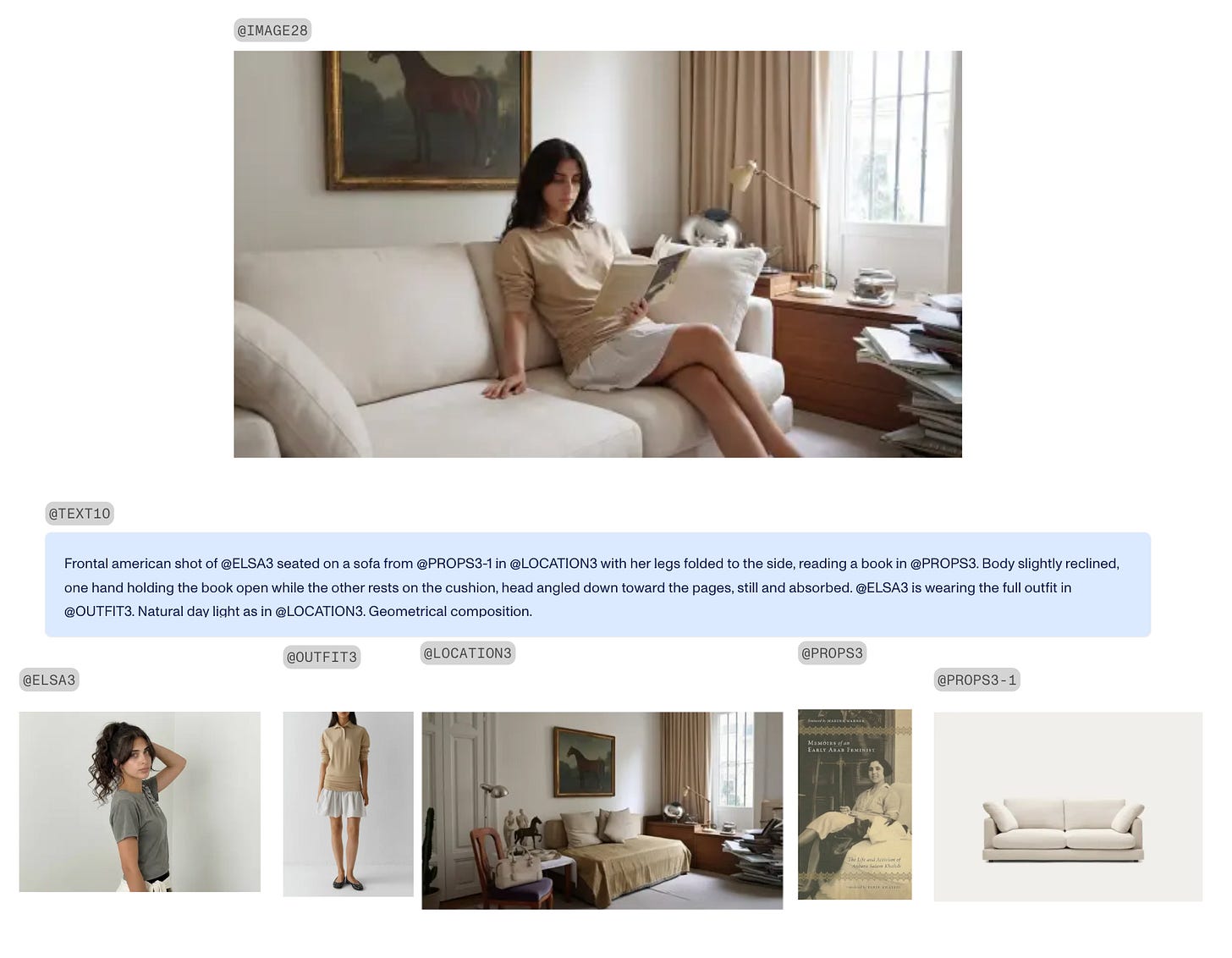
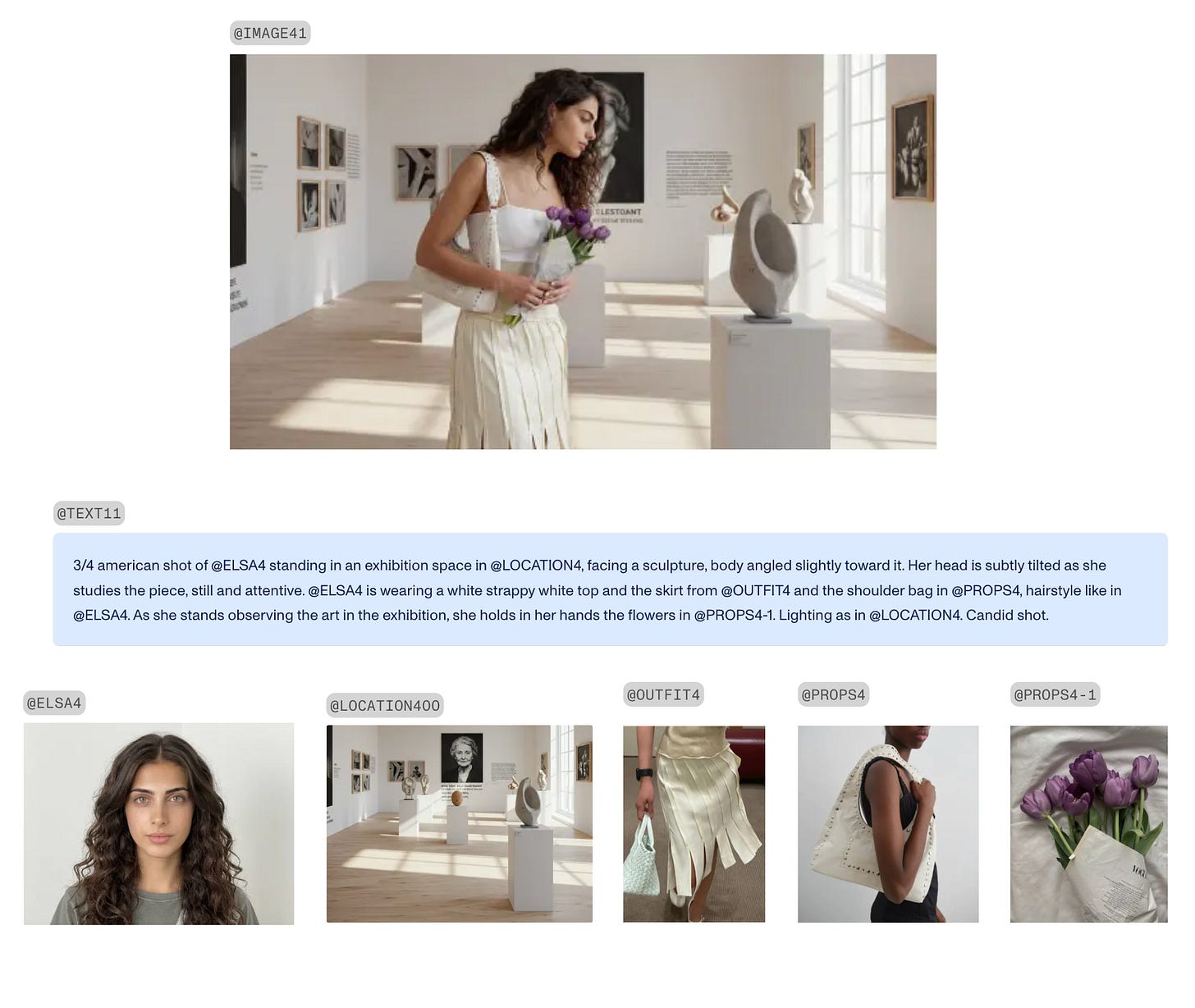
If you want to see more about the possibilities of creating an avatar, check Elsa’s instagram and give her some support!
Check Elsa’s profile here
Take these steps to craft a unique and continuous identity for your avatar.
Start creating yours with MITO AI and don’t forget to post your results on MITO Universe.
The AI tool for cinematic video.
Generate, direct, and publish professional videos — powered by the best AI models.
More posts