Build your cast before you shoot
Turn one photo into a character you can use in every scene, with the same face under every angle, expression, and light.
Start with the hardest problem
Characters that drift between shots is the number one failure in AI video. Character Sheet fixes it at the start: lock the face once, then every scene you build on MITO pulls from the same identity. The work you do here carries through the rest of your project.
How it works
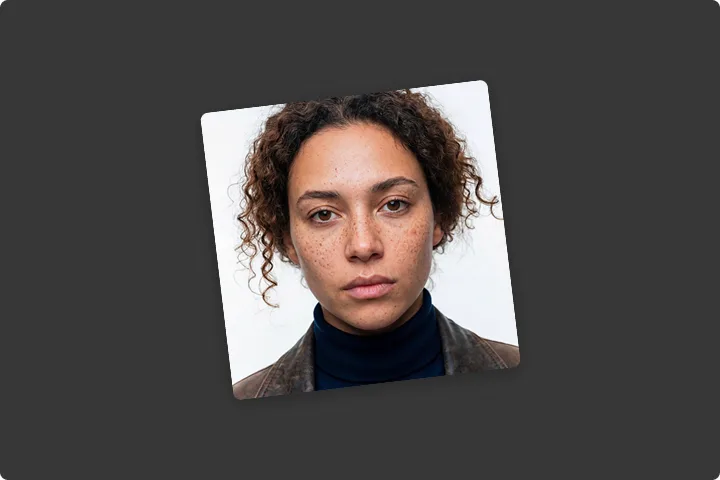
Drop in one photo
Add a clear face reference and, if you want, a line describing who they are. That is the whole input.
Let the tool set the look
MITO reads the photo and chooses the angles, expressions, and lighting that fit. Every choice is visible, nothing is hidden.
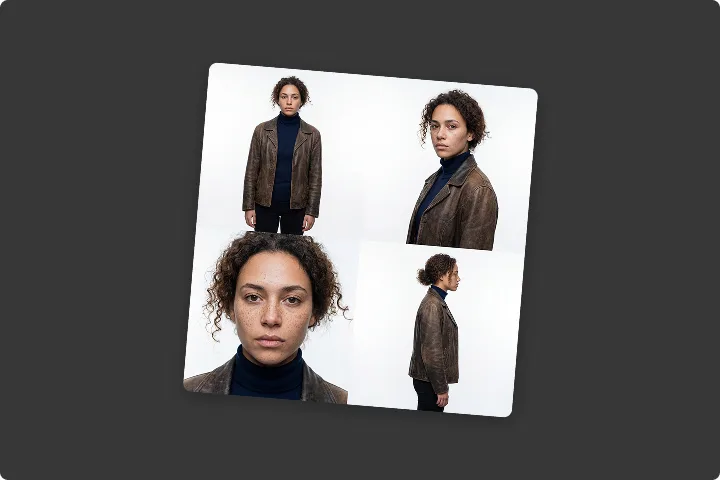
Generate, then refine
Get the full sheet, then adjust any angle, expression, or light and run it again until the character is right.
What you can do with it
Get the same face from the front, the 3/4, and the profile
Generate a full sheet of angles from one reference, so the character holds up the moment the camera moves.
Read the mood before you commit
See your character neutral, happy, concerned, and intense side by side, then keep the expressions the scene needs.
See the character under each light, not just named presets
Compare natural, studio, dramatic, and soft lighting on the same face, and pick the one that matches your scene.
Reuse the character everywhere on MITO
The sheet becomes a reference your scenes and shots read from, so consistency is built in instead of fought for.
What goes in, what you get
What you bring
- Face reference
- One clear photo of the character's face.
- Description
- Optional. Age, build, distinguishing features, the kind of person they are.
- Style reference
- Optional. A frame whose mood and lighting you want the sheet to follow.
What you get back
- The character sheet
- Every angle and expression laid out in one grid, ready to review.
- Individual frames
- Each angle and expression as its own image, ready to drop into a scene.
- A reusable identity
- The character is saved to your project, so the next tool starts from the same face.
Character Sheet FAQ
A mini-app is a focused tool that produces one finished result without a blank prompt box. You make creative choices visually and the app writes the prompt for you. Character Sheet is the first one.
You start from a single face reference, and Character Sheet generates every angle, expression, and lighting setup from that one identity. The result is saved to your project, so the scenes and shots you build next read from the same face instead of inventing a new one.
No. You add a photo, optionally describe the character, and make visual choices. The app assembles the prompt internally. If you want a conversation about what to make, the Director is there for that.
One clear photo of the character's face. A short description and a style reference are optional, and the tool fills in everything else.
Yes. Every angle, expression, and lighting choice is adjustable. Change what you want and generate again. The first result is a starting point, not the only one.