Video GenerationNewby Kuaishou

Make cinematic video that moves right

Describe a shot, get cinematic video with motion that holds up in a real edit.

Make cinematic AI video on MITO with Kling 3.0: turn a prompt or reference into footage with natural motion, real physics, and a shot-on-camera look, then refine it into a finished sequence. Built for filmmakers, social teams, and studios who need video that actually cuts.

Made with Kling 3.0 on MITO

Real outputs and the prompts behind them. Remix any of them in one click.

Prompt

Wide shot of ocean waves crashing on rocky shore at sunset, natural motion, photorealistic

Try it
Prompt

Busy city street at night, neon lights, rain reflections, cinematic composition

Try it
Prompt

Close-up portrait of person looking at camera, natural lighting, shallow depth of field

Try it
~45sAverage time to a clip
1080pOutput resolution
10sMax clip length

The full power of MITO, with Kling 3.0 built in

MITO is the creative platform where a generation becomes a finished piece: references, scenes, editing, and every model in one place. Kling 3.0 is one of those models, and it works better surrounded by everything else you need to make the work.

One canvas, every model

Switch between Kling 3.0 and every other model on MITO without leaving your project. Combine outputs, keep your references, and stay in one creative flow.

Built for production, not just prompts

Storyboards, scene continuity, and editing live next to generation, so a clip becomes a sequence and a sequence becomes a film.

Your references travel with you

Characters, styles, and moodboards carry across generations and models, so your work stays consistent from first frame to final cut.

Who Kling 3.0 is for

One model, many workflows. Here is how different teams put it to work.

Filmmakers and directors

Block out scenes, test camera moves, and build animatics before a single day of shooting.

Social and content teams

Turn a brief into on-brand short-form video in minutes, then iterate until it lands.

Agencies and studios

Pitch with moving frames, keep characters consistent across a campaign, and deliver faster.

How to create with Kling 3.0

Generate, then refine. It is never one and done.

Selecting Kling 3.0 inside a MITO project
Step 1

Open Kling 3.0 on MITO

Start a project and select Kling 3.0. No setup, no install.

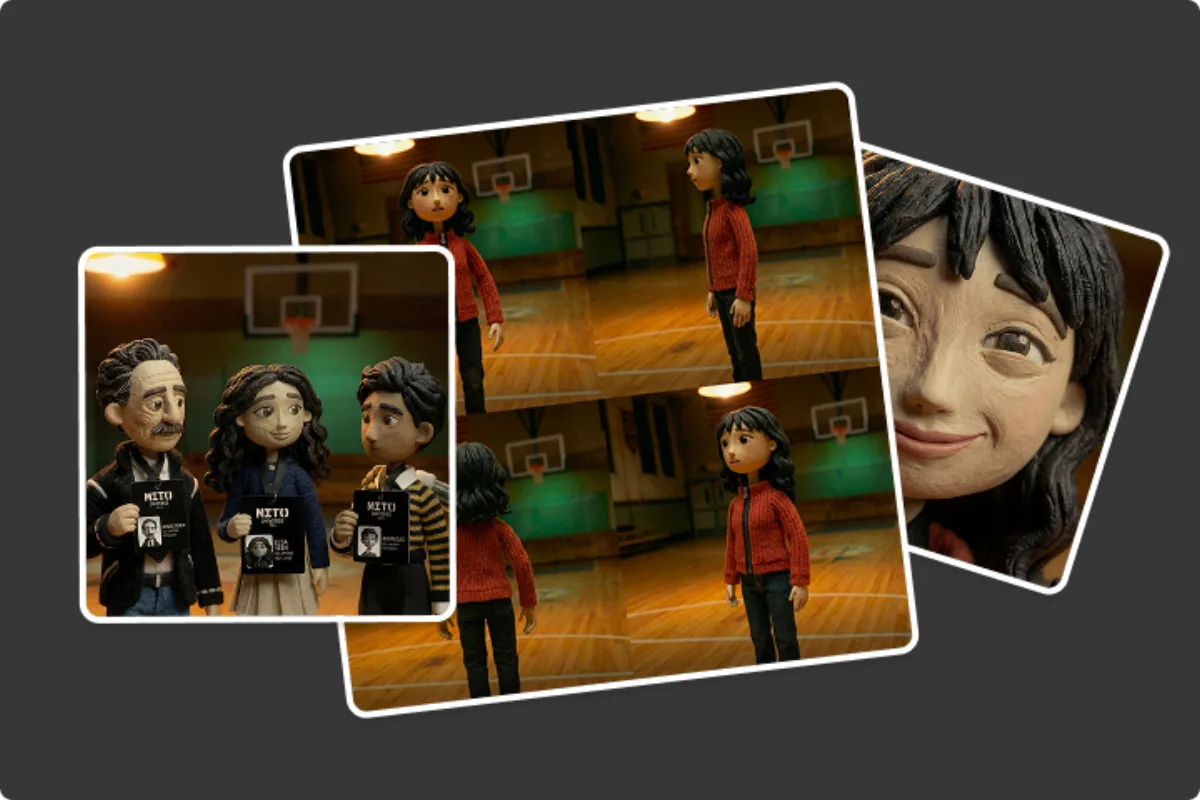
Adding a prompt and references in the MITO canvas
Step 2

Add your prompt and references

Describe the shot and drop in references for character, style, or camera move. The more you give it, the more on-vision it stays.

Step 3

Generate and refine

Generate, then refine. Adjust the prompt, swap a reference, extend the clip. It is never one and done.

Direct with references, not just words

Drop in a moodboard of references — a character, a location, a lighting mood, a camera move — and Kling 3.0 on MITO blends them into one consistent video. References give you control that prompts alone can't, so every generation stays on vision instead of starting from scratch.

Ferrari F40 at golden hour, character and styling reference
Coastal location and lighting reference
Camera move and composition reference

One consistent result from every reference

Kling 3.0 Capabilities

More power, more control, from prompt to video generation

Motion that survives the cut

Most AI video falls apart the moment you drop it into a timeline. Kling 3.0 keeps weight, momentum, and continuity consistent across the clip, so action scenes and character animation read as real movement instead of drift, and the shot still works once it's edited.

Start Creating Free


Looks shot, not generated

Hand a client a clip that reads as production, not as a demo. Accurate lighting, real materials, and natural color grading hold up from product shots to narrative scenes, so the output sits next to live footage without giving itself away.

Start Creating Free

From prompt to a shot you can use

Describe the scene, the camera, the mood, and get a usable shot back fast, then refine it instead of starting over. Kling 3.0 reads complex direction the first time, so you spend the time directing rather than re-rolling.

Start Creating Free

Trusted by filmmakers

Kling 3.0 on MITO is the first time AI video held up in a real edit. The motion is clean enough to cut into a sequence without fighting it.
Director, short film avatarDirector, short filmIndependent filmmaker
Having references and the model in one place changed how we storyboard. We pitch with moving frames now, not stills.
Creative lead, production studio avatarCreative lead, production studioCommercial work
LittleSpainMovistarLAAGAMTelefonicaEvil Creative

Kling 3.0 Technical Specifications

Kling 3.0 is developed by ByteDance from video output clues. Below are the current technical details and defaults for AI-generated content through MITO.

Technical specifications for Kling 3.0
SpecificationValue
Max ResolutionUp to 1080p
Max Duration10 seconds
Frame Rate30 fps
Input TypesText, Image
Generation Speed~45 seconds per clip
Credits per Generation700 – 1,400 credits

Which model should you use

Every model lives on MITO. Pick by the job, not the name.

Kling 3.0Action, character animation, anything where movement has to feel real.
Seedance 2.0Up to 12 references per prompt, native audio-visual sync.
Nano Banana 2When you need stills, frames, or image-first workflows.

Kling 3.0 FAQ

On MITO you get Kling 3.0 inside a full production workflow instead of a single generation box. References, scenes, editing, and every other model live in one place, so a clip becomes a sequence and a sequence becomes a finished piece. Your characters, styles, and moodboards carry across generations and models. It's the same Kling 3.0, with everything you need around it to actually ship the work.

Kling 3.0 leads on motion quality and natural physics, which makes it ideal for scenes that need realistic movement and dynamics. Next to Runway, Pika, and Sora, Kling holds natural weight and momentum across the clip, so it's especially strong for action sequences, character animation, and complex motion.

Kling 3.0 excels at action scenes, character animation, natural environments, and any content requiring realistic motion. It's ideal for social media content, product showcases, narrative scenes, and creative projects where motion quality is critical. The model handles both subtle movements and dynamic action with equal precision.

Yes. Kling 3.0 supports image-to-video generation where you can upload a reference image and describe the desired motion or transformation. This allows you to animate static images, create product videos from photos, or extend existing visual assets into dynamic video content.

Kling 3.0 generates videos up to 10 seconds in duration at 30 fps and 1080p resolution. For longer content, you can generate multiple clips and extend them sequentially using the MITO canvas. The model maintains consistency across extended generations for seamless multi-clip sequences.

Kling 3.0 charges per second of video generated. The Standard model costs 140 credits per second, while the Pro model costs 187 credits per second. A 5-second clip costs 700 or 935 credits respectively. Additional credits can be purchased through your account or included in a MITO subscription plan.

Yes. Videos generated with Kling 3.0 through MITO can be used for commercial purposes including advertising, social media campaigns, product showcases, and client deliverables. All generated content is yours to use. Check MITO's terms of service for full details on commercial usage rights and licensing.

Kling 3.0's physics simulation and motion modeling create exceptionally natural movement with realistic weight, momentum, and continuity. Unlike other models that can produce floating or unrealistic motion, Kling maintains consistent motion dynamics throughout the clip. This makes it particularly effective for scenes requiring believable physics and natural human movement.

Create Professional Videos with Kling 3.0

Start with 1,000 free credits — enough for 11 Kling 3.0 generations. No credit card needed.

Start Creating Free